

As an Amazon Associate and eBay Partner, toptenpick.com earns from qualifying purchases. Prices and availability are subject to change.
“Xbox One to PS4 controller adapter” covers two different needs: using a PS4 controller on an Xbox One (or the reverse), and remapping/converting input for cross-platform play. The devices below handle one or both, verified as real, currently sold products — not the many unbranded knockoffs that flood search results under similar names. This is a genuinely narrow, brand-concentrated category: beyond the six products below, most other search results for “Xbox/PS4 adapter” turn out to be keyboard-and-mouse adapters functionally redundant with the XIM Apex already covered here, not distinct controller-to-controller converters.
| # | Product | Price | Where to buy |
|---|---|---|---|
| 1 | Cronus Zen | $110-$125 | Amazon · eBay |
| 2 | ConsoleTuner Titan Two | $140-$190 | Amazon · eBay |
| 3 | Brook Wingman XE2 | $50-$65 | Amazon · eBay |
| 4 | Mayflash Magic-X / Magic-S Series Adapter | $20-$26 | Amazon · eBay |
| 5 | IOGEAR KeyMander 2 | $23-$70 depending on retailer | Amazon · eBay |
| 6 | XIM Apex | $120-$150 (often sold used/renewed) | Amazon · eBay |
The picks, in detail

Cronus Zen
The best-known standalone converter/adapter in this space — plug a PS4, PS5, Switch, or Xbox controller into it and use it on a different console, with community-made GamePacks for remapping.
- Console-agnostic: PS4/PS5, Xbox One/Series, Switch, PC
- USB-C connection with companion mobile app for configuration
- Supports remapping, macros, and community GamePacks
- Firmware-updatable
- The most actively supported and documented device of this type, with a large user community
- Works across far more console combinations than a simple two-way adapter
- Pricier than a basic input adapter like the Mayflash
- More features than you need if all you want is to plug a PS4 controller into an Xbox

ConsoleTuner Titan Two
A more advanced cross-platform converter aimed at users who want scripting and macro capability on top of basic controller conversion.
- Supports PS5/PS4/PS3, Xbox One/360, Switch, and PC
- Programmable scripts and macros via GTuner software
- Controller emulation and remapping
- Keyboard/mouse input support
- Deeper scripting and macro customization than the Cronus Zen for advanced users
- Long-running product with mature companion software
- Steeper learning curve than a plug-and-play adapter
- Costs more than the Cronus Zen at full retail price
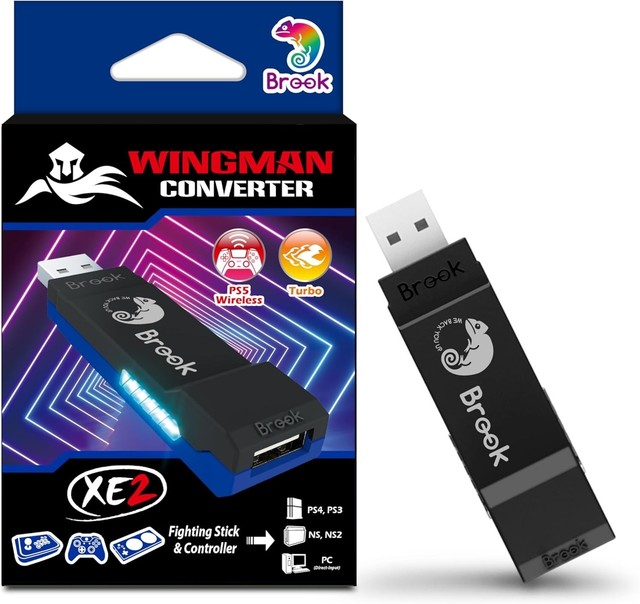
Brook Wingman XE2
A purpose-built converter for using PlayStation, Switch, and other controllers on Xbox One/Series consoles specifically, at a lower price than the Cronus Zen or Titan Two.
- Converts PS5/PS4/PS3/Switch controllers for use on Xbox One/Series X|S
- Compact USB dongle form factor
- No subscription or app account required for basic use
- Supports button remapping
- Cheapest dedicated adapter on this list
- Purpose-built for exactly the Xbox-One-to-PlayStation-controller direction this topic asks about
- Fewer advanced scripting features than the Cronus Zen or Titan Two
- Xbox-focused — less useful if you also want PlayStation or Switch as a target console

Mayflash Magic-X / Magic-S Series Adapter
Mayflash’s budget Bluetooth adapter line, letting an Xbox or PlayStation Bluetooth controller pair to the other platform (and to Switch and PC) at the lowest price point here.
- Bluetooth pairing for Xbox Series/One and PS4/PS5 controllers
- Also compatible with Switch, macOS, Windows, and Raspberry Pi
- No wired dongle needed once paired
- Multiple model variants (Magic-X, Magic-S Pro 2, Magic-NS) covering slightly different console combinations
- By far the cheapest option in this roundup
- Wireless Bluetooth pairing instead of a wired pass-through
- Fewer remapping/macro features than the Cronus Zen or Titan Two
- Multiple similarly-named models — double check the exact variant supports your specific controller pairing

IOGEAR KeyMander 2
Primarily a keyboard-and-mouse adapter like the XIM Apex, but its Controller Crossover mode also lets you swap PS4, Xbox One/Series, and Switch controllers between those consoles — worth knowing about if you want both capabilities in one box.
- Keyboard/mouse adapter for PS4, Xbox Series X|S, Xbox One, and Switch
- Controller Crossover mode swaps controllers between PS4, Xbox One, and Switch
- No subscription required
- Companion configuration software
- Two functions in one device — keyboard/mouse adapter and basic controller crossover — if you want both
- Real, current product; KeyMander 2 is IOGEAR’s active current generation
- Primarily built and marketed as a keyboard/mouse adapter — the controller-crossover feature is secondary and less full-featured than a dedicated device like the Cronus Zen
- Price varies dramatically by retailer, so compare before buying
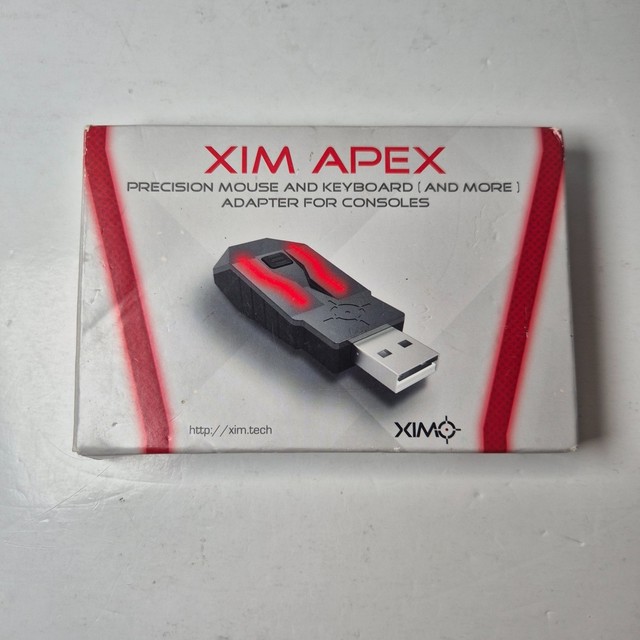
XIM Apex
Not a controller-to-controller adapter — a keyboard-and-mouse adapter for console. Worth knowing about if what you actually want is mouse-precision aiming on Xbox rather than a PlayStation controller.
- Connects keyboard and mouse to Xbox One/Series and PS4/PS5
- Smart Translator technology for aim-assist-free precision
- Setup via companion smartphone app
- USB hub-based hardware design
- The established name in console keyboard/mouse adapters, with years of firmware support
- Solves a different real problem (M+K input) that some shoppers searching this topic actually want
- Doesn’t let you use a PS4 controller on Xbox — it’s for keyboard/mouse, not controller conversion
- Increasingly sold on the resale/renewed market rather than new retail
Buying tips
- Decide what you actually need first: a Cronus Zen or Titan Two for broad cross-platform conversion with remapping, a Brook Wingman if you specifically want PlayStation-to-Xbox and nothing fancier, or a cheap Mayflash Bluetooth adapter if you just want basic pairing.
- Any of these devices technically enable input remapping, which some competitive multiplayer games’ terms of service restrict — check the specific game’s rules before using one in ranked or competitive modes.
- If your actual goal is keyboard-and-mouse precision on console rather than using a different controller, you want the XIM Apex, not a controller converter.
- Firmware updates matter for these devices as consoles patch controller compatibility — favor the actively-updated options (Cronus Zen, Titan Two) if you plan to use one long-term.
As an Amazon Associate and eBay Partner, toptenpick.com earns from qualifying purchases. Prices and availability are subject to change.