

As an Amazon Associate and eBay Partner, toptenpick.com earns from qualifying purchases. Prices and availability are subject to change.
A Surface tablet gets a lot more useful with the right accessories. Here’s what’s actually worth adding, from the Slim Pen to a full Thunderbolt dock setup.
| # | Product | Price | Where to buy |
|---|---|---|---|
| 1 | Microsoft Surface Slim Pen | $100-$130 | Amazon · eBay |
| 2 | Microsoft Surface Pro Flex Keyboard | $150-$200 | Amazon · eBay |
| 3 | Microsoft Surface Keyboard (2nd Edition) | $70-$90 | Amazon · eBay |
| 4 | Microsoft Surface Thunderbolt 4 Dock | $200-$260 | Amazon · eBay |
| 5 | Microsoft Surface Arc Mouse | $60-$80 | Amazon · eBay |
| 6 | Microsoft Surface Precision Mouse | $80-$100 | Amazon · eBay |
| 7 | Microsoft Surface USB-C Travel Hub | $60-$80 | Amazon · eBay |
The picks, in detail

Microsoft Surface Slim Pen
Microsoft’s precision stylus with magnetic charging storage on compatible keyboards.
- Sharper pen tip for pinpoint accuracy
- Programmable buttons
- Magnetic charge-and-store on select keyboards
- Excellent for note-taking and sketching
- Charges automatically when stored
- Full functionality needs a compatible keyboard tray

Microsoft Surface Pro Flex Keyboard
A keyboard that works attached to the Surface Pro or fully detached as a standalone Bluetooth keyboard.
- Attached or detached (flex) modes
- Includes Slim Pen storage
- Most versatile keyboard option
- Doubles as a laptop-style setup
- Premium price versus a basic type cover

Microsoft Surface Keyboard (2nd Edition)
A standalone desktop keyboard with a dedicated Copilot AI key.
- Copilot key
- Compact wireless desktop design
- Good for a Surface-as-desktop setup
- Quick AI access via the Copilot key
- Not designed to attach to the tablet directly

Microsoft Surface Thunderbolt 4 Dock
A docking station that turns a Surface into a full desktop setup with dual 4K monitor support.
- Thunderbolt 4, ultra-high-speed transfer
- 8 total connections
- Drives two 4K monitors
- Genuinely turns a tablet into a desktop rig
- High-speed data and display in one cable
- Overkill if you only need basic charging/USB

Microsoft Surface Arc Mouse
A slim, travel-friendly mouse that flattens for portability and curves for use.
- Folding flat/curved design
- Available in multiple colors
- Extremely portable
- Comfortable despite the slim profile
- Less precise than a dedicated productivity mouse
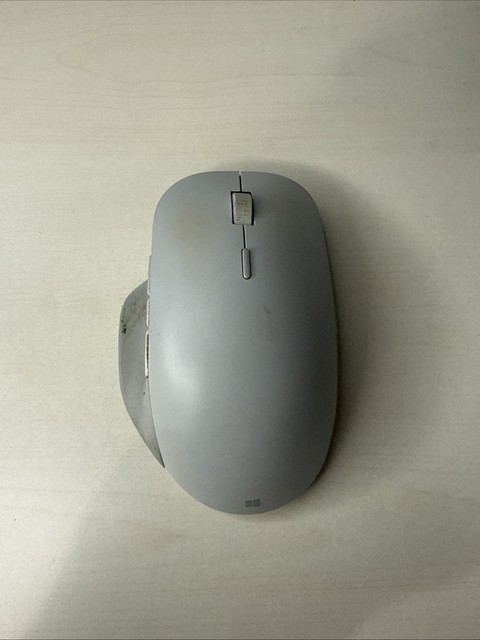
Microsoft Surface Precision Mouse
A higher-end mouse aimed at productivity work, with multi-device Bluetooth switching.
- Multi-device pairing
- Ergonomic shape for extended use
- Better for all-day desk use than the Arc Mouse
- Switches between paired devices easily
- Not as portable as the Arc Mouse

Microsoft Surface USB-C Travel Hub
A compact hub adding USB-A, HDMI, and extra USB-C ports for travel.
- Multi-port expansion from a single USB-C connection
- Solves Surface’s limited port selection on the go
- Passive hub — doesn’t add Thunderbolt speeds
Buying tips
- If you use your Surface at a desk most of the time, the Thunderbolt 4 Dock is the single highest-impact accessory — it replaces a laptop-sized workstation.
- The Slim Pen only charges automatically if you also own a keyboard with the magnetic storage tray — check compatibility before buying just the pen.
As an Amazon Associate and eBay Partner, toptenpick.com earns from qualifying purchases. Prices and availability are subject to change.