

As an Amazon Associate and eBay Partner, toptenpick.com earns from qualifying purchases. Prices and availability are subject to change.
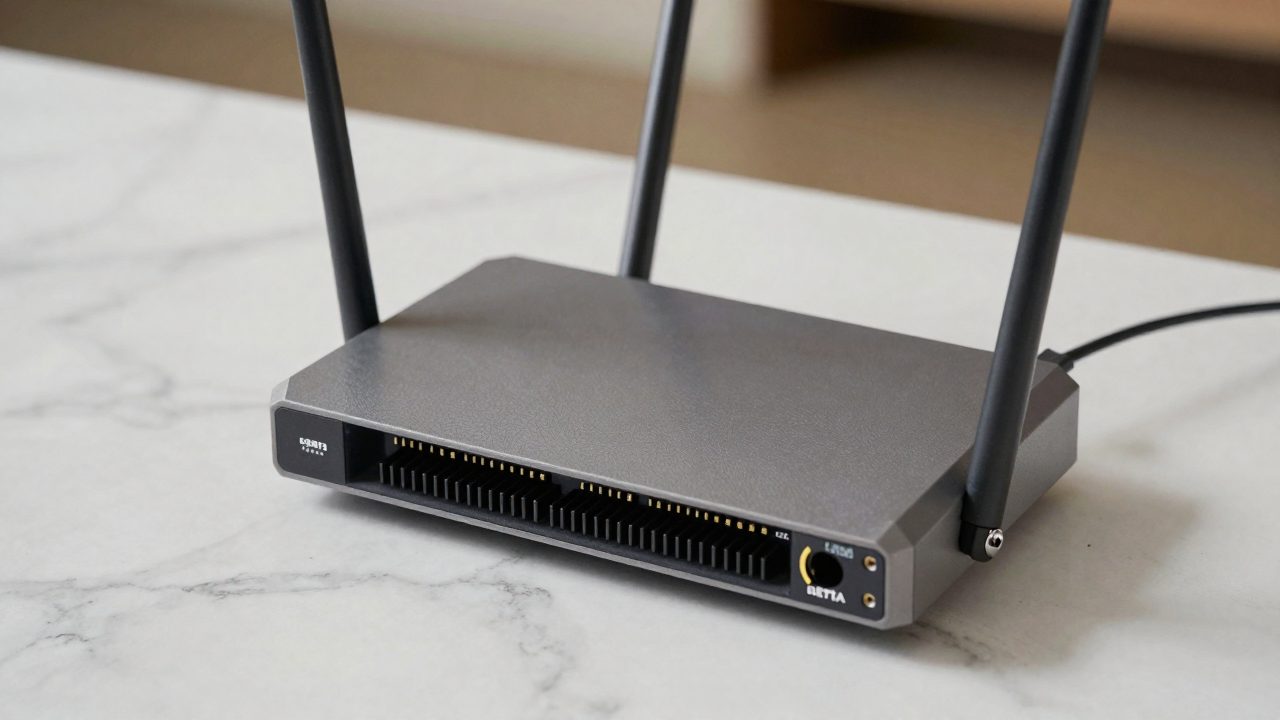
A home-lab router isn’t the same buying decision as a consumer Wi-Fi router — what matters is routing throughput, VLAN support, a real firewall (OPNsense/pfSense or a vendor equivalent), and enough ports to segment IoT, guest, and lab traffic. Here are current, actually-shipping options across the price and complexity spectrum, from turnkey all-in-one gateways to bare appliances you install your own firewall OS on.
| # | Product | Price | Where to buy |
|---|---|---|---|
| 1 | UniFi Cloud Gateway Max | ~$199 | Amazon · eBay |
| 2 | UniFi Dream Router 7 | ~$279 | Amazon · eBay |
| 3 | UniFi Dream Machine Pro Max | ~$599 | Amazon · eBay |
| 4 | MikroTik RB5009UG+S+IN | ~$210 | Amazon · eBay |
| 5 | Protectli Vault FW6 (6-port, OPNsense-ready) | ~$600 | Amazon · eBay |
| 6 | Netgate 4100 | ~$599 | Amazon |
| 7 | Firewalla Gold Plus | ~$569 | Amazon · eBay |
| 8 | TP-Link Omada ER7212PC | ~$250 | Amazon · eBay |
| 9 | GL.iNet Flint 2 (GL-MT6000) | ~$160 | Amazon · eBay |
| 10 | Netgate 1100 pfSense+ Security Gateway | ~$269 | Amazon · eBay |
The picks, in detail

UniFi Cloud Gateway Max
Ubiquiti’s current entry-level rack-free gateway — a low-cost, low-effort way into the UniFi ecosystem’s VLAN and IDS/IPS features without a rack.
- Routes up to 2.3 Gbps with IPS enabled
- Built-in UniFi Network controller
- Compact desktop form factor
- Manages additional UniFi APs/switches
- Cheapest way into UniFi’s full VLAN/firewall feature set
- No separate controller hardware needed
- No built-in Wi-Fi — needs a separate AP
- Less raw throughput headroom than the Pro Max

UniFi Dream Router 7
Ubiquiti’s current all-in-one Wi-Fi 7 gateway/router/AP combo, aimed at a home lab that also wants strong built-in wireless without a separate access point.
- Integrated Wi-Fi 7 access point
- Built-in UniFi controller
- Multiple wired LAN ports
- Compact all-in-one design
- One box covers routing, firewall, and Wi-Fi 7
- Good entry point if you don’t already have a separate AP
- Less expandable than the rack-mount Dream Machine line
- Wi-Fi 7 client devices still uncommon

UniFi Dream Machine Pro Max
Ubiquiti’s current rack-mount workhorse gateway, and the most common choice among home-lab users who’ve outgrown the desktop UniFi gateways.
- 1U rack-mount form factor
- Multi-gig WAN/LAN ports
- Built-in UniFi controller and NVR functionality
- High IDS/IPS throughput
- De facto standard for a serious UniFi-based home lab
- Handles VLANs, firewall rules, and camera NVR duty in one box
- Needs an actual rack or shelf, not a desktop unit
- Meaningfully pricier than the Cloud Gateway Max

MikroTik RB5009UG+S+IN
A RouterOS-based router popular in home labs for its 10G SFP+ uplink and seven gigabit ports at a price well under most 10G-capable competitors.
- Seven Gigabit Ethernet ports plus a 2.5GbE port
- 10G SFP+ cage for fiber/DAC uplink
- Full RouterOS feature set (BGP, VLANs, firewall)
- Passive cooling
- Real 10G uplink capability at a homelab-friendly price
- RouterOS is extremely deep for advanced networking experiments
- RouterOS has a real learning curve compared to UniFi’s GUI
- No built-in Wi-Fi

Protectli Vault FW6 (6-port, OPNsense-ready)
A fanless x86 firewall appliance with six 2.5GbE ports, sold as bare hardware for you to install OPNsense or pfSense on — the standard pick for a from-scratch DIY firewall build.
- Six 2.5GbE Intel NICs
- Fanless, silent operation
- Ships without an OS — runs OPNsense, pfSense, or others
- Compact desktop form factor
- Full control over the firewall OS running on real x86 hardware
- Silent, low-power operation suited to a home office
- You install and maintain the firewall OS yourself
- No vendor support contract like Netgate or Ubiquiti offer
Netgate 4100
Netgate’s own appliance running pfSense Plus, for home-lab users who want pfSense specifically with vendor support rather than a self-installed build.
- Ships with pfSense Plus pre-installed
- Multiple gigabit-class ports
- Vendor support and update path included
- Compact rack-optional form factor
- Official pfSense Plus support, unlike DIY installs
- No OS-installation step required
- More expensive than installing pfSense yourself on generic hardware
- pfSense community momentum has shifted somewhat toward OPNsense
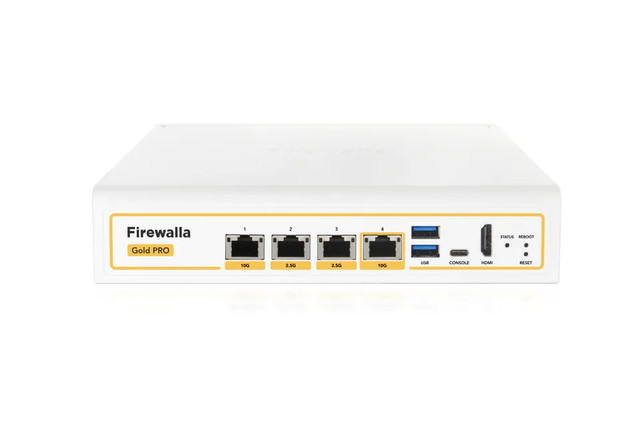
Firewalla Gold Plus
A prosumer all-in-one security gateway with four 2.5GbE ports, aimed at users who want strong firewall/IDS features with an app-based interface instead of a full router-OS learning curve.
- Four 2.5GbE ports
- Built-in deep packet inspection and IDS
- Can run as primary router or behind an existing one
- Managed via mobile app
- Much gentler learning curve than RouterOS/OPNsense
- Strong ad-blocking and intrusion-detection feature set out of the box
- No built-in Wi-Fi — needs a separate AP
- Less deep low-level routing control than MikroTik/OPNsense

TP-Link Omada ER7212PC
A fanless 3-in-1 router, 8-port PoE+ switch, and Omada controller in one box — useful if a home lab also needs to power a few PoE access points or cameras without extra hardware.
- Built-in 8-port PoE+ switch (110W budget)
- Doubles as an Omada SDN controller
- Multiple WAN ports for load balancing/failover
- Fanless design
- Combines router, PoE switch, and controller in one purchase
- Good value if you’re also running Omada access points
- Omada’s feature depth trails RouterOS/OPNsense for advanced firewall rules
- Bulkier than a router-only box given the built-in switch

GL.iNet Flint 2 (GL-MT6000)
A budget OpenWrt-based Wi-Fi 6 router with dual 2.5GbE ports — a low-cost way to get real OpenWrt flexibility (VLANs, multi-WAN, VPN) without committing to a dedicated firewall appliance.
- Pre-installed OpenWrt with GL.iNet’s management layer
- Dual 2.5GbE ports plus four Gigabit ports
- Wi-Fi 6, dual-band
- Multi-WAN, failover, and VLAN support
- Cheapest entry point to real OpenWrt-based routing here
- Includes Wi-Fi, unlike the pure firewall appliances on this list
- Less raw routing horsepower than a dedicated x86 or MikroTik box
- OpenWrt customization still has a learning curve
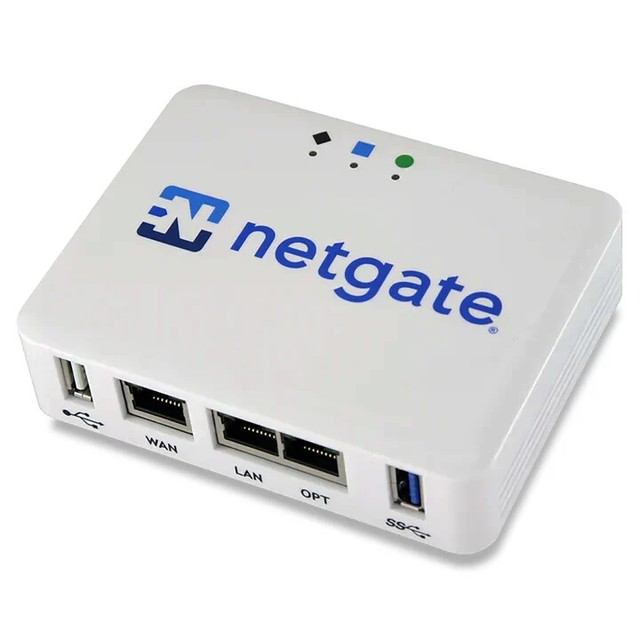
Netgate 1100 pfSense+ Security Gateway
Netgate’s own budget-tier appliance, filling the gap between a bare OpenWrt router and the full-size 4100 — official pfSense Plus pre-installed on compact, low-power ARM hardware.
- Dual-core ARM Cortex-A53 1.2GHz CPU
- Three 1GbE ports
- pfSense Plus pre-installed
- Up to ~900 Mbps routing throughput
- Official pfSense Plus support at a much lower price than the 4100
- Compact, low-power ARM design suits a home office rather than a rack
- Routing/firewall throughput is modest next to the x86-based 4100 or Protectli FW6
- Only three ports — less room to segment VLANs across dedicated physical ports
Buying tips
- Decide OPNsense/pfSense vs. a vendor ecosystem (UniFi, Omada) first — that choice affects nearly every other decision more than any single spec.
- Check port speed (Gigabit vs. 2.5GbE vs. 10G) against your actual ISP plan and internal lab traffic, not just against the box’s marketing headline.
- If you’ll run VLANs for IoT/guest/lab segmentation, confirm the router explicitly supports tagged VLANs and inter-VLAN firewall rules — some budget routers claim VLAN support but only for a single tag.
- A router with no built-in Wi-Fi (Protectli, Netgate, MikroTik, Firewalla) needs a separate access point — factor that into the total build cost.
As an Amazon Associate and eBay Partner, toptenpick.com earns from qualifying purchases. Prices and availability are subject to change.