

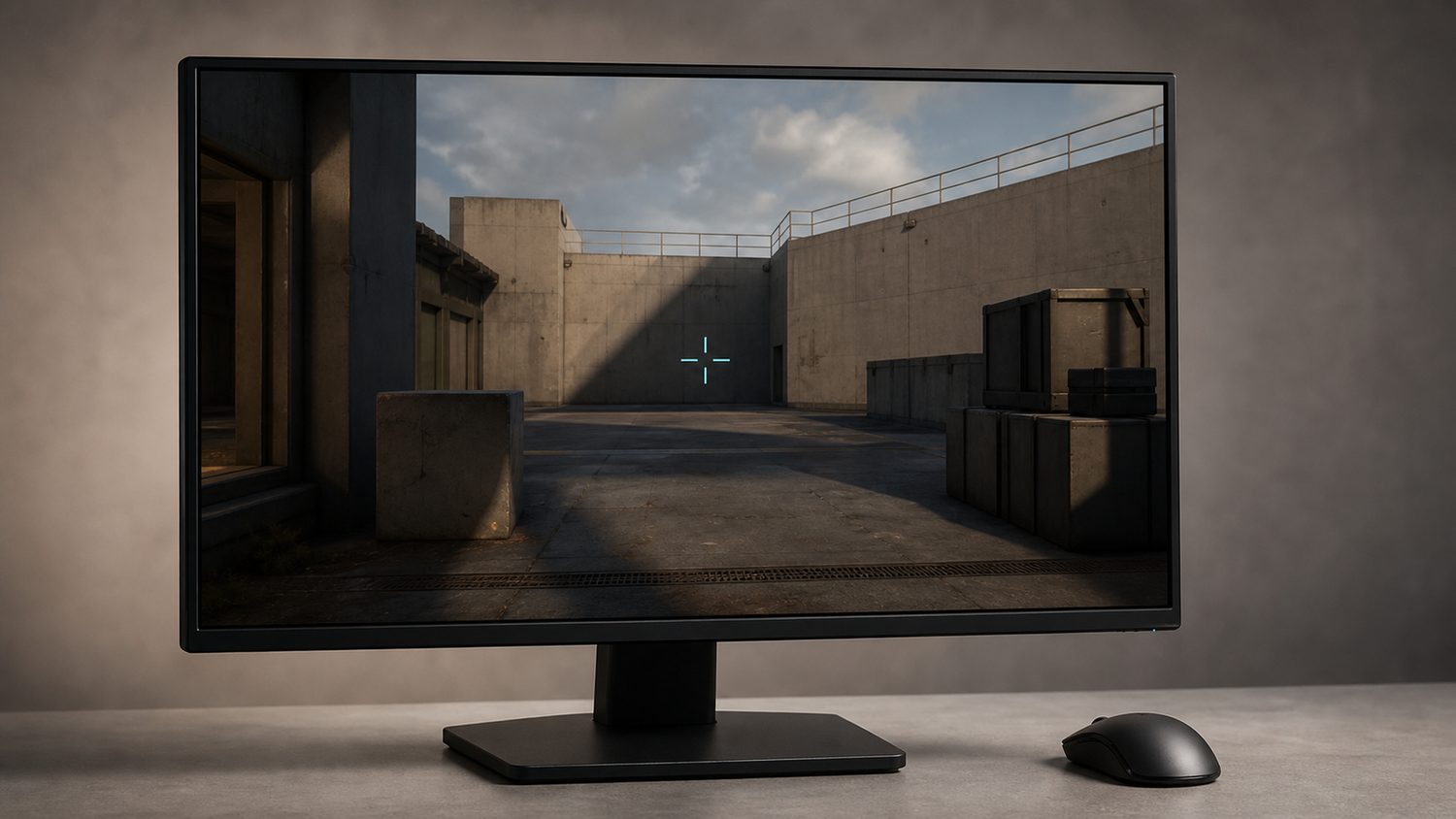
This is a guide for the legacy Counter-Strike: Global Offensive client, not Counter-Strike 2. At 1920×1080, there is no special native crosshair preset that automatically becomes best. CS:GO crosshair settings are drawn by the game and then displayed with the current resolution and aspect ratio. A value copied from a 4:3-stretched player can look different in proportion on a 16:9 1920×1080 screen, but it is still the same configuration. Choose a crosshair for visibility and repeatability, then test it on the actual display.
A dependable CS:GO starting point is a small static crosshair: style 4, a short line length, modest thickness, a tight gap, no centre dot, and a high-contrast colour. Static does not mean that bullets become perfectly accurate while moving. It only means the crosshair does not expand to communicate movement or firing inaccuracy. Learn the weapon’s stop-and-shoot timing separately.
Best all-round legacy preset
Enter these commands in the legacy CS:GO developer console as one baseline:
cl_crosshairstyle 4; cl_crosshairsize 2; cl_crosshairthickness 1; cl_crosshairgap -2; cl_crosshairdot 0; cl_crosshair_drawoutline 0; cl_crosshaircolor 4
Style 4 is the static classic style. Size controls line length, thickness controls line width, and gap controls the space around the aim point. Colour preset 4 is cyan. This is not a claim that the values are universally best; it is a compact reference that remains easy to see on a 1920×1080 display without covering a large part of a distant opponent.
Test the baseline on dark and bright map surfaces. If cyan disappears against a particular texture, change the colour before changing the geometry. A recognisable crosshair that is slightly larger is more useful than a tiny crosshair that vanishes whenever the camera moves to a bright wall.
Three useful variations
- More visible: keep style 4 and increase cl_crosshairsize to 2.5 or 3, with thickness 1. Use this if the two-unit baseline is hard to acquire quickly.
- More open centre: keep size 2 and change cl_crosshairgap from -2 to -1 or 0. This gives more view of the exact point being aimed at.
- Outline version: add cl_crosshair_drawoutline 1 and start with cl_crosshair_outlinethickness 0.5. An outline can improve contrast, but it also makes a small crosshair look heavier.
Make one change at a time. A player who changes size, gap, colour, thickness, and outline together cannot tell which change made the crosshair worse. Use the same weapon and range for several attempts, then retain only the adjustment that improves visibility or point placement.
Static versus dynamic styles
The cl_crosshairstyle setting controls how the crosshair behaves. Legacy command references distinguish dynamic styles from style 4 static and style 5 legacy. Dynamic styles expand with movement and firing feedback; static style 4 holds its geometry. Style 5 recreates older Counter-Strike behaviour and does not provide accurate current spread feedback. For a player who wants the reticle to remain visually stable while practising counter-strafing and burst timing, style 4 is a sensible default.
Use a dynamic style only when its feedback helps learning. It can remind a newer player that shooting while moving is inaccurate, but it can also become visually distracting during sprays. There is no need to copy a professional setting merely because it is popular. The best choice is the one that lets the player locate the intended aim point immediately while still understanding that crosshair behaviour is not a substitute for recoil control.
Resolution and aspect-ratio reality
1920×1080 is a 16:9 resolution. It provides a broad, clear image when the monitor and game are configured to display it normally, but it does not make every shared CS:GO crosshair appear at a universal physical size. Crosshair settings have historically been defined relative to the game’s rendering rules rather than to one monitor’s panel size. An old Valve update describes cl_crosshairsize in pixels at 640×480, which is a useful warning against calling a 1080p setting native without qualification.
Do not adjust the crosshair simply because another player uses 4:3 stretched or a different monitor size. First decide whether the target is visible at the distances actually played. If it is too large on 1920×1080, lower size or thickness. If it is hard to recover after a flick, use a brighter colour or a small outline. These changes solve the real problem without making unsupported claims about resolution advantages.
Using the console safely
Enable the developer console in CS:GO’s game settings, open it with the configured key, and enter one command at a time or paste a semicolon-separated line. The relevant client commands include cl_crosshairstyle, cl_crosshairsize, cl_crosshairthickness, cl_crosshairgap, cl_crosshairdot, cl_crosshaircolor, and the outline commands. These are cosmetic client settings; they do not require cheats.
CS:GO allowed crosshair share codes and the apply_crosshair_code command. That is a legacy-client detail. Do not assume that a CS2 import instruction, an autoexec path, or a newer command behaves identically in CS:GO. If restoring an old setup, use the legacy client’s own settings menu or its console and verify the reticle in a local practice session.
Practice checklist
- Start with the static baseline at the intended 1920×1080 resolution.
- Check it against both light and dark surfaces.
- Use a rifle at close, medium, and long range before resizing.
- Practice stopping before firing; a static crosshair does not show every accuracy penalty.
- Keep the setting for several sessions before judging it.
The best legacy CS:GO crosshair at 1920×1080 is a consistent, visible one rather than a magical resolution-specific code. Start with a style 4 cyan crosshair at size 2, thickness 1, and gap -2, then alter only the visibility problem that appears in actual play.