

As an Amazon Associate and eBay Partner, toptenpick.com earns from qualifying purchases. Prices and availability are subject to change.
Blender leans hard on middle-click orbit/pan and a smooth, precise sensor for viewport navigation and vertex-level selection, so the right mouse (and optionally a dedicated 3D navigation device alongside it) genuinely speeds up modeling work. Seven real options below, from productivity mice to a purpose-built 3D controller.
| # | Product | Price | Where to buy |
|---|---|---|---|
| 1 | Logitech G502 HERO | $40-$60 | Amazon · eBay |
| 2 | Logitech MX Master 3S | $90-$100 | Amazon · eBay |
| 3 | 3Dconnexion SpaceMouse Compact | $170-$190 | Amazon · eBay |
| 4 | 3Dconnexion SpaceMouse Wireless | $180-$200 | Amazon · eBay |
| 5 | Logitech G PRO X SUPERLIGHT | $150-$160 | Amazon · eBay |
| 6 | Redragon M901K | $35-$45 | Amazon · eBay |
| 7 | TECKNET Bluetooth Wireless Mouse (4800 DPI) | $15-$20 | Amazon · eBay |
The picks, in detail

Logitech G502 HERO
A gaming mouse whose 11 programmable buttons and 25K HERO sensor make it a favorite for mapping Blender shortcuts directly onto the mouse.
- 25,600 DPI HERO sensor
- 11 programmable buttons
- Adjustable weight system
- Enough buttons to map common Blender shortcuts (extrude, loop cut, etc.)
- Precise sensor for fine vertex selection
- Wired-only in the base model
- Larger shape suits medium/large hands better
Logitech MX Master 3S
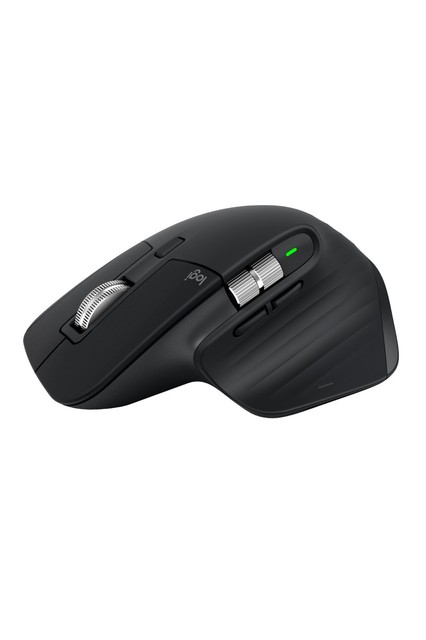
Logitech’s productivity flagship – an 8,000 DPI sensor that tracks on glass, paired with customizable buttons, makes it a strong all-round Blender mouse for long sessions.
- 8,000 DPI sensor, tracks on glass
- MagSpeed electromagnetic scroll wheel
- Customizable buttons via Logi Options+
- Very comfortable for multi-hour modeling sessions
- Precise enough for detail work despite being a productivity mouse
- Fewer buttons than a dedicated gaming mouse for shortcut-mapping

3Dconnexion SpaceMouse Compact
Not a replacement for your mouse but a 6-degree-of-freedom controller used alongside it – the left hand orbits/pans/zooms the viewport while the right hand keeps using a normal mouse to select and edit.
- 6DoF sensor (pan/zoom/rotate in one motion)
- 2 programmable buttons
- Blender 4.5+ has native streamlined SpaceMouse support
- Genuinely changes how fluid viewport navigation feels once learned
- 3Dconnexion officially documents Blender integration
- Extra cost and desk space on top of your regular mouse
- Learning curve of roughly 30 minutes to feel natural

3Dconnexion SpaceMouse Wireless
The cordless version of the Compact, for a cleaner desk – same 6DoF navigation, connected via its included USB receiver.
- 6DoF sensor
- Cordless via USB receiver
- Rechargeable
- Same Blender-native navigation as the Compact without a cable
- Costs slightly more than the wired Compact
Logitech G PRO X SUPERLIGHT
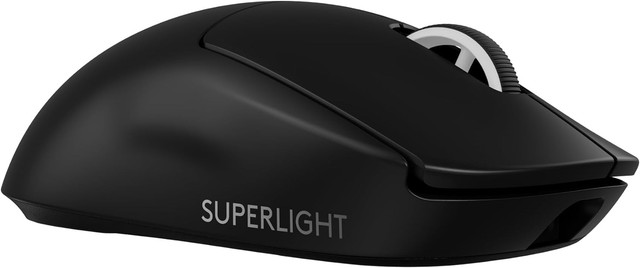
An ultra-light (63g) wireless gaming mouse whose low friction and high-precision sensor suit repetitive click-and-drag work like vertex dragging and box-selecting.
- HERO 25K sensor
- 63g weight
- Wireless with long battery life
- Very low fatigue over long modeling sessions thanks to the light weight
- Precise tracking for fine selection work
- Few buttons compared to the G502 – less useful for shortcut-mapping

Redragon M901K
A budget gaming mouse with an unusually high 19 programmable buttons and on-the-fly DPI adjustment, aimed at mapping many Blender tools without paying flagship prices.
- Up to 12,400 DPI, adjustable
- 19 programmable buttons
- Onboard memory profiles
- Far more programmable buttons than most mice at this price
- Good value for shortcut-heavy Blender workflows
- Build quality and sensor precision trail the Logitech/Razer options
TECKNET Bluetooth Wireless Mouse (4800 DPI)
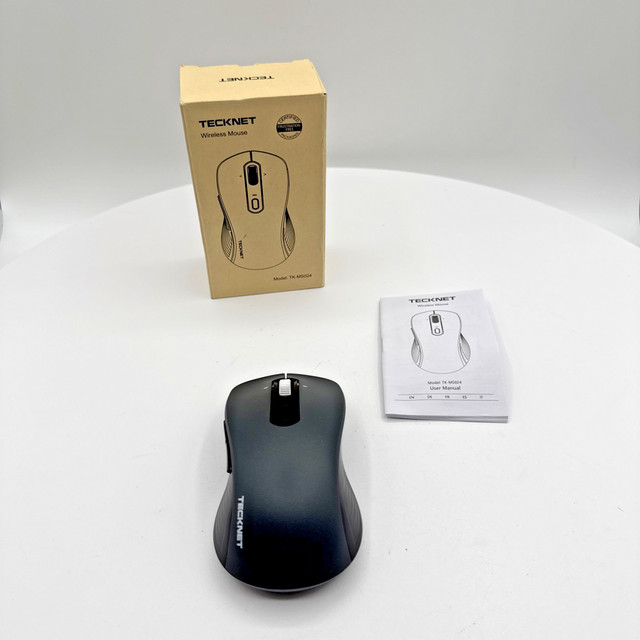
A quiet-click budget wireless mouse – a sensible low-cost pick for anyone who just wants a comfortable, silent mouse for long Blender sessions without extra buttons.
- Up to 4,800 DPI, adjustable
- Silent click switches
- Bluetooth, no USB dongle needed
- Very inexpensive
- Quiet clicks reduce fatigue-inducing noise over long sessions
- No programmable extra buttons for shortcuts
Buying tips
- A high-precision sensor matters more than raw DPI for Blender – you want accurate tracking at moderate DPI for vertex and edge selection, not the extreme sensitivity gaming mice advertise.
- If you can only buy one thing, buy a mouse with a reliable middle-click and scroll wheel first – Blender’s default navigation lives on the middle button, and cheap mice wear that switch out fastest.
- A SpaceMouse is an addition, not a replacement – keep a normal mouse for selection and edits, and let the SpaceMouse’s other hand handle orbit, pan and zoom.
- Programmable buttons only help if you actually remap them in Blender’s keymap preferences – budget the time to set up your shortcuts, or the extra buttons go unused.
As an Amazon Associate and eBay Partner, toptenpick.com earns from qualifying purchases. Prices and availability are subject to change.