

As an Amazon Associate and eBay Partner, toptenpick.com earns from qualifying purchases. Prices and availability are subject to change.
An RX 5700 is a strong match for 1080p high refresh or 1440p gaming depending on the game and settings. Prioritize adaptive sync, ports and a panel size that matches your desk.
| # | Product | Price | Where to buy |
|---|---|---|---|
| 1 | Dell G2724D | $180-$250 | Amazon · eBay |
| 2 | LG UltraGear 27GP850-B | $230-$300 | Amazon · eBay |
| 3 | Gigabyte M27Q | $220-$280 | Amazon · eBay |
| 4 | ASUS TUF Gaming VG27AQ | $220-$300 | Amazon · eBay |
| 5 | AOC Q27G3XMN | $250-$300 | Amazon · eBay |
| 6 | MSI G274QPF-QD | $200-$270 | Amazon · eBay |
| 7 | Acer Nitro XV272U Vbmiiprx | $200-$260 | Amazon · eBay |
| 8 | Dell G2725D | $170-$230 | Amazon · eBay |
| 9 | ViewSonic VX2758-2KP-MHD | $170-$230 | Amazon · eBay |
| 10 | Samsung Odyssey G50D | $230-$300 | Amazon · eBay |
The picks, in detail
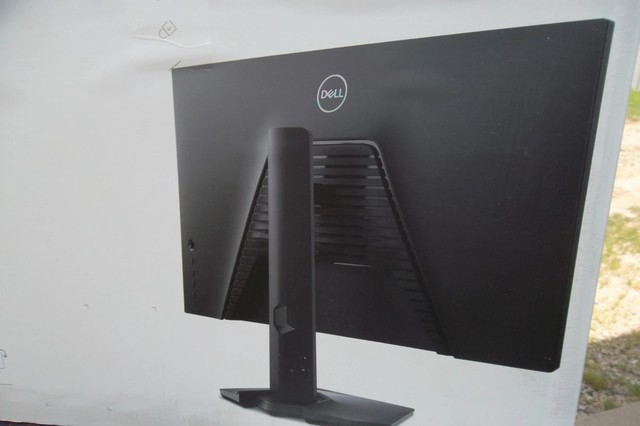
Dell G2724D
A 27-inch 1440p IPS monitor with 165Hz refresh and AMD FreeSync Premium Pro; a balanced RX 5700 match when image quality and adaptive sync matter more than chasing maximum settings.
- 2560 x 1440 resolution
- 165Hz refresh rate
- AMD FreeSync Premium Pro
- DisplayPort and HDMI inputs
- 1440p gives the RX 5700 a sensible target
- Adaptive sync reduces visible tearing
- Older model availability varies

LG UltraGear 27GP850-B
A 27-inch Nano IPS 1440p screen with a 165Hz native refresh and 180Hz overclock mode, suited to RX 5700 owners who value fast IPS motion and wide color.
- 2560 x 1440 Nano IPS
- 165Hz native refresh
- 180Hz overclock
- FreeSync Premium and DisplayPort
- Fast IPS response characteristics
- Strong fit for 1440p gaming
- Overclock mode is optional, not guaranteed by every game

Gigabyte M27Q
A 27-inch 1440p 170Hz IPS monitor with a KVM switch, useful when an RX 5700 desktop shares desk space with a laptop.
- 2560 x 1440 IPS
- 170Hz refresh rate
- FreeSync Premium
- KVM switch and USB-C
- KVM is useful for two-computer desks
- 1440p high-refresh target
- BGR subpixel layout can affect text clarity for some users

ASUS TUF Gaming VG27AQ
A 27-inch IPS 1440p gaming monitor with 165Hz overclocking and Adaptive-Sync, a mainstream pairing for an RX 5700 using DisplayPort.
- 2560 x 1440 IPS
- 165Hz overclock refresh
- Adaptive-Sync
- DisplayPort and HDMI
- Established 1440p gaming specification
- Adaptive sync suits variable game load
- Older model may cost more than newer alternatives

AOC Q27G3XMN
A 27-inch 1440p 180Hz Mini LED VA monitor for RX 5700 owners prioritizing contrast and HDR capability over IPS viewing angles.
- 2560 x 1440 VA
- 180Hz refresh rate
- Adaptive-Sync
- Mini LED backlight
- High refresh at 1440p
- Mini LED differentiates its contrast presentation
- VA viewing angles differ from IPS
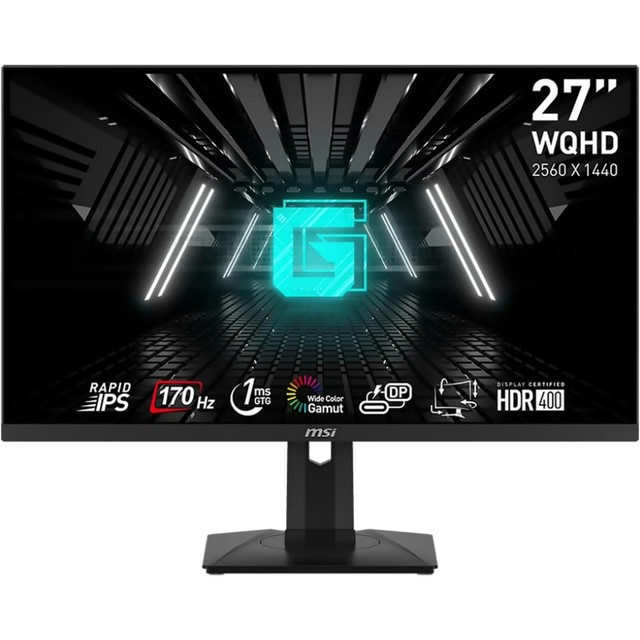
MSI G274QPF-QD
A 27-inch Rapid IPS 1440p monitor with 170Hz refresh and Adaptive-Sync; its two HDMI and one DisplayPort inputs cover a typical RX 5700 setup.
- 2560 x 1440 Rapid IPS
- 170Hz refresh
- Adaptive-Sync
- 2 HDMI and 1 DisplayPort
- Documented 170Hz DisplayPort mode
- Height-adjustable stand
- HDMI specification tops out below its DisplayPort refresh mode

Acer Nitro XV272U Vbmiiprx
A 27-inch 1440p IPS Nitro display with high-refresh Adaptive-Sync support, suited to a balanced 1440p RX 5700 configuration.
- 2560 x 1440 IPS
- high-refresh gaming panel
- AMD FreeSync support
- HDMI and DisplayPort inputs
- 1440p is a practical RX 5700 resolution
- IPS panel for broad viewing angles
- Check the suffix carefully because Nitro variants differ

Dell G2725D
A newer 27-inch 1440p 180Hz monitor with FreeSync and HDMI/DisplayPort connectivity, offering an uncomplicated high-refresh upgrade path for an RX 5700.
- 2560 x 1440 resolution
- 180Hz refresh
- AMD FreeSync
- DisplayPort HDMI and audio out
- Current budget 1440p design
- Higher refresh leaves room for lighter games
- Lacks HDR support

ViewSonic VX2758-2KP-MHD
A 27-inch 1440p IPS monitor with 144Hz refresh and FreeSync, a lower-cost pairing for an RX 5700 without paying for 180Hz hardware.
- 2560 x 1440 IPS
- 144Hz refresh
- AMD FreeSync
- DisplayPort and HDMI inputs
- 144Hz is a realistic high-refresh class
- Often priced below premium 1440p models
- Stand adjustments are limited
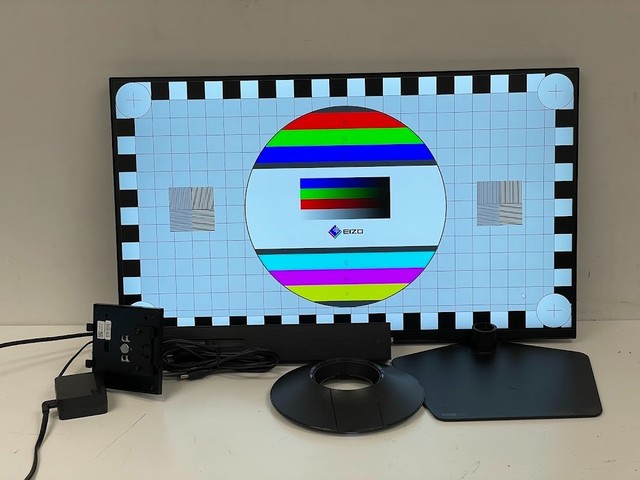
Samsung Odyssey G50D
A 27-inch 1440p IPS Odyssey monitor with 180Hz refresh and FreeSync Premium, for a high-refresh RX 5700 desk setup with modern Samsung gaming controls.
- 2560 x 1440 IPS
- 180Hz refresh
- AMD FreeSync Premium
- DisplayPort and HDMI inputs
- 180Hz panel supports lighter competitive titles
- Adaptive sync supports variable performance
- Usually priced above basic 1440p IPS models
Buying tips
- Use DisplayPort when possible for the monitor’s full refresh-rate options.
- Enable FreeSync or Adaptive-Sync in both the monitor menu and driver settings.
- Check the monitor stand and VESA support before ordering.
As an Amazon Associate and eBay Partner, toptenpick.com earns from qualifying purchases. Prices and availability are subject to change.