

As an Amazon Associate and eBay Partner, toptenpick.com earns from qualifying purchases. Prices and availability are subject to change.
The obvious spec on a microSD box is the big sequential number — “up to 200MB/s” — and it’s close to irrelevant to what the Shield TV actually does with the card. Sequential speed measures how fast a card streams one large continuous file, which matters for a camera saving 4K video or a drone recording flight footage. Once a card is used the way most Shield owners actually use one, its job is running apps and games directly off it, or loading thousands of small files — textures, save data, package fragments — and that workload is governed by random read/write speed, not sequential.
That distinction matters more on Shield than on a phone, because of a setting a lot of buyers never notice: Android’s Adoptable Storage. Format a card this way and the Shield stops treating it as a separate drive for media — it encrypts the card and merges it into internal storage, and from then on apps install directly onto it, indistinguishable to the OS from the built-in flash. That’s the mode where a slow card is genuinely punishing: every app launch, every game load, every scene transition becomes random I/O hitting the SD card instead of sequential streaming.
The industry already built a rating for exactly this workload: the Application Performance Class, A1 or A2, printed as a small letter inside a circle. A1 guarantees a floor of 1,500 random read and 500 random write IOPS; A2 raises that to 4,000 read and 2,000 write. A card with an impressive sequential number but no A-class rating — or only A1 — can visibly stutter loading a game off adopted storage, while a modestly priced A2 card feels close to the Shield’s internal flash. NVIDIA’s own published minimum for the Shield is much lower — Class 10 / UHS Speed Class 1, good for roughly 10MB/s sequential write — because that’s a floor for basic compatibility, not a target for good app performance.
One thing worth checking before buying anything: which Shield you actually own. The tube-shaped Shield TV (2019 onward) has a microSD slot built into its base. The Shield TV Pro does not — it relies on USB storage instead, so a microSD card bought for it is wasted money.
Two more caveats before formatting a card as adopted storage. NVIDIA and independent testers both note that adopted storage runs slower than the Shield’s built-in flash even with a fast card, so it suits larger, less-frequently-opened games better than the one played every night. And once a card is adopted, it’s tied to that specific Shield — pull it and plug it into a computer without reformatting and it won’t read as a normal drive. If the goal is just extra space for downloaded video, screenshots, and media rather than adopted app storage, sequential speed is what actually matters, and a plain Class 10 card is enough — A2 only earns its price premium for adopted, app-and-game use.
| # | Product | Price | Where to buy |
|---|---|---|---|
| 1 | SanDisk Extreme microSDXC UHS-I A2 | $15–$40 | Amazon · eBay |
| 2 | SanDisk Extreme PRO microSDXC A2 | $20–$50 | Amazon · eBay |
| 3 | Samsung EVO Select microSDXC A2 | $13–$35 | Amazon · eBay |
| 4 | Samsung PRO Plus microSDXC A2 | $15–$40 | Amazon · eBay |
| 5 | Lexar PLAY microSDXC A2 | $20–$50 | Amazon · eBay |
| 6 | PNY PRO Elite microSDXC A2 | $15–$40 | Amazon · eBay |
| 7 | TeamGroup A2 Pro Plus microSDXC | $12–$30 | Amazon · eBay |
| 8 | Kingston Canvas Go Plus microSDXC A2 | $15–$35 | Amazon · eBay |
| 9 | Silicon Power Superior microSDXC A2 | $18–$40 | Amazon · eBay |
| 10 | ADATA Premier Pro microSDXC A2 | $13–$35 | Amazon · eBay |
The picks, in detail

SanDisk Extreme microSDXC UHS-I A2
The most widely stocked A2 card on the market, rated up to 160MB/s sequential and carrying the full A2 random-IOPS floor, which is what actually matters once a card is adopted as Shield internal storage. SanDisk backs it with a lifetime limited warranty and it clears NVIDIA’s stated UHS-1 minimum by a wide margin, so compatibility isn’t in question — only whether the faster Extreme PRO tier is worth the extra cost.
- A2 application performance class
- Up to 160MB/s rated sequential read
- UHS-I, U3, V30 rated
- Lifetime limited warranty
- Easiest A2 card to find in stock at major retailers
- Well-documented, widely reviewed track record on Android devices
- Comfortably meets NVIDIA’s official speed requirements
- Extreme PRO tier offers meaningfully higher sustained speeds for a modest premium
- Included adapter and packaging vary by region — verify before buying
- Counterfeit listings exist for this exact model; buy from an authorized seller
SanDisk Extreme PRO microSDXC A2
SanDisk’s step-up tier, with faster sequential speeds than the standard Extreme and the same A2 random-IOPS rating underneath — so the app-launch and game-load benefit over the base Extreme is smaller than the price gap suggests. The PRO tier mainly buys headroom for large sequential transfers, not adopted-storage responsiveness. Worth it if the card will also see duty in a camera or to shuttle large files to a PC.
- A2 application performance class
- Higher sustained sequential speeds than base Extreme
- UHS-I, U3, V30 rated
- Lifetime limited warranty
- Fastest SanDisk microSD tier available
- Same reliable A2 random-IOPS floor as the cheaper Extreme
- Useful dual-purpose card if also used in a camera or drone
- Premium over the base Extreme buys little for adopted app storage specifically
- Costs more per GB than several equally A2-rated competitors here
- Overkill if the card will only ever live in the Shield
Samsung EVO Select microSDXC A2
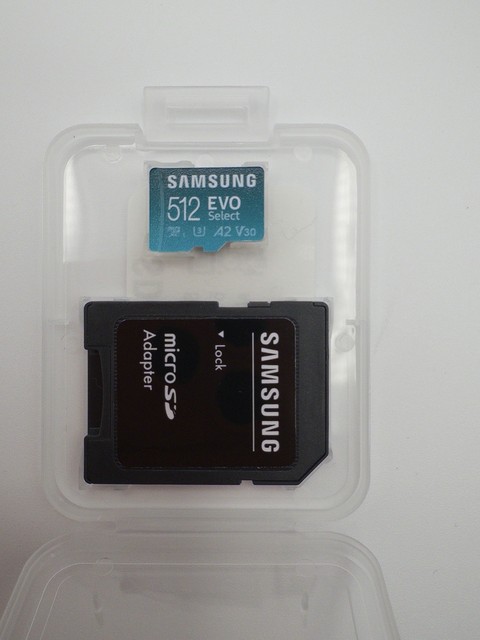
Samsung’s mainstream A2 card and consistently one of the cheapest per-gigabyte options that still clears the A2 IOPS floor, rated U3/V30. Backed by a 10-year limited warranty and rated for water, temperature, and drop resistance. The best value pick here for adoptable-storage performance without paying SanDisk or Samsung’s own PRO Plus premium.
- A2 application performance class
- U3, V30 speed ratings
- 10-year limited warranty
- Rated water, temperature, and shock resistant
- Among the lowest cost-per-GB of any A2 card in this list
- Long 10-year warranty
- Widely available from 128GB up to 1TB
- Sequential speeds trail the PRO Plus and Extreme PRO tiers
- Retail pricing fluctuates more than premium tiers
- No included card reader

Samsung PRO Plus microSDXC A2
Samsung’s tier above EVO Select, same A2 rating but faster rated sequential speeds and a sturdier build aimed at 4K recording and demanding read/write cycles. For Shield adoptable storage specifically the practical difference versus EVO Select is small, since both clear the same A2 IOPS floor — PRO Plus earns its price if the card will also see duty in a camera or action cam.
- A2 application performance class
- Higher rated sequential speeds than EVO Select
- U3, V30 rated
- 10-year limited warranty
- Faster sequential transfer than EVO Select for large file moves
- Same long Samsung warranty
- Sturdy build reviewers rate well for durability
- Costs more than EVO Select for a similar Shield app-launch experience
- Price and availability swing more than the EVO Select line
- Sequential speed advantage is mostly wasted on adopted-storage use

Lexar PLAY microSDXC A2
Marketed explicitly for game consoles and Android gaming devices, which happens to align well with how a Shield actually uses a card — A2-rated with V30 video speed and read speeds up to 160-205MB/s depending on capacity. One of the few cards here whose entire marketing angle (game load times) matches the Shield’s real workload instead of camera video.
- A2 application performance class
- V30 video speed rating
- Marketed for gaming and console use
- Available up to 1TB capacity
- Positioning and spec sheet map directly onto Shield’s app and game use case
- Available in large capacities for big game libraries
- Competitive pricing at smaller capacities
- Less established camera or video track record than SanDisk or Samsung
- Large-capacity (512GB-1TB) pricing is a step up from same-tier competitors
- Fewer long-term durability reviews than the market leaders

PNY PRO Elite microSDXC A2
PNY’s A2-rated tier, distinct from the cheaper Elite-X line, which is only A1 — check the exact product name before buying, since PNY sells both under similar branding. Rated U3/V30 with claimed speeds up to 100MB/s read. Regularly discounted well below list price, making it one of the better deals when on sale, though list price alone is less competitive than the market leaders.
- A2 application performance class (PRO Elite line only)
- U3, V30 speed ratings
- Up to 100MB/s rated read speed
- Available up to 1TB capacity
- Frequently discounted to some of the lowest prices in this list
- Confirmed A2 rating when buying the correct PRO Elite (not Elite-X) SKU
- Wide capacity range
- Easy to accidentally buy the similarly-named A1 Elite-X line instead
- List price less competitive than SanDisk or Samsung outside of sales
- Less brand recognition for long-term durability
TeamGroup A2 Pro Plus microSDXC
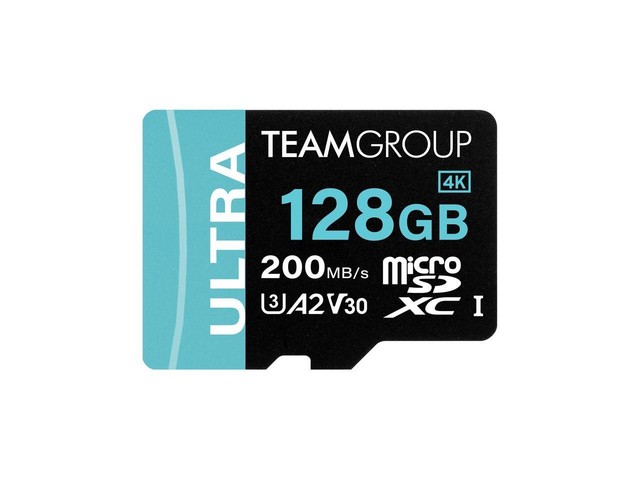
TeamGroup markets this card directly at Nintendo Switch and Steam Deck users — the same run-apps-and-games-off-the-card workload the Shield has. A2-rated with claimed speeds up to 160MB/s read and 110MB/s write. Undercuts the big-name brands on price while carrying the same application-class rating, at the cost of a shorter track record and less established North American warranty support than SanDisk or Samsung.
- A2 application performance class
- U3, V30 rated
- Up to 160MB/s read, 110MB/s write claimed
- Marketed for Switch, Steam Deck, and gaming use
- Competitive pricing relative to A2 cards from bigger brands
- Spec sheet and marketing target the same app and game workload as Shield
- Available in large capacities including 1TB and 2TB
- Less established warranty and support presence than SanDisk, Samsung, or Kingston
- Fewer independent durability reviews
- Multi-packs are the better per-card value; single cards cost more proportionally
Kingston Canvas Go Plus microSDXC A2
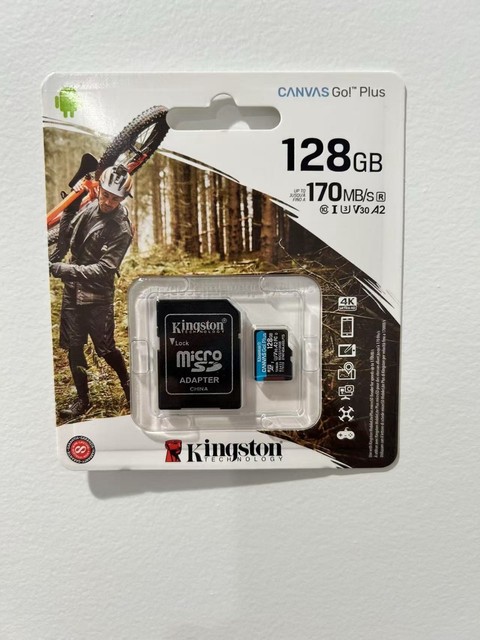
Kingston’s A2-rated line — note that the older, still-sold Canvas React Plus is A1 only, so check the exact model — rated up to 170-200MB/s depending on generation, U3/V30. Kingston backs it with a clear published warranty and specs several budget competitors don’t match, useful if A2 performance from an established enterprise-grade brand matters.
- A2 application performance class
- U3, V30 speed ratings
- Up to 170-200MB/s rated read (generation-dependent)
- Kingston limited warranty
- Established brand with clearly documented, verifiable specs
- A2 rating confirmed on the Go Plus line specifically
- Wide retailer availability
- Easy to confuse with Kingston’s own Canvas React Plus, which is only A1
- Not the cheapest per-GB option in this list
- Two card generations (SDCG3 and SDCG4) sell simultaneously at different rated speeds — check the SKU

Silicon Power Superior microSDXC A2
A less-established brand that still clears the A2 IOPS floor (4,000 read / 2,000 write minimum) at a price consistently below SanDisk and Samsung’s equivalent tier — independent reviewers have measured it beating SanDisk on sequential speed at less than half the cost at larger capacities. U3/V30 rated, and rated waterproof and shockproof per Silicon Power’s spec sheet.
- A2 application performance class
- U3, V30 speed ratings
- Rated waterproof, shockproof, and X-ray-proof
- Available up to 1TB
- Independently reviewed as faster than SanDisk at a lower price at larger capacities
- Confirmed A2 IOPS floor, not just a marketing claim
- Competitive pricing across all capacities
- Less brand recognition than SanDisk, Samsung, or Kingston
- Smaller retail footprint, with fewer physical-store options
- Fewer long-term reliability reviews than the market leaders
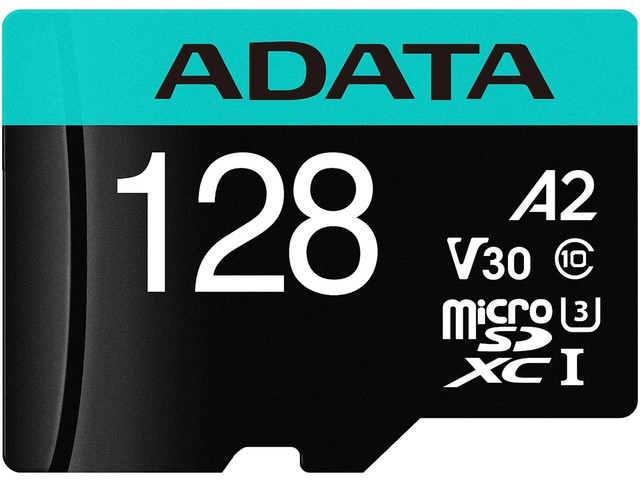
ADATA Premier Pro microSDXC A2
ADATA sells multiple similarly-named product lines — plain Premier is only A1, so confirm the listing says Premier Pro and shows the A2 logo before buying. The correct SKU is U3/V30/A2 rated and competitively priced against the other budget A2 options here. A reasonable pick if discounted below the bigger brands, but double-check the exact model number on the listing.
- A2 application performance class (Premier Pro line only)
- U3, V30 speed ratings
- Available up to 1TB capacity
- Includes SD adapter
- Competitively priced against other budget A2 cards
- Available across a wide capacity range
- Regularly discounted at major retailers
- ADATA’s naming across product lines is genuinely confusing — easy to buy the wrong (A1) SKU
- Less brand recognition for long-term reliability than SanDisk or Samsung
- Warranty support is less consistently documented than Kingston or Samsung
Buying tips
- Check which Shield model you own before buying — the standard tube-shaped Shield TV has a microSD slot, but the Shield TV Pro does not and relies on USB storage instead.
- Look for the small A2 logo, a circled “A2,” not just the big sequential-speed number on the packaging — A2 guarantees a random-IOPS minimum the sequential number says nothing about.
- Planning to use Adoptable Storage to install apps and games directly onto the card? Buy meaningfully more capacity than you think you need — the advantage only shows up when the card is considerably bigger than the Shield’s internal storage.
- Adopting a card as internal storage wipes and encrypts it to that specific Shield — back up anything on the card first, and don’t expect to read it in a computer afterward without reformatting.
- Adopted storage is slower than the Shield’s built-in flash even with a fast card, so it suits larger, less-frequently-launched games better than the one played every day.
- Only want extra space for downloaded video, screenshots, and media, not adopted app storage? Sequential speed is what matters there, and a plain UHS-1 Class 10 card is enough — skip paying extra for A2.
- NVIDIA’s official minimum is UHS Speed Class 1 with roughly 10MB/s sequential write — treat that as a floor for basic compatibility, not a target for good app performance.
- Buy from a listing that shows the manufacturer’s official packaging — counterfeit microSD cards that under-report actual capacity are common on marketplace listings for popular gaming-oriented cards.
As an Amazon Associate and eBay Partner, toptenpick.com earns from qualifying purchases. Prices and availability are subject to change.