


As an Amazon Associate and eBay Partner, toptenpick.com earns from qualifying purchases. Prices and availability are subject to change.
osu! is the rare game where almost nothing about a keyboard’s spec sheet matters. You press two keys — Z and X, or K and M — millions of times, so key count, layout and even switch feel are secondary to one thing: how fast the key rearms after you lift off it. That is what rapid trigger does, and it is why the boards osu! players actually use in 2026 are hall-effect and analog-optical designs rather than traditional mechanical ones. Two of them aren’t full keyboards at all. Here are ten worth buying, from a $37 budget board to the dedicated three-key pads that dominate the community’s own usage stats.
| # | Product | Price | Where to buy |
|---|---|---|---|
| 1 | Wooting UwU | $50-$70 (RGB version ~$69.69) | Amazon |
| 2 | Wooting 60HE V2 | $150-$200 | Amazon · eBay |
| 3 | SayoDevice O3C | $78-$90 | Amazon · eBay |
| 4 | Razer Huntsman V3 Pro TKL 8K | $125-$170 | Amazon · eBay |
| 5 | Razer Huntsman V3 Pro Mini | $120-$160 | Amazon · eBay |
| 6 | Keychron Q1 HE 8K | $200-$220 | Amazon · eBay |
| 7 | Aula WIN60 HE | $40 | Amazon · eBay |
| 8 | Epomaker G84 HE | $65-$85 | Amazon · eBay |
| 9 | Redragon K617 GB Fizz HE | $35-$45 | Amazon · eBay |
| 10 | Wooting 80HE | Varies by batch — check current pricing direct | Amazon · eBay |
The picks, in detail
Wooting UwU
A three-key analog pad built specifically for osu!, and the most-used keypad in the community — roughly 15% of surveyed players as of June 2026.
- Analog Lekker switches with rapid trigger
- Adjustable actuation point
- Fully remappable keys
- Three keys plus RGB variant
- Tiny footprint
- Purpose-built for this exact game rather than adapted from an FPS board
- Leaves the whole desk free for low-sensitivity mouse or tablet play
- Starts around $50, which is cheap for genuine analog hardware
- Sold direct from Wooting rather than through Amazon, and stock comes in batches
- You still need a real keyboard nearby for menus, chat and song search

Wooting 60HE V2
The most-used full keyboard among osu! players — about 17.7% of them in the June 2026 figures — and the default answer if you want one board for osu! and everything else.
- Hall-effect magnetic switches
- Rapid trigger with actuation adjustable to 0.1mm
- 8K polling
- 60% layout
- Improved sound and feel over the 60HE+
- Firmware and software are the most mature in the category, which matters more than raw specs
- 60% layout keeps the mouse hand close in
- Genuinely good typing board, not just a gaming one
- Direct-order from Wooting, so availability fluctuates
- Expensive next to the budget hall-effect boards that now do the same core trick
SayoDevice O3C
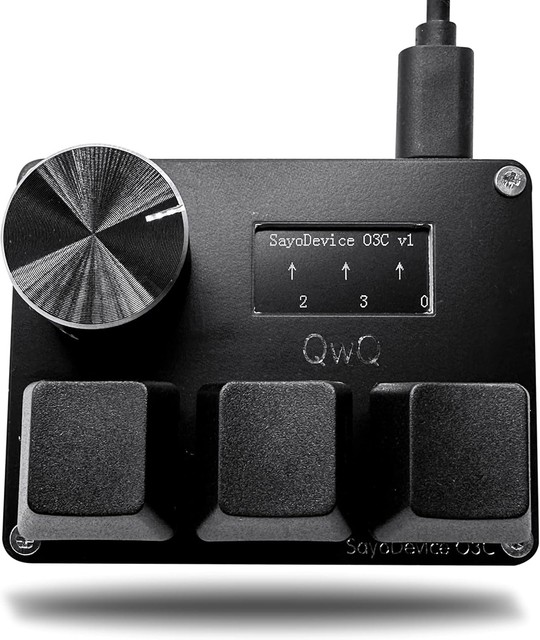
The main Wooting UwU alternative: three hall-effect magnetic switches, a programmable knob and a 0.96-inch IPS screen showing your key presses live.
- 3 hall magnetic linear switches
- Hot-swappable switches, no soldering
- 0.96″ IPS colour screen, 160×80
- Programmable rotary knob
- Trigger and release adjustable across 0-4.00mm
- Hot-swap means you can change switch feel without replacing the pad
- The knob is genuinely useful for scrolling the song list
- Widely available on Amazon, unlike the Wooting pads
- Software is simpler and less refined than Wooting’s
- Sold under several reseller brand names, so listings vary in quality
Razer Huntsman V3 Pro TKL 8K
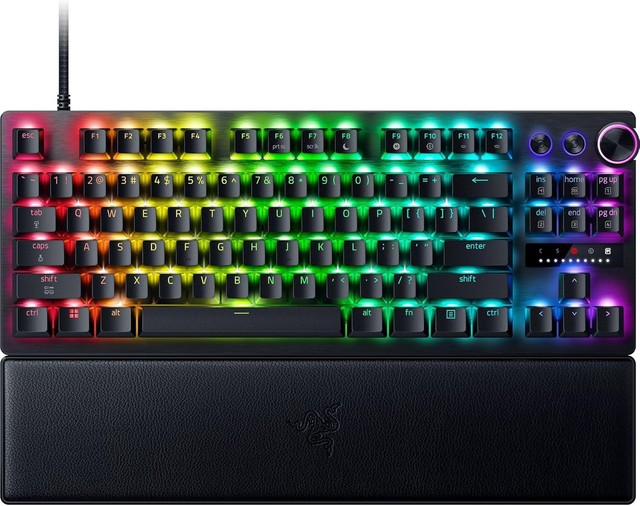
Razer’s analog-optical competitive board — the mainstream pick if you want rapid trigger from a brand with normal retail availability and warranty support.
- Analog optical switches
- 8,000 Hz polling
- Adjustable actuation and rapid trigger
- Snap Tap
- Tenkeyless layout
- Easy to buy and return through normal retailers, which Wooting is not
- Frequently discounted well below list
- Tournament-familiar TKL layout
- Mostly plastic chassis that feels cheap next to aluminium boards at similar money
- Stabilisers rattle slightly
- Some units have reported coil whine
Razer Huntsman V3 Pro Mini
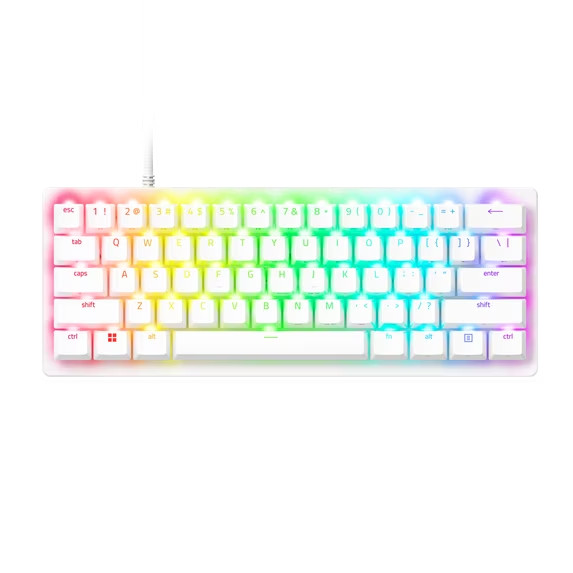
The same analog-optical internals in a 60%/65% footprint, for players who want the mouse hand closer without leaving the Razer ecosystem.
- Analog optical switches with rapid trigger
- Adjustable actuation point
- Compact 60%-class layout
- Snap Tap
- Razer Synapse configuration
- Compact enough to free real desk space for mouse movement
- Regularly falls to around $120, undercutting most hall-effect competition
- Straightforward retail availability
- Same plastic-chassis compromise as the TKL
- Synapse is heavier software than most players want running
Keychron Q1 HE 8K
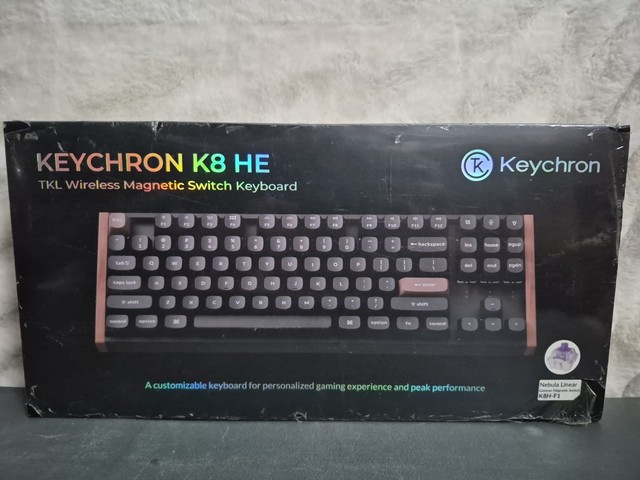
The premium build option — a fully aluminium hall-effect board for players who want the typing experience to be as good as the gaming performance.
- Full CNC aluminium chassis, over 1.7kg
- Hall-effect magnetic switches
- 8K polling with rapid trigger
- 75% layout with knob
- Gasket mount
- Best-in-class build quality and typing feel at this spec
- Heavy enough that it never shifts during heavy streams
- Works as a daily driver, not just a game controller
- Around $220, the most expensive board here
- The weight and size work against you if desk space is tight
Aula WIN60 HE
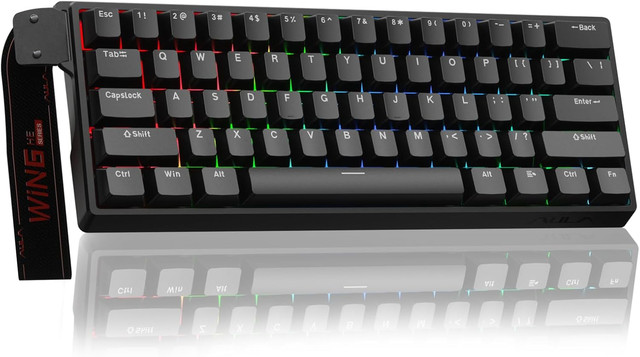
The value shock of the category: 8K polling and rapid trigger down to 0.02mm, in a 60% hall-effect board that costs about forty dollars.
- Hall-effect magnetic switches
- 8,000 Hz polling
- Rapid trigger to 0.02mm
- Adjustable actuation
- 60% layout
- Delivers the one feature that matters for osu! at roughly a quarter of the Wooting price
- Widely regarded as the best value in the 60% hall-effect class
- A sensible way to find out whether rapid trigger changes your play before spending more
- Software is rough compared with Wooting or Keychron
- Build quality and sound are ordinary — this is a budget board and feels like one
Epomaker G84 HE
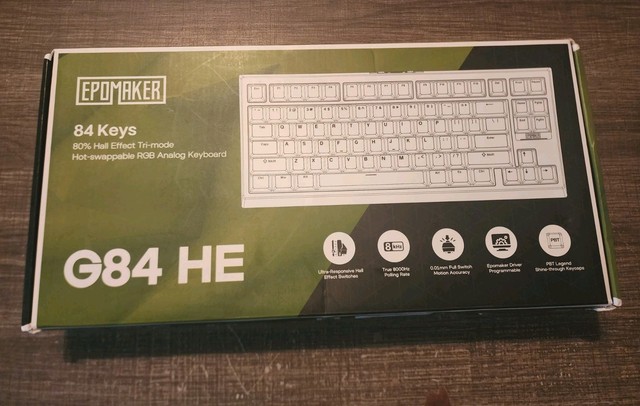
The best all-round budget package: hall-effect performance plus tri-mode wireless and gasket-mount construction in an 80% layout.
- Hall-effect switches with zero dead-zone actuation
- 8,000 Hz polling
- Tri-mode connectivity (wired, 2.4GHz, Bluetooth)
- Gasket mount with dampened sound profile
- 80% layout
- Wireless is genuinely rare at this price in a hall-effect board
- Sound profile is noticeably better than other budget options
- Often drops to the $65-$70 range during sales
- Use it wired for osu! — wireless adds latency you do not want in a rhythm game
- List price on the official Amazon storefront runs closer to $85 than the $68 you will see quoted
Redragon K617 GB Fizz HE
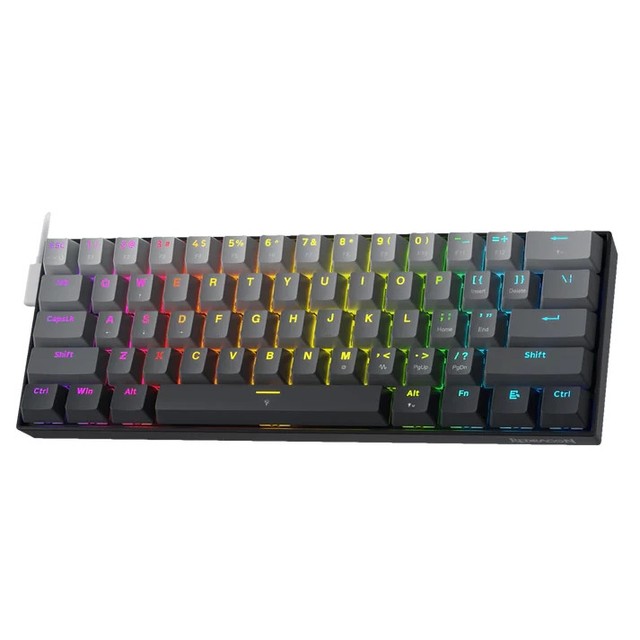
The cheapest way into hall effect at all — a 60% board with real magnetic switches for under forty dollars.
- Hall-effect magnetic switches
- Adjustable actuation
- Rapid trigger support
- 60% compact layout
- RGB backlighting
- Legitimate hall-effect performance at roughly the price of a takeaway meal
- Redragon’s distribution means it is easy to find and easy to return
- Small enough to sit alongside a tablet setup
- Lowest build quality on this list
- Firmware features are basic — you get rapid trigger and not much beyond it

Wooting 80HE
The larger sibling to the 60HE V2 — same analog hall-effect platform and firmware, in a TKL-class gasket-mounted chassis.
- Hall-effect magnetic switches
- Rapid trigger with fine actuation control
- Gasket-mounted construction
- TKL-class layout
- Same Wootility software as the 60HE
- Identical competitive behaviour to the 60HE with arrow keys and a function row you may actually want
- Widely rated as the reference hall-effect board alongside the Razer V3 Pro
- Better sound and feel than the 60-percent models
- Direct-order only and pricing moves with batch availability, so check wooting.io before committing
- The extra width costs you mouse space, which matters if you play low-sensitivity
Buying tips
- Rapid trigger is the whole game here. It resets the actuation point the instant a key starts to rise, so you can retrigger without releasing all the way. Traditional mechanical switches — Cherry, Gateron, Razer’s older greens — physically cannot do it, which is why the 2018-era boards that used to top these lists no longer belong on one.
- Only two keys matter. osu! standard uses Z/X or K/M, so layout, key count and even keycap profile are close to irrelevant. Spend the money on switch technology, not on size.
- Hall effect and analog optical both give you rapid trigger. Hall effect (Wooting, Keychron, Aula, Epomaker, Redragon) uses magnets; Razer’s analog optical uses light. Either works — pick on price, build and software rather than the underlying sensor.
- 8,000 Hz polling is the most oversold number in this category. The jump from 1,000 Hz is real but tiny, and far smaller than the difference rapid trigger makes. Do not pay a premium for polling alone.
- A keypad is not a keyboard replacement. The Wooting UwU and SayoDevice O3C free up enormous desk space for low-sensitivity mouse or tablet play, but you will still want a full keyboard within reach for menus, chat and song search.
- Wooting sells direct, not through Amazon. Both the UwU and the 60HE ship from wooting.io in batches, so stock comes and goes. If you need something today, the Razer, Keychron and budget hall-effect boards are the realistic options.
- Budget hall effect is no longer a compromise. The Aula WIN60 HE at about $40 and the Redragon K617 at about $37 deliver the same core rapid-trigger behaviour as boards costing five times more. What you give up is software polish, build quality and sound — not the feature that changes your scores.
- If you use a wireless board, plug it in to play. Every tri-mode keyboard here is better wired for a rhythm game; the wireless modes are a convenience for typing, not for timing windows.
As an Amazon Associate and eBay Partner, toptenpick.com earns from qualifying purchases. Prices and availability are subject to change.