

As an Amazon Associate and eBay Partner, toptenpick.com earns from qualifying purchases. Prices and availability are subject to change.
Any USB drive works with a Dell laptop — there’s no proprietary lock-in — so the real choice is HDD vs. SSD and how much capacity you need per dollar. Spinning HDDs (Seagate, WD) still win on cost-per-terabyte for pure backup; portable SSDs (Samsung, SanDisk, Crucial) cost more per gigabyte but are faster and far more shock-resistant for a drive that travels with the laptop.
| # | Product | Price | Where to buy |
|---|---|---|---|
| 1 | Samsung T7 Portable SSD | $90-$180 (capacity dependent) | Amazon · eBay |
| 2 | SanDisk Extreme Portable SSD | $85-$170 (capacity dependent) | Amazon · eBay |
| 3 | WD My Passport | $70-$130 (capacity dependent) | Amazon · eBay |
| 4 | WD Elements | $55-$100 (capacity dependent) | Amazon · eBay |
| 5 | Seagate Backup Plus Portable | $110-$180 (capacity dependent) | Amazon · eBay |
| 6 | Crucial X6 Portable SSD | $70-$140 (capacity dependent) | Amazon · eBay |
The picks, in detail
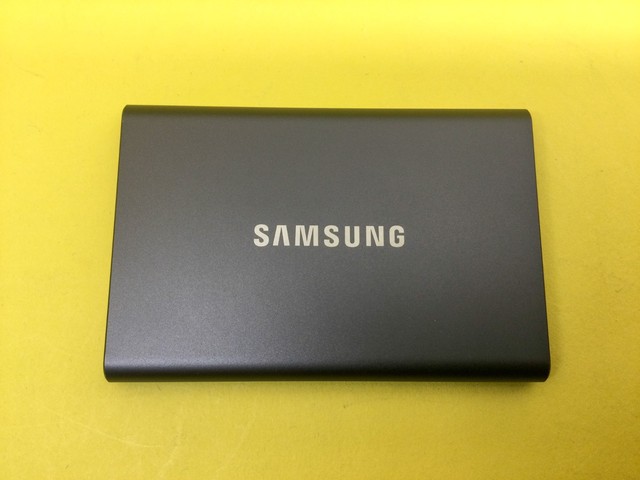
Samsung T7 Portable SSD
USB 3.2 Gen 2 speeds up to 1,050MB/s in a compact metal shell — the fastest, most consistently well-reviewed portable SSD in this price range, good for anyone who moves large files often.
- Up to 1,050MB/s (USB 3.2 Gen 2)
- Compact aluminum body
- Available in multiple capacities
- Genuinely fast real-world transfer speeds
- Small enough to carry alongside the laptop daily
- Higher cost per GB than a spinning HDD
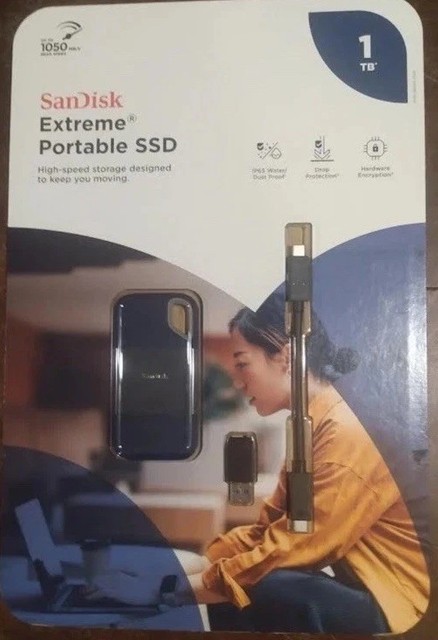
SanDisk Extreme Portable SSD
Smaller and lighter than the Samsung T7, with IP65 water and dust resistance and a built-in loop for clipping to a bag — a good pick if the drive travels loose in a backpack rather than staying at a desk.
- IP65 water/dust resistance
- Compact, lightweight body
- Carabiner loop attachment point
- Rugged rating protects against travel accidents
- Very compact and light to carry
- Slightly behind the T7 on peak transfer speed

WD My Passport
A spinning-disk drive with built-in backup software and password-protected hardware encryption — WD’s long-running mainstream backup drive, available up to large capacities for far more storage per dollar than any SSD here.
- Built-in backup software
- Password protection and hardware encryption
- Available in large capacities (up to 5TB+)
- Far more storage per dollar than any SSD
- Backup software and encryption included out of the box
- Slower than an SSD and more sensitive to drops since it’s a spinning disk
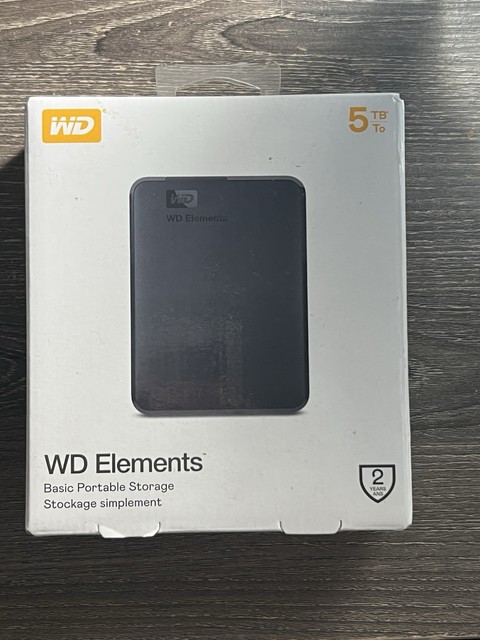
WD Elements
WD’s no-frills budget HDD line — USB 3.2 Gen 1 transfer speeds without the extra backup software or encryption of the My Passport, at a lower price for straightforward drag-and-drop backup.
- USB 3.2 Gen 1
- Plug-and-play, no software required
- Available in large capacities
- Lowest cost per GB in this list
- Zero setup — just drag and drop files
- No bundled backup software or hardware encryption

Seagate Backup Plus Portable
Available up to 8TB, with two years of the Adobe Creative Cloud Photography Plan bundled at purchase — a strong pick for a Dell laptop used for photo/video editing where storage and Adobe access both matter.
- Up to 8TB capacity
- Includes 2-year Adobe Creative Cloud Photography Plan
- Simple drag-and-drop setup
- Highest capacity option in this list
- Bundled Adobe subscription adds real value for creative work
- Spinning disk means slower speeds and more drop-sensitivity than an SSD
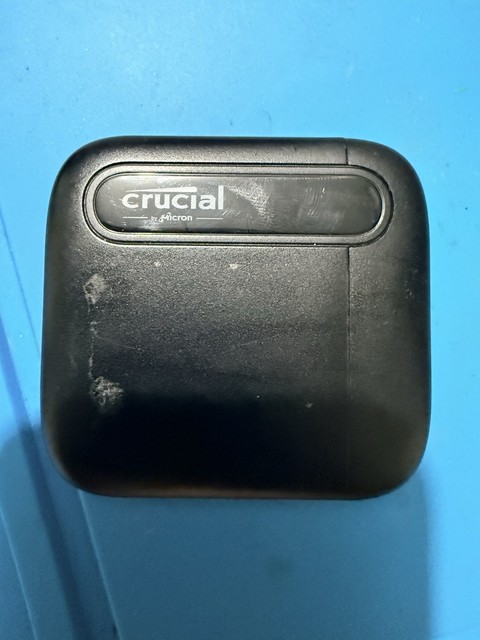
Crucial X6 Portable SSD
A budget-friendly portable SSD that undercuts the Samsung T7 and SanDisk Extreme on price while still beating any spinning HDD on speed and durability — good value for someone upgrading from an HDD without paying flagship SSD prices.
- USB 3.2 Gen 2 interface
- Compact, lightweight design
- Available in multiple capacities
- Best price-to-performance ratio among the SSDs here
- Solid-state durability at a near-HDD price point
- Peak speeds trail the Samsung T7 slightly
Buying tips
- If the drive mostly sits at a desk for backups, a spinning HDD (WD Elements, Seagate Backup Plus) gives far more storage per dollar than any SSD.
- If the drive travels in a bag with the laptop daily, a portable SSD (Samsung T7, SanDisk Extreme, Crucial X6) is worth the premium — no moving parts means no data loss risk from drops.
- Check your Dell laptop’s USB ports before buying — USB 3.2 Gen 2 drives (Samsung T7) only hit their rated speeds on a matching Gen 2 port; older Dell models may cap out at Gen 1 speeds regardless of the drive.
- Whatever you buy, follow the 3-2-1 rule for anything irreplaceable — this drive is one backup, not the only backup.
As an Amazon Associate and eBay Partner, toptenpick.com earns from qualifying purchases. Prices and availability are subject to change.