

As an Amazon Associate and eBay Partner, toptenpick.com earns from qualifying purchases. Prices and availability are subject to change.
These 10 established MIDI controllers suit different Reason 11 workflows: keyboard playing, pad-triggered drums and clips, or hands-on mixer and device control. Connect a controller before launching, add it in Preferences if it is not detected, and do not assume a map introduced for a later Reason version is available in version 11.
| # | Product | Price | Where to buy |
|---|---|---|---|
| 1 | Nektar Panorama P4 | $250–$450 | Amazon |
| 2 | Nektar Panorama P6 | $350–$600 | Amazon |
| 3 | Nektar Impact LX49+ | $150–$220 | Amazon |
| 4 | Nektar Impact LX61+ | $190–$280 | Amazon |
| 5 | Novation Launchkey 49 MKIII | $200–$280 | Amazon |
| 6 | Novation Launchkey 61 MKIII | $250–$350 | Amazon |
| 7 | Novation Launchpad MKII | $60–$140 | Amazon · eBay |
| 8 | M-Audio Oxygen 49 MKV | $170–$230 | Amazon · eBay |
| 9 | M-Audio Oxygen 61 MKV | $220–$300 | Amazon · eBay |
| 10 | Mackie Control Universal Pro | $900–$1,300 | Amazon · eBay |
The picks, in detail
Nektar Panorama P4
49-key keyboard/controller with Nektar’s Reason Remote support; the strongest fit when keyboard playing and deep device control matter together.
- 49 full-size keys
- Nektar Panorama Remote support
- Keys plus detailed controls
- Reason-oriented integration
- Large desktop footprint
- Older model availability varies
Nektar Panorama P6
61-key Panorama option for two-hand instrument parts, with the same Reason-focused control-surface family rather than a pad-only workflow.
- 61 full-size keys
- Panorama Remote support
- More keyboard range
- Hardware controls for devices and mixer
- Takes substantial desk space
- Often found used
Nektar Impact LX49+
49-key controller from Nektar’s Impact series, which supplies Reason Remote support files; useful for keys, pads and basic faders in one unit.
- 49 keys
- Pads, faders and encoders
- Balanced keyboard/controller layout
- Reason support files available
- Not motorized mixing
- Confirm installed Remote files for Reason 11
Nektar Impact LX61+
61-key version for arranging and playing instruments while retaining pads and assignable mixer/device controls.
- 61 keys
- Pads, faders and encoders
- Good range for keyboard parts
- One controller covers several roles
- Wide chassis
- Mappings still need checking in Reason 11
Novation Launchkey 49 MKIII
A 49-key keyboard with pads, faders and encoders; Reason lists the Launchkey MKIII family as a supported control surface.
- 49 velocity-sensitive keys
- 16 pads and eight faders
- Separates playing from mixer control
- Supported Launchkey family
- DAW scripts are version-dependent
- Not a motorized mixer
Novation Launchkey 61 MKIII
61-key Launchkey for players who need a larger key range while retaining pads and faders for hands-on Reason work.
- 61 keys
- 16 pads and eight faders
- Strong keyboard range
- Pads suit drum programming
- Requires a wide desk
- Reason 11 should be tested with its available Remote map

Novation Launchpad MKII
An 8×8 pad controller listed by Reason as supported; choose it for pad-triggered drums, patterns and performance work, not for piano-style playing.
- 64 velocity-sensitive pads
- Reason control-surface support
- Compact pad workflow
- Clear distinction from keyboard controllers
- No piano keys
- No fader bank

M-Audio Oxygen 49 MKV
49-key MIDI controller whose MKV range was added to Reason Remote support after Reason 11; in Reason 11 it remains a MIDI keyboard, while advanced integration must be confirmed.
- 49 keys
- Pads, faders and knobs
- Flexible general MIDI controls
- Good keyboard-plus-pad layout
- Later Remote support is not proof for Reason 11
- Map controls manually if needed
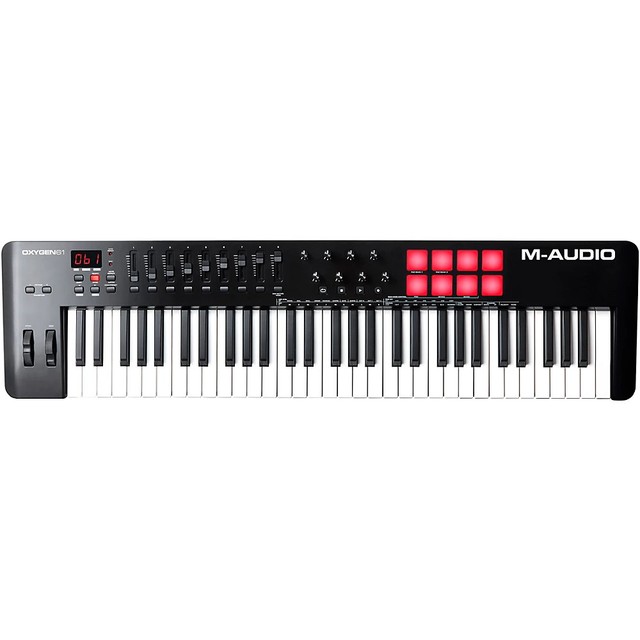
M-Audio Oxygen 61 MKV
61-key version for MIDI note entry and performance; use its pads and faders as assignable MIDI controls if Reason 11 lacks a ready-made map.
- 61 keys
- Pads, faders and assignable knobs
- Wide playing range
- Multiple controller types in one unit
- Later Reason versions added native Remote support
- Not a dedicated mixer surface
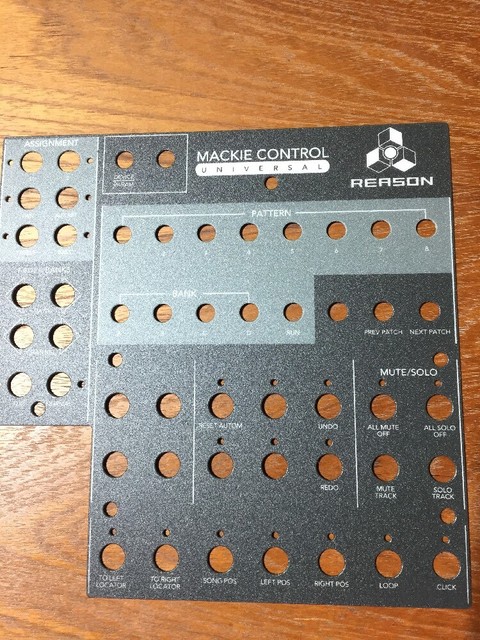
Mackie Control Universal Pro
A dedicated eight-fader mixer surface from the Mackie Control family supported by Reason; choose it for mixing automation, transport and channel control, not note playing.
- Motorized faders
- Mackie Control protocol
- Mixer-focused hardware workflow
- Reason supports Mackie Control
- No piano keys or drum pads
- High cost and larger footprint
Buying tips
- In Reason 11, treat a keyboard, a pad grid and a mixer surface as different jobs; one device need not do every job well.
- Open Preferences and add or auto-detect the surface before mapping controls; save a test song after checking notes, pads, transport and faders.
- Later Reason Remote updates do not automatically apply to Reason 11, so use basic MIDI mapping when a current device lacks a version-11 map.
As an Amazon Associate and eBay Partner, toptenpick.com earns from qualifying purchases. Prices and availability are subject to change.