

As an Amazon Associate and eBay Partner, toptenpick.com earns from qualifying purchases. Prices and availability are subject to change.
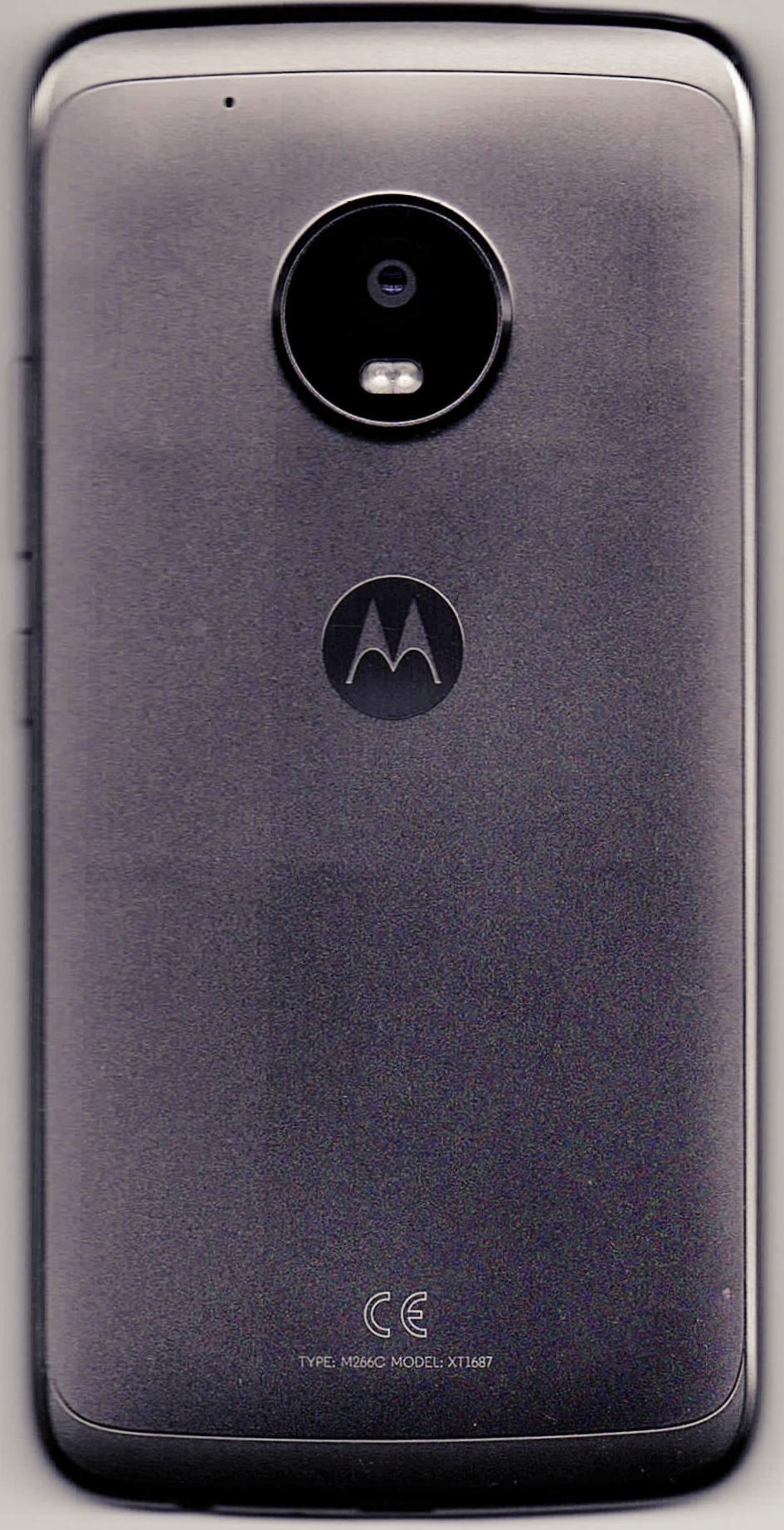
The Moto G5 Plus accepts a microSD card up to 128GB. Motorola recommends a high-speed UHS-I card for best performance when using the card as internal storage, but capacity support remains capped at 128GB: do not buy a 256GB, 512GB, or 1TB card for this phone on the assumption that it will be supported. Every pick below is a microSDHC or microSDXC UHS-I card at 64GB or 128GB. Choose portable storage if the card must move between devices; formatting as internal storage ties the card to this phone and does not guarantee that every app can be moved.
| # | Product | Price | Where to buy |
|---|---|---|---|
| 1 | Samsung EVO Select 64GB microSDXC | $14.99 | Amazon · eBay |
| 2 | Samsung EVO Select 128GB microSDXC | $18.99 | Amazon · eBay |
| 3 | Samsung EVO Plus 64GB microSDXC | $15.99 | Amazon · eBay |
| 4 | Samsung EVO Plus 128GB microSDXC | $20.99 | Amazon · eBay |
| 5 | Samsung PRO Plus 128GB microSDXC | $24.99 | Amazon · eBay |
| 6 | SanDisk Ultra 64GB microSDXC UHS-I | $10–$20 | Amazon · eBay |
| 7 | SanDisk Ultra 128GB microSDXC UHS-I | $20–$35 | Amazon · eBay |
| 8 | SanDisk Extreme 64GB microSDXC UHS-I | $18–$30 | Amazon · eBay |
| 9 | SanDisk Extreme 128GB microSDXC UHS-I | $30–$50 | Amazon · eBay |
| 10 | Kingston Canvas Select Plus 128GB microSDXC | $21.99 | Amazon · eBay |
The picks, in detail
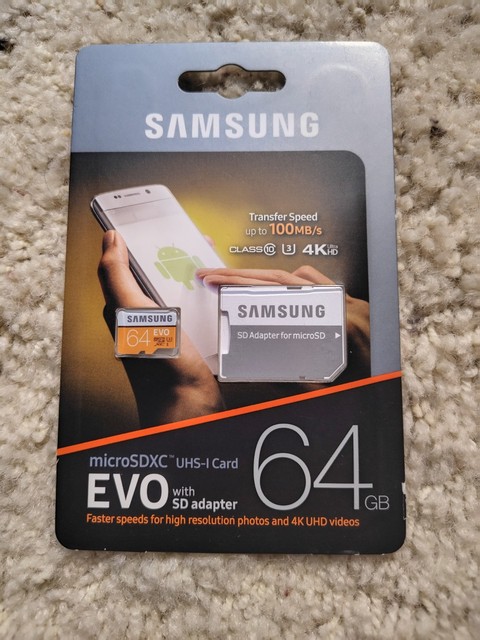
Samsung EVO Select 64GB microSDXC
A 64GB UHS-I EVO Select card within the Moto G5 Plus’s 128GB limit. Samsung rates this current line U1, V10, A1, and Class 10; it is a straightforward capacity for photos, music, and offline media.
- 64GB microSDXC
- UHS-I
- U1 V10 A1
- within Motorola’s limit
- current Samsung line
- less space than 128GB
- not a reason to expect app moves
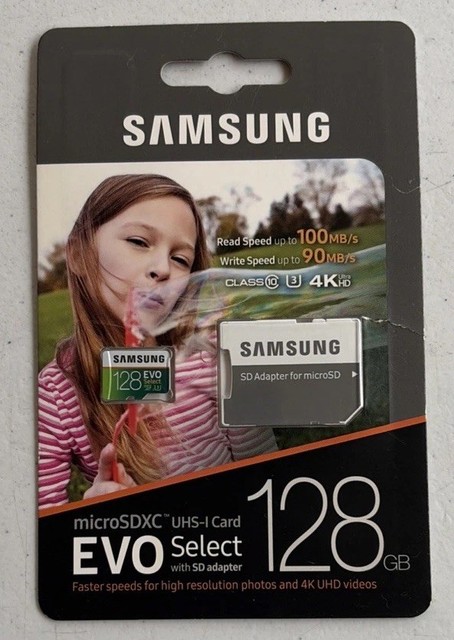
Samsung EVO Select 128GB microSDXC
A 128GB UHS-I EVO Select, which reaches but does not exceed the Moto G5 Plus’s stated capacity limit. It is rated U1, V10, A1, and Class 10; use it for removable media or format it in the phone only if it will remain there.
- 128GB microSDXC
- UHS-I
- U1 V10 A1
- maximum supported capacity
- current Samsung option
- do not buy a larger capacity for this phone
- portable and internal formats have different trade-offs

Samsung EVO Plus 64GB microSDXC
A 64GB UHS-I EVO Plus card that remains safely within the G5 Plus limit. Samsung lists this capacity in the current EVO Plus range; it is suitable for photos and downloaded media without implying special adopted-storage or app behavior.
- 64GB microSDXC
- UHS-I
- Class 10
- supported capacity
- current branded line
- smaller media library than 128GB
- card speed cannot bypass phone limits

Samsung EVO Plus 128GB microSDXC
A 128GB UHS-I EVO Plus at the Moto G5 Plus’s stated maximum. Check the packaging for microSDXC and UHS-I rather than confusing it with a full-size SD card; it is a storage expansion choice, not a promise that all apps can relocate.
- 128GB microSDXC
- UHS-I
- Class 10
- maximum supported capacity
- widely available line
- not supported above 128GB
- format choice affects portability

Samsung PRO Plus 128GB microSDXC
A 128GB UHS-I PRO Plus that meets the G5 Plus capacity ceiling. Samsung rates the PRO Plus U3, V30, A2, and Class 10, but the phone’s own interface and workload determine real-world benefit; its higher card rating does not change the handset’s 128GB limit.
- 128GB microSDXC
- UHS-I
- U3 V30 A2
- fast current card line
- maximum supported capacity
- extra speed may not benefit every phone task
- do not exceed 128GB

SanDisk Ultra 64GB microSDXC UHS-I
A 64GB SanDisk Ultra microSDXC UHS-I option within the supported limit. Choose it for ordinary removable media and confirm the exact retail package is microSD, not full-size SD.
- 64GB microSDXC
- UHS-I
- Class 10
- supported capacity
- mainstream storage option
- less capacity than 128GB
- does not add guaranteed app support

SanDisk Ultra 128GB microSDXC UHS-I
A 128GB SanDisk Ultra microSDXC UHS-I card at the stated maximum for the Moto G5 Plus. It is appropriate for photos, music, and downloads; avoid larger Ultra capacities because the phone’s specification stops at 128GB.
- 128GB microSDXC
- UHS-I
- Class 10
- maximum supported capacity
- common media-storage format
- do not treat 256GB as supported
- speed is not an app-move guarantee

SanDisk Extreme 64GB microSDXC UHS-I
A 64GB SanDisk Extreme microSDXC UHS-I option for a user who wants a higher-rated card while staying below the phone’s capacity cap. It remains removable phone storage; Android behavior for individual apps is controlled by the handset and app, not the card label.
- 64GB microSDXC
- UHS-I
- U3 V30
- higher speed class
- within supported capacity
- premium rating may be unnecessary for media
- not a 128GB option

SanDisk Extreme 128GB microSDXC UHS-I
A 128GB SanDisk Extreme microSDXC UHS-I card that stays at the Moto G5 Plus maximum. Use it for media expansion and ensure the card is genuine and new from a reputable seller; capacity above this limit is unsupported by Motorola’s documentation.
- 128GB microSDXC
- UHS-I
- U3 V30
- maximum supported capacity
- higher speed-class option
- larger capacities are outside specification
- costlier than basic cards

Kingston Canvas Select Plus 128GB microSDXC
A 128GB Kingston Canvas Select Plus microSDXC UHS-I card, rated U1, V10, A1, and Class 10. Its capacity matches the Moto G5 Plus limit exactly; it is for storage expansion, with internal versus portable formatting chosen in the phone.
- 128GB microSDXC
- UHS-I
- U1 V10 A1
- exactly within capacity limit
- Android-oriented current card line
- not for capacities above 128GB
- formatting can limit use in another device
Buying tips
- Buy microSDHC or microSDXC in 64GB or 128GB only; Motorola states a 128GB maximum for the Moto G5 Plus.
- A UHS-I card is the right interface choice, but a card’s U3, V30, or A2 rating does not override the phone’s own storage and performance limits.
- Back up files before formatting. Portable storage travels between devices; internal storage is encrypted for this phone and app support varies.
As an Amazon Associate and eBay Partner, toptenpick.com earns from qualifying purchases. Prices and availability are subject to change.