

As an Amazon Associate and eBay Partner, toptenpick.com earns from qualifying purchases. Prices and availability are subject to change.
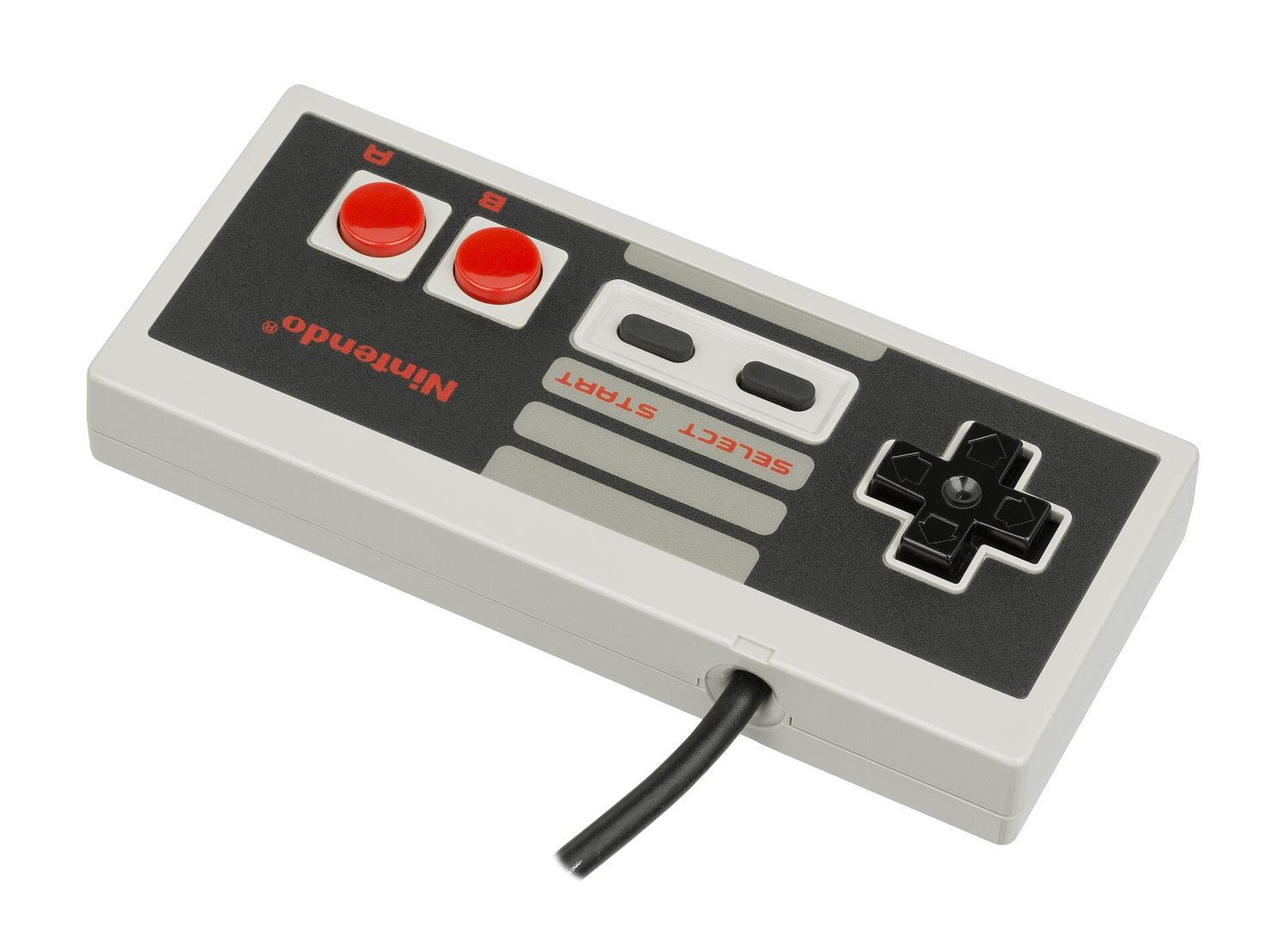
The most-bought product with “NES” and “receiver” in the name points the opposite way, and people order it by mistake constantly. The 8BitDo Retro Receiver for NES plugs into the controller port of a real 1985 console so that a modern Bluetooth pad can drive original hardware. It does nothing for a PC. If you want to play emulated NES games on a computer, you need one of two entirely different things: a USB gamepad shaped like an NES controller, or an adapter that takes the seven-pin plug on a genuine NES pad and presents it to Windows as a USB game controller. Check which direction the arrow points before ordering.
The second decision is one people make by accident and regret later. An NES pad has two face buttons. Every emulator front-end you are likely to use — RetroArch, Mesen, an EmulationStation build — wants buttons for save state, load state, rewind, fast-forward and menu on top of the game’s own controls. With two buttons and a Start and Select you end up assigning those to chords, holding Select and pressing a direction, which works but is nobody’s idea of convenient. And the moment you add a SNES, Mega Drive or PlayStation core to your library, an NES-shaped pad is simply the wrong shape. If this collection is going to grow, buy a modern pad that can also be an NES pad, and keep the two-button authenticity for the hardware purists.
On latency, keep some perspective. The original console polled its controller once per frame, so roughly sixteen milliseconds of input granularity is what the games were designed around and what the speedrunning records were set on. A decent wired USB adapter adds about a millisecond to that. Cheap generic wireless adds considerably more and rarely publishes a figure. The manufacturers who actually measure and publish their latency — raphnet is the well-known example — are worth the premium if you care; if you do not, any wired adapter is comfortably inside what the original hardware was doing anyway.
One diagnostic that saves a return. If a genuine NES pad feels mushy or misses inputs through an adapter, the adapter is usually innocent. The original pads use a rubber membrane over a carbon contact pad, and forty years of finger oil and dust make those contacts unreliable. Four screws, a wipe with isopropyl alcohol on the carbon pads and the board traces, and most “broken” NES controllers come back to life.
The list below covers both directions — real pads with adapters, and modern USB controllers built to look and feel like the original.
| # | Product | Price | Where to buy |
|---|---|---|---|
| 1 | raphnet NES to USB Adapter | $35–$60 | Amazon · eBay |
| 2 | 8BitDo N30 2.4G Wireless Gamepad | $25–$40 | Amazon · eBay |
| 3 | Mayflash NES/SNES Controller Adapter for PC USB | $18–$30 | Amazon · eBay |
| 4 | Tomee USB Controller Adapter for NES | $10–$18 | Amazon · eBay |
| 5 | Retro-Bit NES to USB PC Adapter | $12–$22 | Amazon · eBay |
| 6 | 8BitDo SN30 Pro | $40–$55 | Amazon · eBay |
| 7 | 8BitDo Ultimate 2C Wireless Controller | $30–$45 | Amazon · eBay |
| 8 | iNNEXT USB NES-Style Controller (two-pack) | $14–$24 | Amazon · eBay |
| 9 | Suily USB Controller for NES | $10–$18 | Amazon · eBay |
| 10 | Bliss-Box 4-Play Universal Adapter | $60–$120 | Amazon · eBay |
The picks, in detail
raphnet NES to USB Adapter
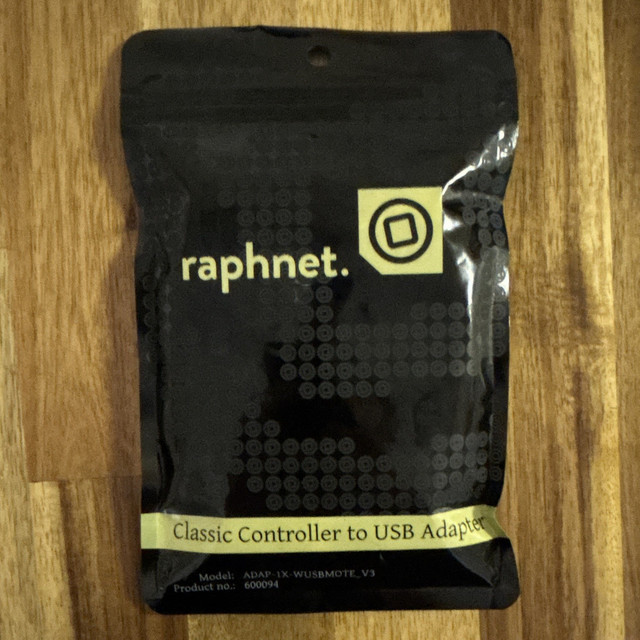
The enthusiast choice, made in small batches by a Canadian builder who publishes actual measured latency figures rather than marketing claims. It presents a genuine NES pad to the computer as a standard USB HID gamepad with no drivers, supports firmware updates over USB, and is available in one-player and two-player versions. If you own original controllers and care about input timing, this is the one that has been measured.
- Standard USB HID, no drivers needed
- Published measured latency figures
- Updatable firmware over USB
- One and two player versions
- Lowest measured latency of the common adapters
- Transparent about performance instead of vague
- Works on Windows, macOS, Linux and single-board computers
- Two to four times the price of a generic adapter
- Ordered direct from a small builder, so shipping is slow
- No benefit unless you already own real NES pads

8BitDo N30 2.4G Wireless Gamepad
A modern reproduction of the NES pad that ships with its own 2.4 GHz USB dongle, which is the important detail: a dedicated wireless link is more consistent than generic Bluetooth and plugs into any PC without pairing. The moulding, the button feel and the cross D-pad are close to the original, and it charges over USB-C. The two-button limitation is faithful, which is either the point or the problem.
- 2.4 GHz wireless with included USB dongle
- USB-C rechargeable battery
- NES-faithful moulding and D-pad
- Works on PC, Mac, Raspberry Pi and Switch
- Dedicated dongle is more reliable than generic Bluetooth
- Authentic feel without hunting for a working 1985 pad
- Rechargeable rather than battery-powered
- Two buttons make emulator hotkeys awkward
- Small shell is uncomfortable for large hands over long sessions
- Dongle is easy to lose and hard to replace
Mayflash NES/SNES Controller Adapter for PC USB
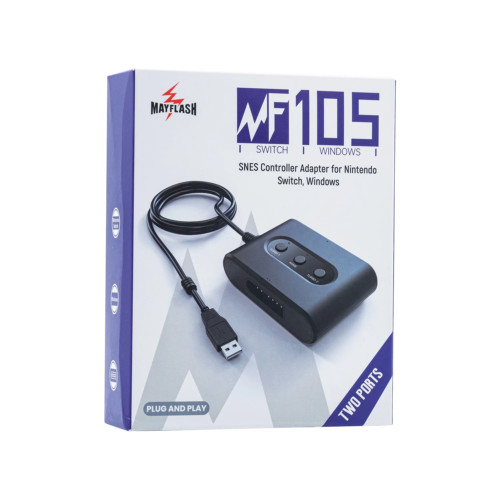
The mainstream adapter, sold widely and priced sensibly, and the one most people should buy if they own original pads and are not chasing measured microseconds. It is driverless on Windows, takes NES and SNES controllers depending on the model, and it simply works. Mayflash has been making console-to-USB adapters for long enough that compatibility quirks are documented in forums.
- Plug and play, no drivers on Windows
- NES and SNES port versions available
- Two-port models for multiplayer
- Recognised as a standard USB gamepad
- Cheap and easy to obtain
- No software to install
- Well-documented by a long-standing community
- Latency is not published or measured
- Multiple similar-looking models cause ordering confusion
- Build quality is adequate rather than good
Tomee USB Controller Adapter for NES
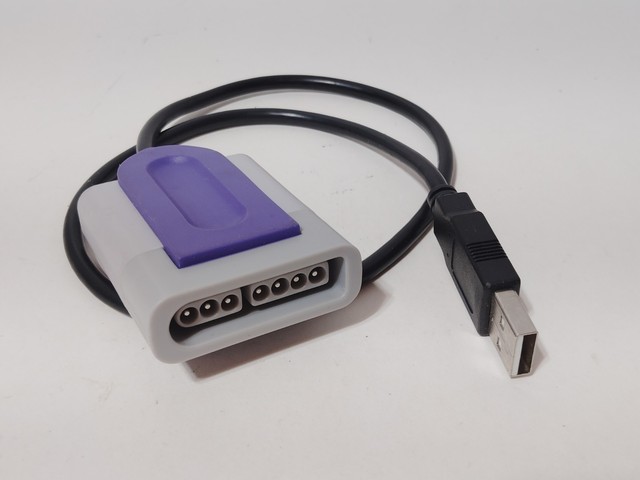
The budget adapter that turns up in every search, and for a casual setup it does the job: original NES pad in one end, USB in the other, recognised by Windows without drivers. Use it if you have a drawer of original controllers and want them working this afternoon without thinking about it. Do not expect published specifications or long-term support.
- Single NES controller port to USB
- Driverless on Windows and macOS
- Short cable, compact housing
- Works with original and third-party NES pads
- Very cheap
- Stocked by mainstream retailers
- No configuration needed
- No latency information published
- Cable is short and not replaceable
- Quality varies noticeably between production batches
Retro-Bit NES to USB PC Adapter
Retro-Bit’s version of the same idea, and a reasonable alternative when the Mayflash or Tomee is out of stock. It supports original and third-party NES controllers, needs no driver, and Retro-Bit has a wider retail presence than most of the small adapter makers, which makes returns and replacements easier if you get a bad unit.
- NES controller port to USB
- Driverless operation
- Supports original and clone pads
- Retro-Bit retail warranty
- Easier to return than a small-batch adapter
- Works with clone controllers as well as originals
- Inexpensive
- No published latency figures
- Occasional reports of loose port fit
- Nothing it does that the Mayflash does not

8BitDo SN30 Pro
The sensible answer for most people, even though it is SNES-shaped rather than NES-shaped. It gives you the classic D-pad feel with four face buttons, shoulders, triggers and two analogue sticks, which means every emulator hotkey has a home and the same pad covers your SNES, Mega Drive, PlayStation and modern indie library. Connects over Bluetooth or USB-C cable.
- Bluetooth and wired USB-C modes
- Two analogue sticks plus rumble
- Classic-style D-pad and face buttons
- Configurable via 8BitDo Ultimate Software
- Enough buttons for emulator hotkeys and every other system
- Excellent D-pad for two-dimensional games
- Mature software with profile support
- Not an NES controller, if authenticity is the point
- Bluetooth pairing modes are genuinely confusing at first
- Sticks are small compared with a modern console pad

8BitDo Ultimate 2C Wireless Controller
The cheap modern pad to buy if authenticity is not the goal and you simply want retro games to feel right on a PC. Hall effect sticks in current versions mean no drift, the D-pad is better than most modern controllers, and it connects over 2.4 GHz with a dongle or USB-C. For a library that spans four decades of consoles, this is a more useful purchase than any NES-shaped pad.
- 2.4 GHz dongle and USB-C wired modes
- Hall effect analogue sticks on current versions
- Full modern button layout with rumble
- Software profiles and remapping
- Cheap for what it includes
- Hall effect sticks do not develop drift
- Covers every system you are likely to emulate
- No NES authenticity whatsoever
- Several confusingly similar Ultimate models on sale
- Software required for remapping

iNNEXT USB NES-Style Controller (two-pack)
The cheapest way to get two NES-shaped USB pads on a desk. They plug straight in as standard USB gamepads with no drivers, the D-pad is a reasonable approximation and the price for a pair is less than one branded controller. The compromises are in the plastic and the button travel, which are exactly where you would expect them at this price.
- Wired USB, no driver required
- NES-style shell with cross D-pad
- Sold as a two-pack
- Roughly 1.5 metre cables
- Two players for the price of a sandwich
- Genuinely plug and play
- Fine for casual couch play
- Hollow, light plastic feel
- Button travel is inconsistent between units
- No support if one fails
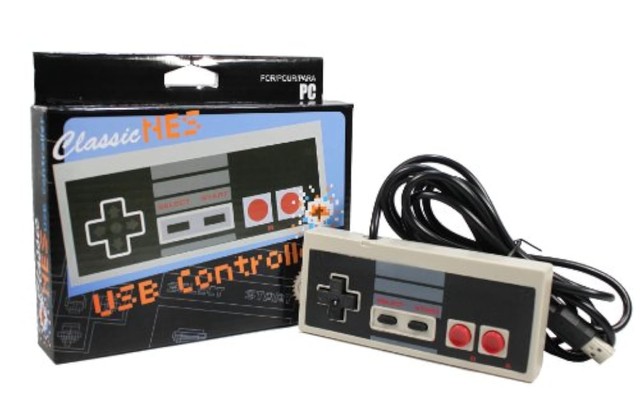
Suily USB Controller for NES
Another generic NES-style USB pad, worth listing because availability of the budget options fluctuates and it is useful to know the category rather than one brand. Wired, driverless, standard HID. At this price these are effectively commodities — buy whichever of the generic pads is currently in stock with recent reviews, and treat it as disposable.
- Wired USB HID gamepad
- NES-style layout with Turbo buttons on some units
- No drivers required
- Single controller
- Very cheap
- Turbo function is genuinely useful in shooters
- Immediate plug and play
- Interchangeable with a dozen identical products
- Turbo switch placement invites accidental presses
- No warranty worth the name
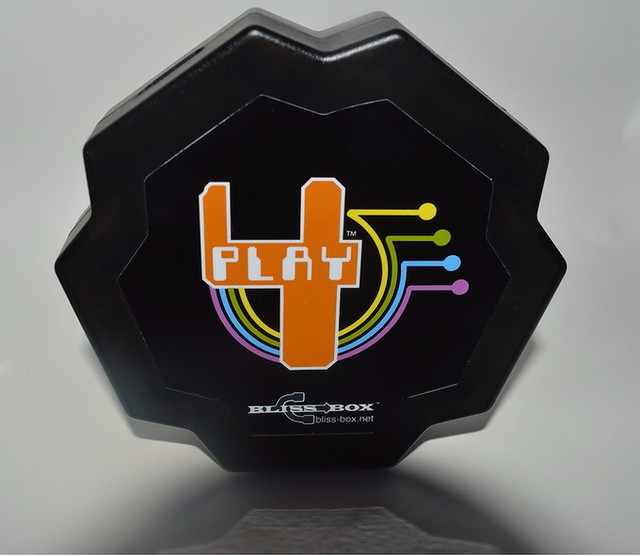
Bliss-Box 4-Play Universal Adapter
The one to buy if the NES pad is only the beginning. The Bliss-Box takes controllers from a long list of consoles — NES, SNES, Mega Drive, Atari, N64, PlayStation and more — through swappable cables into a single USB device, which is far tidier than a drawer of single-purpose dongles. It is expensive and aimed at collectors, and it is priced accordingly.
- Supports controllers from many console generations
- Up to four ports depending on model
- No drivers on Windows
- Actively developed firmware
- One device replaces a drawer of adapters
- Actively maintained by its developer
- Handles obscure controllers other adapters do not
- Expensive, and cables are often sold separately
- Overkill if you only own NES pads
- Small-batch availability and long lead times
Buying tips
- Do not buy the 8BitDo Retro Receiver for NES for a PC. It plugs into a real console so modern pads can drive original hardware — the opposite of what you want.
- Count the buttons against your emulator’s hotkeys. Save state, load state, rewind and menu all need somewhere to live, and two face buttons plus Start and Select means using chords.
- Buy a modern pad if the library will grow. An NES-shaped controller is the wrong shape the moment a SNES, Mega Drive or PlayStation core appears in the collection.
- Clean a mushy original pad before blaming the adapter. Four screws, then isopropyl alcohol on the carbon contact pads and board traces revives most forty-year-old controllers.
- Keep latency in proportion. The original console polled once per frame, so a wired adapter adding about a millisecond is well inside what the games were designed around.
- Prefer a 2.4 GHz dongle to generic Bluetooth for wireless. A dedicated link is more consistent and does not need pairing every time the machine wakes.
- Check the plug, not the picture, when buying an adapter. NES and Famicom controllers use different connectors, and clone consoles used several more.
- Test the pad in the Windows game controller properties panel before configuring an emulator. If a direction does not register there, no amount of remapping in RetroArch will fix it.
As an Amazon Associate and eBay Partner, toptenpick.com earns from qualifying purchases. Prices and availability are subject to change.