

As an Amazon Associate and eBay Partner, toptenpick.com earns from qualifying purchases. Prices and availability are subject to change.
Rosetta Stone’s current guidance accepts a USB headset with microphone or a single-plug 3.5 mm headset or earbuds with microphone; it recommends a boom-style directional microphone positioned one to two inches from the mouth. The list separates USB models for Windows, macOS and supported Chromebooks from 3.5 mm TRRS models for devices with a combined headset jack. These are communication headsets, chosen for microphone placement and connection type rather than gaming features.
| # | Product | Price | Where to buy |
|---|---|---|---|
| 1 | Logitech H390 USB Computer Headset | $20–$25 | Amazon · eBay |
| 2 | Logitech H340 USB Computer Headset | $20–$25 | Amazon · eBay |
| 3 | Logitech H540 USB Computer Headset | $35–$40 | Amazon · eBay |
| 4 | Logitech Zone Learn Wired Headset | $35–$45 | Amazon · eBay |
| 5 | Logitech Zone Wired Headset | $90–$100 | Amazon · eBay |
| 6 | Logitech Zone 750 Wired USB Headset | $125–$140 | Amazon · eBay |
| 7 | Logitech H111 Stereo Headset | $15–$20 | Amazon · eBay |
| 8 | Logitech H151 Stereo Headset | $15–$20 | Amazon · eBay |
| 9 | Jabra Evolve2 30 USB Headset | $70–$100 | Amazon · eBay |
| 10 | Poly Blackwire 3225 | $45–$70 | Amazon · eBay |
The picks, in detail

Logitech H390 USB Computer Headset
A plug-and-play USB-A headset with a folding noise-canceling boom microphone and inline mute/volume controls. It is suited to a Windows, Mac or Chromebook USB port used for browser-based Rosetta Stone.
- USB-A connection
- Boom microphone
- Inline controls
- Simple dedicated USB audio device
- $24.99 direct price
- Requires USB-A or an adapter
- Wired cable

Logitech H340 USB Computer Headset
The H340 is Logitech’s basic USB computer headset with an adjustable boom microphone. Choose it for a computer or Chromebook with USB-A when a small, straightforward classroom headset is preferred.
- USB-A connection
- Adjustable boom microphone
- Stereo headset
- Dedicated USB microphone and speakers
- $24.99 direct price
- No 3.5 mm option
- Wired only

Logitech H540 USB Computer Headset
Logitech’s H540 connects through USB-A and adds on-ear controls to a boom-microphone computer headset. It is for USB-equipped Windows, macOS or ChromeOS computers, not a phone’s analog headset jack.
- USB-A connection
- Boom microphone
- On-ear controls
- USB avoids combined-jack compatibility questions
- $39.99 direct price
- Requires a USB-A port or adapter
- Wired cable

Logitech Zone Learn Wired Headset
Zone Learn is a wired learner headset with a microphone, offered in USB variants for managed laptops and classrooms. Select the connector version that matches the learner’s computer before ordering.
- Wired learner headset
- Microphone
- USB version available
- Designed for repeated student use
- $39.99 direct price
- Connector variant must be checked
- Not a wireless headset
Logitech Zone Wired Headset
The Zone Wired is a USB business headset with a noise-canceling microphone. It is a higher-priced choice for regular Rosetta Stone sessions on a Windows, Mac or Chromebook computer with the matching USB connection.
- USB wired connection
- Noise-canceling microphone
- Business headset design
- Boom mic keeps speech pickup close
- $99.99 direct price
- Costs more than basic USB sets
- Check USB-A or USB-C version

Logitech Zone 750 Wired USB Headset
Zone 750 is Logitech’s wired USB headset with a noise-canceling microphone. It is appropriate for browser learning on a supported desktop or laptop when the computer has the required USB connector.
- USB connection
- Noise-canceling microphone
- Wired over-ear design
- Dedicated computer-audio connection
- $139.99 direct price
- Premium price
- Not for an analog 3.5 mm port

Logitech H111 Stereo Headset
The H111 uses a single 3.5 mm plug and an adjustable boom microphone. It fits computers, tablets or phones that have a combined TRRS headset jack, which is the analog connection Rosetta Stone describes for single-pin headsets.
- Single 3.5 mm plug
- Boom microphone
- Multi-device design
- Works where there is no USB-A port
- $17.99 direct price
- Needs a combined input/output TRRS jack
- Not for separate mic and headphone sockets without an adapter
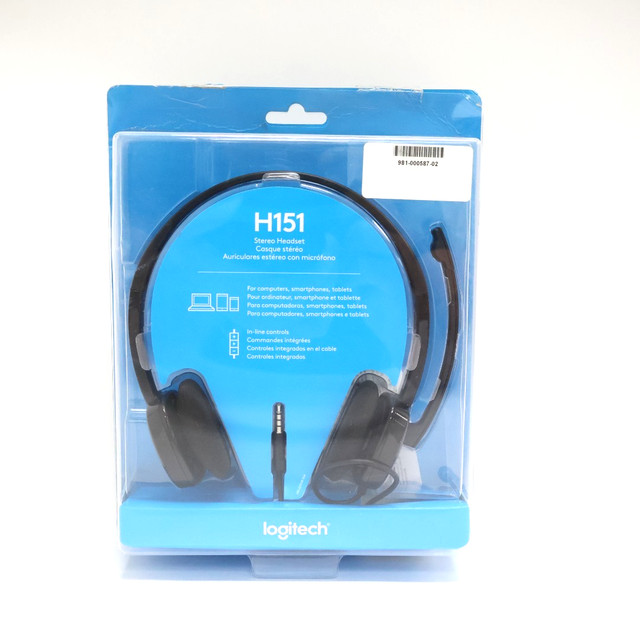
Logitech H151 Stereo Headset
The H151 is a 3.5 mm multi-device headset with a noise-canceling boom microphone and inline controls. It is a practical analog choice for a device with a single combined headset port.
- Single 3.5 mm plug
- Noise-canceling boom microphone
- Inline volume and mute controls
- Matches Rosetta Stone’s single-pin guidance
- $19.99 direct price
- TRRS jack required for microphone input
- Wired cable

Jabra Evolve2 30 USB Headset
Jabra’s Evolve2 30 is a wired USB headset with a boom microphone, sold in USB-A and USB-C variants. Buy the connector that matches the Windows, macOS or ChromeOS computer used for the course.
- USB-A or USB-C variants
- Boom microphone
- Wired headset
- USB-C option for newer laptops
- Business-call microphone format
- Choose the correct connector at purchase
- Not an analog 3.5 mm headset
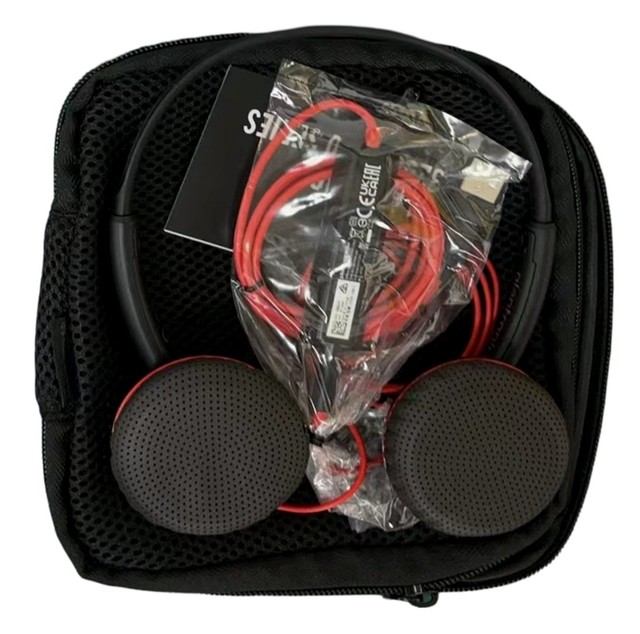
Poly Blackwire 3225
The Poly Blackwire 3225 is a wired USB headset with a flexible noise-canceling microphone and USB-A or USB-C variants. It is for a computer, not a 3.5 mm mobile jack, and the operating system should be set to use it for both input and output.
- USB-A or USB-C variants
- Noise-canceling boom microphone
- Stereo wired headset
- Connector options cover many laptops
- Computer audio device for both listening and speaking
- Variant selection matters
- Wired-only use
Buying tips
- Use a USB headset or a single-plug TRRS 3.5 mm model with a microphone; a headphone-only plug cannot supply speech input.
- In the browser and operating-system sound settings, select the same headset for microphone input and speaker output before running Rosetta Stone’s microphone check.
- Position a boom microphone about one to two inches from the corner of the mouth, rather than directly in front of it.
- For Chromebook, plug the headset in before starting the device and grant the browser permission to use the microphone.
As an Amazon Associate and eBay Partner, toptenpick.com earns from qualifying purchases. Prices and availability are subject to change.