

As an Amazon Associate and eBay Partner, toptenpick.com earns from qualifying purchases. Prices and availability are subject to change.
At this budget in India there is one specification that will decide whether the card you buy is still usable in two years, and it is not the one the marketing leads with.
It is video memory. Modern games at 1080p with high texture settings routinely want more than 6 GB, and when a card runs out of VRAM the failure is not graceful — frame rates do not drop a little, they collapse into stuttering as data is shuffled back and forth over the PCIe bus. A card with a faster processor and 6 GB will be beaten in exactly those situations by a slower card with 8 GB, and texture quality is the setting with the largest visual impact and the smallest performance cost when you have the memory for it. Treat 8 GB as the floor at this budget and be sceptical of anything with less, however good the core specification looks.
The second thing specific to the Indian market: new-card value here is worse than the international reviews suggest. Import duties and thinner competition mean a given card costs meaningfully more in rupees than a direct currency conversion implies, which shifts the calculation towards the used market — and towards the previous generation, where new stock is being cleared. A card one generation old at a discount is frequently the better buy at this budget, provided it has the memory.
Third, and the thing people discover after ordering: check your power supply and your case. Modern cards are long, thick and hungry, and a budget prebuilt’s supply frequently lacks the PCIe power connectors a new card needs. Check the card’s length against your case’s stated clearance, the number and type of power connectors, and the supply’s rating on its own label rather than a number someone told you.
And know what you are pairing it with. An older processor will bottleneck a new card, and at 1080p that happens sooner than people expect.
Ten picks below.
| # | Product | Price | Where to buy |
|---|---|---|---|
| 1 | Current-Generation 8 GB Entry Card | ₹18,000-₹25,000 | Amazon |
| 2 | Previous-Generation 8 GB Card (New Stock) | ₹18,000-₹25,000 | Amazon |
| 3 | Used Mid-Range Card from a Previous Generation | ₹12,000-₹25,000 | Amazon |
| 4 | Low-Profile or Single-Slot Card | ₹10,000-₹22,000 | Amazon |
| 5 | Power Supply Upgrade (80 Plus, 550 W+) | ₹3,500-₹7,000 | Amazon |
| 6 | Molex-to-PCIe or SATA-to-PCIe Adapter | ₹200-₹600 | Amazon |
| 7 | Case Fans for Improved Airflow | ₹800-₹2,500 | Amazon |
| 8 | GPU Support Bracket | ₹400-₹1,500 | Amazon |
| 9 | Compressed Air and Cleaning Kit | ₹500-₹3,000 | Amazon |
| 10 | Monitor Matched to the Card | ₹10,000-₹20,000 | Amazon |
The picks, in detail
Current-Generation 8 GB Entry Card
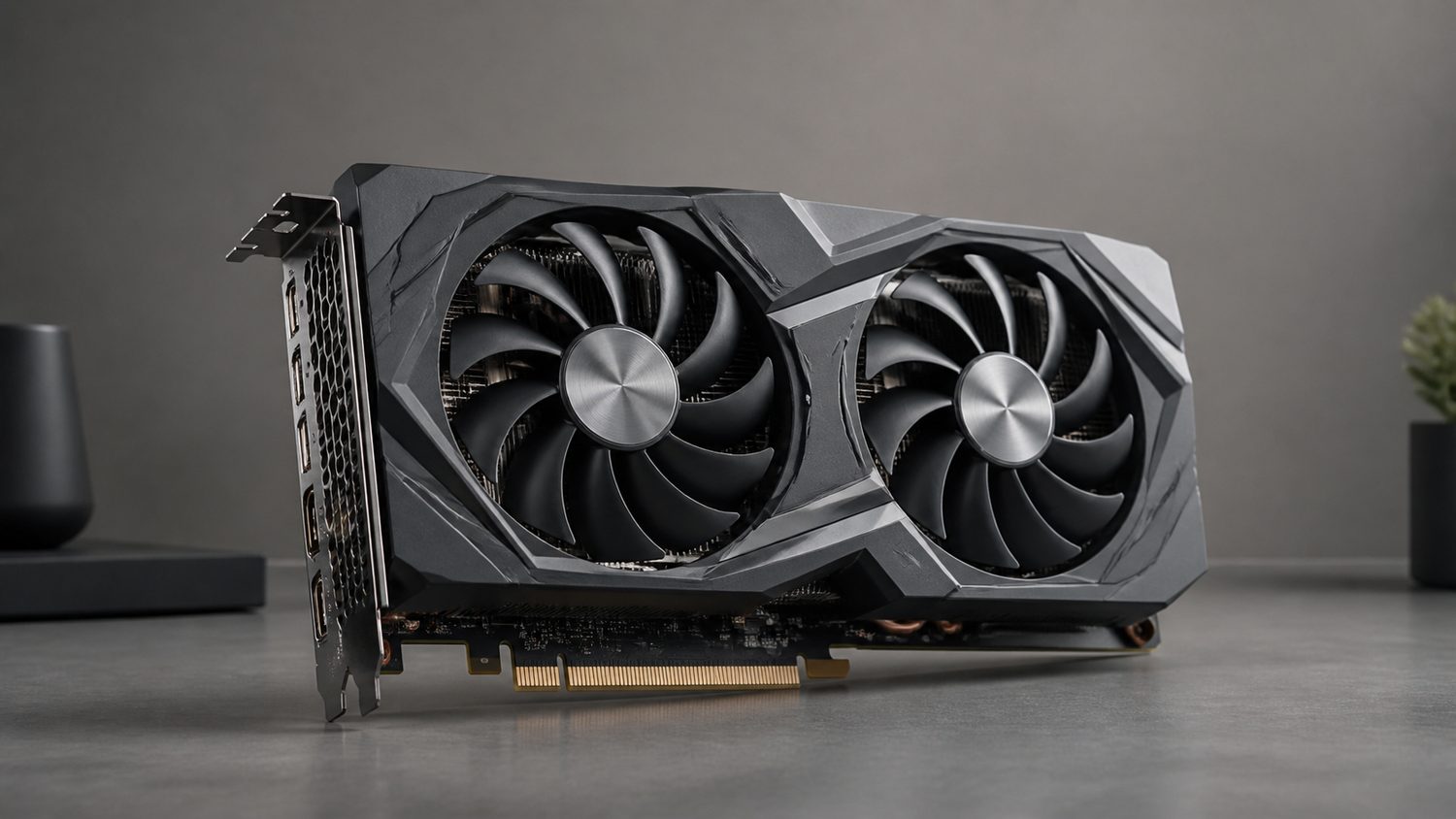
The sensible new purchase at this budget: a current-generation card with 8 GB of memory, aimed at 1080p gaming at high settings. What you get over an older card is not only raw speed but current driver support, newer display outputs, better power efficiency and current encoder hardware if you stream. Check the specific variant carefully — manufacturers sometimes sell the same model name in 6 GB and 8 GB memory configurations, and the memory version is the one that matters here.
- 8 GB VRAM
- Current generation architecture
- Aimed at 1080p high settings
- Modern display outputs and encoders
- 8 GB is the floor for modern texture settings
- Current drivers and feature support
- Better efficiency means a lower power requirement
- Same model names sometimes ship in 6 GB variants
- New-card value in India is worse than international pricing
Previous-Generation 8 GB Card (New Stock)
Frequently the better buy at this budget. When a new generation launches, the previous one is discounted to clear, and a card that was a mid-range option last year with 8 GB of memory outperforms a current entry-level card at the same price. You still get a warranty and unopened stock, which is the advantage over buying used. The trade-off is that it will drop out of driver support sooner and is likely to draw more power for the same performance.
- 8 GB VRAM
- Previous generation, discounted
- Full manufacturer warranty
- New, unopened stock
- Outperforms a current entry card at the same price
- Warranty and new condition, unlike used
- Widely available during a generation transition
- Higher power draw for the performance
- Shorter remaining driver support life
Used Mid-Range Card from a Previous Generation
The best raw performance per rupee at this budget, and the highest risk. A mid-range card from two generations back, bought used, will comfortably outperform anything new at this price — and it comes with no warranty, an unknown history and the possibility it spent two years running flat out in a mining rig. Buy in person where you can test it, ask about usage, check the fans spin freely and look for dust and thermal paste stains that suggest it has been apart.
- Higher tier than anything new at this price
- 8 GB or more VRAM on the right models
- No warranty
- Available through marketplaces and local shops
- Substantially more performance per rupee
- Higher-tier cards have more VRAM
- Local sellers often allow testing
- No warranty and unknown history
- Mining-used cards are common and hard to identify
Low-Profile or Single-Slot Card
For a small form factor case or an ex-office desktop, which is a common base for a budget build in India. Low-profile cards fit slim cases where a standard card physically cannot, and single-slot designs work where the second slot is blocked. The trade-off is real: less cooling area means lower clocks and more noise, and the memory configurations available in low profile are generally smaller. Measure the available space before ordering — slim case clearances are unforgiving.
- Low-profile bracket included
- Single or dual slot
- Fits slim and small form factor cases
- Lower power requirements
- Fits cases a standard card cannot
- Usually needs no extra power connector
- Suits an ex-office desktop conversion
- Less cooling means lower clocks and more noise
- Fewer 8 GB options in this format
Power Supply Upgrade (80 Plus, 550 W+)
The thing people discover after the card arrives. Budget prebuilt machines frequently ship with supplies that have no PCIe power connectors at all, or a single 6-pin where the card wants an 8-pin. Check the card’s requirement and your supply’s actual connectors before ordering. A known-brand 80 Plus unit at a sensible rating is not expensive and it protects everything attached to it — a failing supply under a new load can take the card with it, which is the expensive version of this mistake.
- 80 Plus efficiency certification
- PCIe 6+2 pin connectors
- 550 W and above for a single card
- Known-brand manufacture
- Prebuilt supplies often lack PCIe connectors entirely
- Protects the card you just bought
- Efficiency certification means the rating is real
- An extra cost on a tight budget
- Wattage claims on no-name units are fiction
Molex-to-PCIe or SATA-to-PCIe Adapter
Included with a warning, because it is what people reach for when the supply lacks connectors. An adapter can work if the supply genuinely has the capacity on those rails and the adapter is a proper moulded one — and it frequently does not, which is how a card draws more than the wiring can carry. If your supply has no PCIe connectors, that is usually because it was not designed to power a card that needs them. Treat this as a temporary measure, not a solution, and never use a cheap crimped SATA adapter.
- Converts Molex or SATA to PCIe 6-pin
- Moulded rather than crimped construction
- Short lengths
- Cheap
- Gets a card running when the connector is the only obstacle
- Cheap and immediately available
- Useful as a temporary measure
- A supply with no PCIe connectors usually lacks the capacity too
- Cheap crimped SATA adapters are a genuine fire risk
Case Fans for Improved Airflow
A new card in a budget case with one exhaust fan will get hot, and a hot card throttles its clocks — which means you are not getting the performance you paid for. Two intake fans at the front and one exhaust at the rear is the standard arrangement and it costs very little. Measure the mounting points your case actually has before buying, and check the fan size; 120 mm is standard, and some budget cases only take 80 mm, which moves far less air.
- 120 mm or 140 mm case fans
- PWM or three-pin connections
- Front intake and rear exhaust
- Low-noise options
- Prevents the throttling that costs you performance
- Very cheap for the effect
- Quieter than one fan working hard
- Check mounting points and fan size the case accepts
- More fans means more dust ingress without filters
GPU Support Bracket
Modern cards are heavy, and a long triple-fan card cantilevered from a single PCIe slot sags visibly over months — which puts a steady bending load on the slot and on the card’s own PCB. A support bracket takes that weight for a very small cost. It matters more on a used card that has already spent years sagging, and more still if the machine is ever moved. Adjustable ones fit any case; check the height range covers your card’s position.
- Adjustable height support column
- Magnetic or screw-fixed base
- Fits most case layouts
- Metal construction
- Prevents slot and PCB stress from sagging
- Very cheap
- Matters most on heavy triple-fan cards
- Needs height adjusting to your specific card
- Magnetic bases move if the case is transported
Compressed Air and Cleaning Kit
Particularly relevant in India, where dust levels are high and a card’s heatsink fins clog far faster than in a temperate climate. A clogged heatsink cannot reject heat, the card throttles, and the symptom is a machine that got slower for no apparent reason. A can of compressed air and a soft brush every few months keeps it clear. Hold the fans still while you blow through them — spinning a fan with compressed air can generate enough voltage to damage it.
- Compressed air cans or an electric blower
- Soft anti-static brushes
- Microfibre cloths
- Small kit
- Dust is a major cause of throttling in Indian conditions
- Electric blowers avoid the recurring can cost
- Restores performance people assume is lost permanently
- Hold fans still — spinning them can damage them
- Cans run out quickly
Monitor Matched to the Card
Worth considering in the same budget conversation, because a card and a monitor have to make sense together. A card capable of 100 frames per second at 1080p paired with a 60 Hz monitor is spending half its output on nothing, and a 1440p monitor paired with an entry card leaves you choosing between resolution and frame rate. For a card in this bracket, a 1080p panel at 100 Hz or more with FreeSync is the pairing that uses what you bought.
- 1920×1080 at 100 Hz or above
- FreeSync or G-Sync Compatible
- IPS panel
- DisplayPort input
- Uses the frame rate the card actually produces
- Adaptive sync removes tearing without input lag
- 1080p matches what a card in this bracket renders well
- Another purchase in the same budget
- High refresh needs DisplayPort, not the bundled HDMI cable
Buying tips
- Treat 8 GB of VRAM as the floor. Modern games at 1080p with high textures routinely exceed 6 GB, and running out of video memory does not degrade performance gracefully — it collapses into stuttering. A slower card with 8 GB will beat a faster one with 6 GB in exactly those situations, and textures are the setting with the most visual impact for the least cost.
- Check whether the model you are buying is the 8 GB variant. Manufacturers sell the same model name in different memory configurations, and listings frequently do not make the distinction prominent. The memory figure is the specification that will decide whether this card is still usable in two years — verify it explicitly before ordering.
- Previous-generation stock is often the better buy here. Import duties mean new-card value in India is worse than international reviews suggest, so a mid-range card from last generation at clearance pricing frequently beats a current entry card at the same rupee price. You keep the warranty, which is the advantage over buying used.
- Check your power supply’s actual connectors, not its wattage. Budget prebuilt machines frequently ship with supplies that have no PCIe power connectors at all. Read the label on your supply and count the connectors before ordering a card. Adapters exist and a supply without PCIe connectors usually lacks the capacity as well as the plug.
- Measure your case before you order. Modern cards are long and thick, and a slim or small-form-factor case has clearance figures that are unforgiving. Check the card’s stated length against your case’s stated maximum GPU length, and check the slot count. This is the most common reason a card gets returned.
- Test a used card before paying, if you possibly can. Buy locally where you can see it run, check all display outputs work, listen for fan bearing noise, and look for dust patterns and thermal paste smears that suggest heavy use or disassembly. Mining-used cards are common in this market and difficult to identify from photographs.
- Mind the processor you are pairing it with. An older CPU will limit a new card, and at 1080p that happens sooner than people expect because the processor has more work to do per frame at lower resolutions. If your CPU is several generations old, some of what you spend on the card will not reach the screen.
- Clean the heatsink every few months. Dust levels in much of India clog a card’s fins far faster than in temperate climates, and a clogged heatsink causes throttling that feels like a machine mysteriously slowing down. Hold the fans still while blowing them out — letting compressed air spin a fan can generate enough voltage to damage it.
As an Amazon Associate and eBay Partner, toptenpick.com earns from qualifying purchases. Prices and availability are subject to change.