

As an Amazon Associate and eBay Partner, toptenpick.com earns from qualifying purchases. Prices and availability are subject to change.
Before the list, the thing that sends people to buy the wrong part: PCSX2 is overwhelmingly limited by single-thread CPU performance, not by your graphics card.
The PlayStation 2’s Emotion Engine and Graphics Synthesizer have to be emulated in software, and the heaviest of that work runs on one or two threads. That is why a machine with a modern eight-core processor can still stutter in a demanding game while a much older machine with a faster per-core clock runs it cleanly. If your problem is audio crackle, slowdown in busy scenes, or a frame rate that will not hold 60, a bigger graphics card will very likely change nothing. Check your CPU’s single-thread performance first.
So what is the GPU actually for here? Upscaling — and that is the whole point of emulating. The PS2 output around 640×448. PCSX2 can render the same game at 3×, 4× or 6× that internal resolution, which is the difference between a blurry memory and a game that looks genuinely good on a modern screen. Internal resolution scaling is GPU work, and it scales roughly with how far you push it. A modest card handles 3× at 1080p without complaint; 6× at 4K is where you start wanting something real.
Two more things that are specific to this application and not to gaming generally. First, the renderer backend matters: PCSX2 offers Direct3D, OpenGL and Vulkan, they perform differently on different vendors, and the fastest one for your card is worth five minutes of testing. Second, the software renderer uses the CPU and ignores your graphics card entirely — some games need it for correctness, and on those no GPU purchase helps at all.
The practical conclusion: buy for the internal resolution and the screen you actually use, and stop. Ten cards below, from “already fine” to “6× at 4K”.
| # | Product | Price | Where to buy |
|---|---|---|---|
| 1 | NVIDIA GeForce RTX 4060 8GB | $260–$330 | Amazon · eBay |
| 2 | AMD Radeon RX 7600 8GB | $230–$300 | Amazon · eBay |
| 3 | NVIDIA GeForce RTX 3060 12GB | $180–$280 | Amazon · eBay |
| 4 | AMD Radeon RX 6600 8GB | $130–$190 | Amazon · eBay |
| 5 | Intel Arc B580 12GB | $230–$300 | Amazon · eBay |
| 6 | NVIDIA GeForce GTX 1660 Super 6GB | $80–$140 | Amazon · eBay |
| 7 | AMD Radeon RX 6700 XT 12GB | $230–$330 | Amazon · eBay |
| 8 | NVIDIA GeForce RTX 4070 | $500–$650 | Amazon · eBay |
| 9 | A CPU With Strong Single-Thread Performance | $150–$400 | Amazon · eBay |
| 10 | A Fast SSD for the Game Library | $50–$120 | Amazon · eBay |
The picks, in detail

NVIDIA GeForce RTX 4060 8GB
The sensible modern default for this job. It handles high internal resolution scaling comfortably at 1080p and 1440p, draws well under 120W so it drops into almost any existing system without a power supply upgrade, and it is available new with a warranty. For emulation specifically you are unlikely to find a meaningful reason to spend more.
- 8GB GDDR6
- Around 115W board power
- Single 8-pin connector
- Strong Vulkan and Direct3D performance
- Comfortably handles 5-6× internal resolution at 1080p
- Low power — no PSU upgrade on most systems
- New stock with a warranty
- More card than most PS2 emulation needs
- 8GB is the compromise at this price for modern gaming
- Will not fix a CPU-limited stutter
AMD Radeon RX 7600 8GB
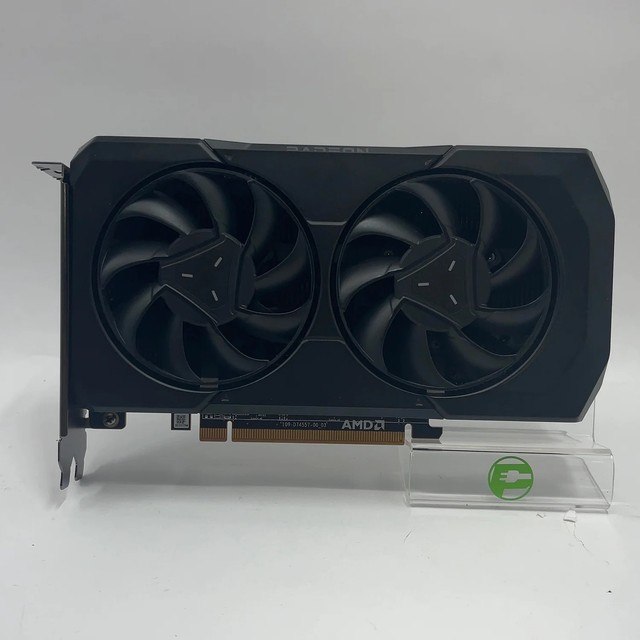
AMD’s equivalent at a similar or slightly lower price, and a good match here because AMD’s Vulkan performance in PCSX2 is strong. Plenty of headroom for 4× to 6× internal resolution at 1080p, modest power draw, and new stock. Try the Vulkan backend first on this card rather than leaving it on the default.
- 8GB GDDR6
- Around 165W board power
- Strong Vulkan performance
- Available new
- Excellent value for high internal resolutions
- Vulkan backend suits it well
- New with warranty
- Higher power draw than the RTX 4060
- 8GB VRAM ceiling
- Again, does nothing for a CPU bottleneck

NVIDIA GeForce RTX 3060 12GB
The used-market sweet spot, and the 12GB of memory is genuinely useful if you also run higher-resolution texture packs or push 6× scaling at 4K. A full PCIe x16 interface means it loses nothing on an older motherboard, which matters because a lot of emulation machines are older builds.
- 12GB GDDR6
- Full PCIe x16 interface
- Around 170W board power
- Widely available used
- 12GB suits texture packs and very high internal resolutions
- Full x16 — no penalty on an older board
- Good value used
- Used market only in most regions
- Older architecture
- Overkill for 1080p emulation alone
AMD Radeon RX 6600 8GB
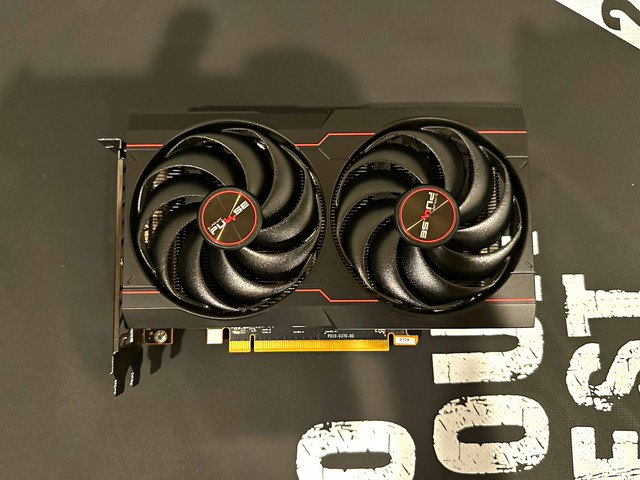
The value pick, and arguably the most rational card on this list for a machine that mostly emulates. It has ample power for 4× to 5× internal resolution at 1080p, draws little, and costs well under two hundred dollars used. Emulation rewards restraint here in a way modern gaming does not.
- 8GB GDDR6
- Around 132W board power
- Single 8-pin connector
- Cheap and plentiful used
- Best price-to-capability ratio for this job
- Low power draw
- Leaves budget for a CPU upgrade, which is where it belongs
- Not enough for 6× at 4K
- PCIe x8 interface — a small loss on PCIe 3.0 boards
- Used market

Intel Arc B580 12GB
Worth a genuine look here, unlike on very old platforms. Arc needs Resizable BAR to perform as designed — which any reasonably modern board has — and given that, it offers 12GB and strong Vulkan performance at a competitive price. Check your motherboard supports and has Resizable BAR enabled in BIOS before buying, because without it this card is a poor purchase.
- 12GB GDDR6
- Requires Resizable BAR for intended performance
- Strong Vulkan and media encode performance
- Competitive price for the memory
- 12GB at a low price
- Good Vulkan performance suits PCSX2
- Excellent video encoding if you record gameplay
- Resizable BAR is mandatory — verify your board first
- Driver maturity still trails AMD and NVIDIA in older APIs
- Not a good choice on a pre-2019 platform

NVIDIA GeForce GTX 1660 Super 6GB
Genuinely enough for most people reading this, and that is worth saying. A 1660 Super will run PCSX2 at 3× to 4× internal resolution at 1080p without difficulty, costs very little used, and needs no power supply upgrade. If your machine already has one, the honest advice is to spend nothing here and look at your processor instead.
- 6GB GDDR6
- Full PCIe x16 interface
- Around 125W board power
- Very cheap used
- Entirely adequate for 1080p emulation at sensible scaling
- Cheapest sane option
- Full x16 on old boards
- 6GB limits very high scaling and texture packs
- No modern upscaling or encoding features
- Driver support will wind down before newer cards

AMD Radeon RX 6700 XT 12GB
The step up that makes sense if your screen is 1440p or 4K and you want 6× internal resolution with room to spare. Full PCIe x16, 12GB of memory, and enough raw throughput that the GPU stops being any part of the conversation — which then correctly puts all the attention back on your CPU.
- 12GB GDDR6
- Full PCIe x16 interface
- Around 230W board power
- Strong 1440p and 4K throughput
- Removes the GPU as a limit even at 6× and 4K
- 12GB for texture packs
- Good used value
- Higher power draw — check the PSU
- Runs warm and can be noisy
- Substantially more card than 1080p emulation needs

NVIDIA GeForce RTX 4070
The ceiling worth considering, and only if you are running 4K at maximum internal resolution with post-processing, or the same machine does modern gaming as well. For PS2 emulation alone this is comfortably past the point of diminishing returns — buy it for the other things the machine does, not for PCSX2.
- 12GB GDDR6X
- Around 200W board power
- Strong across every renderer backend
- New stock with warranty
- Nothing in PCSX2 will trouble it at any setting
- Excellent for the machine’s other uses
- Efficient for its performance
- Far beyond what emulation requires
- Expensive
- Money better spent on CPU if emulation is the main use

A CPU With Strong Single-Thread Performance
The entry that is not a graphics card, and the one most readers of this page actually need. PCSX2’s heaviest work is single-threaded, so the number to compare is single-core performance, not core count. A modern six-core chip with a high boost clock will transform a stuttering emulation setup in a way no graphics card can. Check a single-thread benchmark for your current CPU before spending anything on a GPU.
- Single-thread performance is the metric that matters
- Core count beyond about four buys little in PCSX2
- Modern mid-range chips have high boost clocks
- Often requires a new motherboard and memory
- Fixes the actual bottleneck in most stuttering setups
- Benefits every other emulator too, for the same reason
- The upgrade people skip and then regret
- Usually means a platform change — board and RAM as well
- More disruptive than dropping in a graphics card
- Check your current single-thread score first, in case it is already fine
A Fast SSD for the Game Library
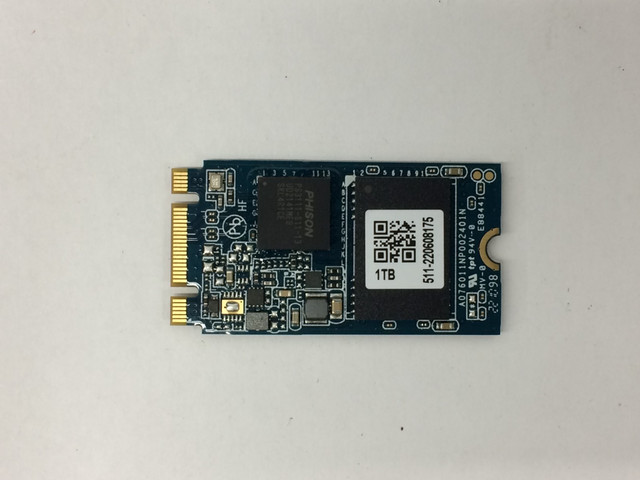
The cheap improvement nobody lists. PS2 disc images are large, and a library of them on a mechanical drive makes loading slow and can cause stutter when a game streams data mid-level. Moving the library to an SSD is inexpensive, helps immediately, and does more for the feel of the setup than a graphics card upgrade in many cases.
- SATA or NVMe, depending on the motherboard
- 1TB holds a large PS2 library comfortably
- Dramatically faster than a mechanical drive
- Simple to fit
- Cheap and immediately noticeable
- Removes mid-level streaming stutter on large titles
- Helps everything else on the machine too
- Does nothing for in-game frame rate once loaded
- Large libraries still need real capacity
- NVMe needs a board with an M.2 slot
Buying tips
- Check your CPU’s single-thread benchmark before buying a graphics card. PCSX2’s heaviest work runs on one or two threads and that is what causes most stuttering.
- The GPU’s real job here is internal resolution scaling. Decide whether you want 3×, 4× or 6× at your screen’s resolution, and buy for that.
- Try all three renderer backends. Direct3D, OpenGL and Vulkan perform differently by vendor and the best one for your card is worth five minutes of testing.
- The software renderer ignores your graphics card entirely. Some games need it for correctness, and no GPU purchase helps those.
- 3× internal resolution at 1080p is already a big visual improvement. Going to 6× costs a lot of performance for much less visible gain.
- Enable Resizable BAR in BIOS if you buy an Intel Arc card, and confirm your board supports it before ordering.
- Put the game library on an SSD. It is cheap and it removes load stutter that people often blame on the GPU.
- Per-game settings exist for a reason. A few titles need specific hardware fixes or the software renderer, and the wiki will tell you which.
As an Amazon Associate and eBay Partner, toptenpick.com earns from qualifying purchases. Prices and availability are subject to change.