

As an Amazon Associate and eBay Partner, toptenpick.com earns from qualifying purchases. Prices and availability are subject to change.
Before the list, four things about this specific platform that decide which cards are sensible and which are wasted money.
First, the 3570K is four cores and four threads. No hyperthreading. In games that are genuinely CPU-bound — simulations, strategy, MMOs, a lot of modern engine work — the frame rate floor is set by the CPU no matter what card you fit. A faster GPU raises your average frame rate and does very little for the stutter, because the stutter is the CPU running out of threads.
Second, and this is the one that catches people out: Z77 boards have no Resizable BAR. That feature lets the CPU address the whole of the card’s memory at once, and modern Intel Arc cards depend on it — without it, Arc performance falls off a cliff in a way no other brand’s does. Arc is the one class of card to avoid outright on this platform, and it is not obvious from any spec sheet or benchmark chart you will find online, because reviewers test on modern boards. AMD’s RX 6000 and later lose a few percent without it; Nvidia is broadly unaffected.
Third, PCIe 3.0 is fine — with one exception. A x16 card on a 3.0 slot loses almost nothing. But several budget cards use only four or eight lanes. A four-lane card like the RX 6500 XT runs at half its intended bandwidth here and the performance loss is severe; eight-lane cards such as the RTX 4060 and RX 7600 lose a small but real amount. Prefer full x16 cards on this board where you have the choice.
Fourth, the power supply is probably fourteen years old. If the machine has its original PSU, budget for a new one before you budget for a bigger card. Capacitors age, and a tired unit under a new load is how this upgrade goes wrong.
The practical conclusion: spend around the RTX 3060 to RX 6700 XT level and stop. Ten options below, including the two to avoid.
| # | Product | Price | Where to buy |
|---|---|---|---|
| 1 | NVIDIA GeForce RTX 3060 12GB | $180–$280 | Amazon · eBay |
| 2 | AMD Radeon RX 6700 XT 12GB | $230–$330 | Amazon · eBay |
| 3 | NVIDIA GeForce RTX 4060 8GB | $260–$330 | Amazon · eBay |
| 4 | AMD Radeon RX 7600 8GB | $230–$300 | Amazon · eBay |
| 5 | AMD Radeon RX 6600 8GB | $130–$190 | Amazon · eBay |
| 6 | NVIDIA GeForce GTX 1660 Super 6GB | $80–$140 | Amazon · eBay |
| 7 | AMD Radeon RX 6750 XT 12GB | $280–$380 | Amazon · eBay |
| 8 | Corsair RM650e (or equivalent 650W 80+ Gold PSU) | $70–$120 | Amazon · eBay |
| 9 | AMD Radeon RX 6500 XT — the card to skip | $100–$150 | Amazon · eBay |
| 10 | Intel Arc B580 — the other card to skip on this board | $230–$300 | Amazon · eBay |
The picks, in detail

NVIDIA GeForce RTX 3060 12GB
The best all-round match for this board, and it is not close. It runs a full PCIe x16 interface so it loses nothing to PCIe 3.0, it carries 12GB of VRAM which is more than most cards twice its price, its power draw is modest enough for an ageing PSU, and it lands almost exactly where a 3570K stops being able to feed a card. Widely available used at sensible money.
- 12GB GDDR6
- Full PCIe x16 interface
- Around 170W board power
- Single 8-pin power connector
- Full x16 — no PCIe 3.0 penalty at all
- 12GB VRAM outlasts the rest of the machine
- Well matched to what this CPU can actually feed
- Older architecture — no frame generation
- Used market only in most regions now

AMD Radeon RX 6700 XT 12GB
The step up that is still defensible on this CPU. Full PCIe x16, 12GB of VRAM and clearly more grunt than the RTX 3060 — enough to make 1440p realistic in GPU-bound titles, which is the only place a card this size pays off here. Buy it if you play graphically heavy single-player games rather than CPU-heavy ones.
- 12GB GDDR6
- Full PCIe x16 interface
- Around 230W board power
- 8-pin plus 6-pin power
- Real 1440p capability in GPU-bound games
- No PCIe lane penalty
- Strong value on the used market
- Higher power draw — check the PSU first
- The CPU will cap it in anything thread-heavy
- Runs warmer than the RTX 3060

NVIDIA GeForce RTX 4060 8GB
The efficient modern option, and the best choice if the old power supply is staying. It draws well under 120W, needs one 8-pin, and brings frame generation, which genuinely helps on a CPU-limited system because it inserts frames the CPU never had to prepare. The caveat is that it is a PCIe x8 card, so it gives up a small amount on a 3.0 board.
- 8GB GDDR6
- PCIe 4.0 x8 interface
- Around 115W board power
- Frame generation support
- Very low power draw — kindest option for an old PSU
- Frame generation helps specifically with CPU limits
- Available new with a warranty
- x8 interface loses a few percent on PCIe 3.0
- 8GB VRAM is the compromise at this price
- Costs more than a used RTX 3060 that has more memory
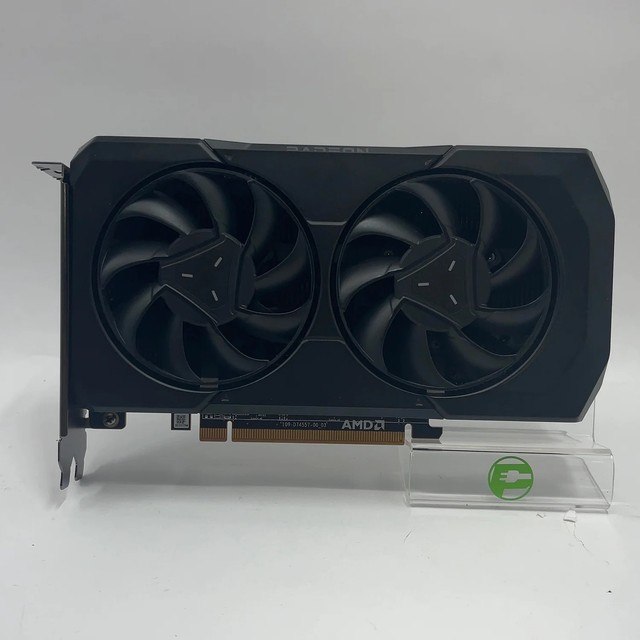
AMD Radeon RX 7600 8GB
AMD’s equivalent and usually a little cheaper. Solid 1080p performance, modest power draw and readily available new. Same x8 caveat as the RTX 4060, and the same 8GB memory ceiling — but at 1080p, which is where this CPU belongs, neither limit bites hard in most games.
- 8GB GDDR6
- PCIe 4.0 x8 interface
- Around 165W board power
- Available new with warranty
- Good 1080p performance for the money
- New stock rather than used-market risk
- Comfortably fed by a 3570K at 1080p
- x8 on a PCIe 3.0 board costs a few percent
- 8GB VRAM
- Loses a little without Resizable BAR
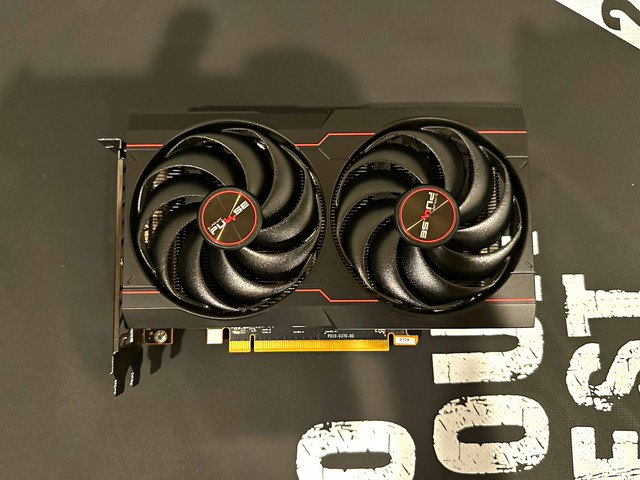
AMD Radeon RX 6600 8GB
The value pick, and arguably the most sensible card on this list for a machine of this age. Very low power draw, no extra PSU worries, cheap on the used market, and fast enough for 1080p at high settings in most games. Pairing a thirteen-year-old CPU with a modest, efficient card is a more rational use of money than pairing it with a fast one.
- 8GB GDDR6
- PCIe 4.0 x8 interface
- Around 132W board power
- Single 8-pin connector
- Excellent price-to-performance for 1080p
- Low power — no PSU upgrade likely needed
- Plentiful and cheap used
- x8 interface on PCIe 3.0
- Noticeably slower than the 6700 XT
- Ray tracing performance is weak

NVIDIA GeForce GTX 1660 Super 6GB
The cheapest card here that still makes a real difference, and a full x16 part so it loses nothing on this board. No ray tracing, no frame generation, 6GB of memory — but for older titles and esports at 1080p it is entirely adequate and it costs very little used. The right answer if the goal is to keep an old machine going for another year, not to modernise it.
- 6GB GDDR6
- Full PCIe x16 interface
- Around 125W board power
- Single 8-pin connector
- Cheapest sensible upgrade in this list
- Full x16 — no PCIe 3.0 penalty
- Low power draw
- 6GB VRAM is limiting in newer titles
- No ray tracing or upscaling hardware
- Driver support will wind down before the newer cards
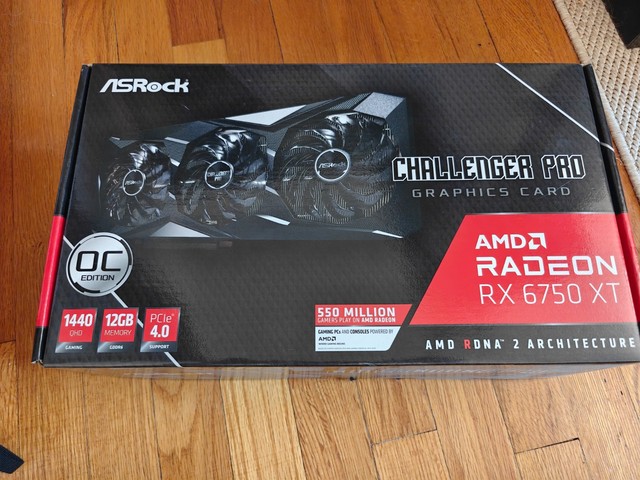
AMD Radeon RX 6750 XT 12GB
A faster 6700 XT with the same full x16 interface and 12GB of memory. This is realistically the ceiling on a 3570K: anything quicker spends most of its time waiting for the CPU. Worth the small premium over the 6700 XT if you find one at the right price, but do not go further up the stack from here.
- 12GB GDDR6
- Full PCIe x16 interface
- Around 250W board power
- Two 8-pin connectors
- About as much GPU as this CPU can justify
- Full x16 and plenty of VRAM
- Good 1440p performance in GPU-bound games
- Two 8-pin connectors — an old PSU may not have them
- The CPU will be the limit in most games
- Higher heat and noise
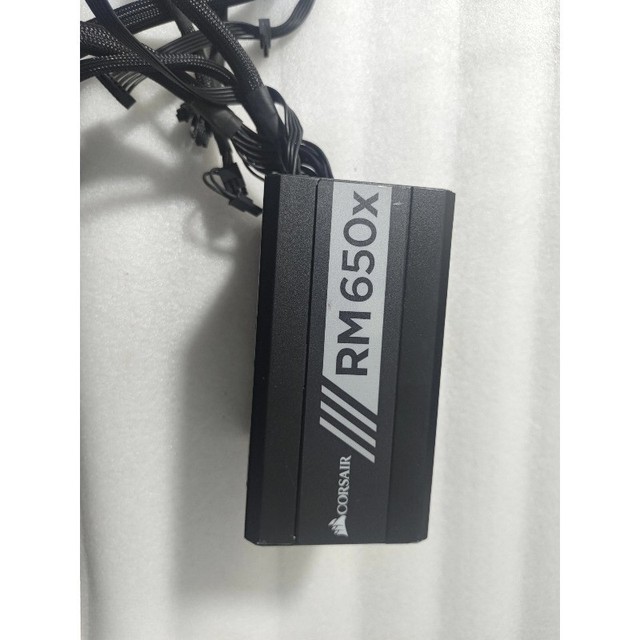
Corsair RM650e (or equivalent 650W 80+ Gold PSU)
The part of this upgrade people skip and then regret. A power supply from 2012 has had its capacitors heat-cycled for over a decade, and a new card is exactly the load that finds the weakness. A modern 650W Gold unit with the right connectors costs less than the difference between two of the cards above, and it protects everything else in the machine.
- 650W, 80 Plus Gold efficiency
- Modern multi-rail protection
- Two PCIe 8-pin connectors
- Long manufacturer warranty
- Removes the most likely failure point in an old build
- Provides the connectors newer cards need
- Cheaper than replacing a card it damages
- Money spent on no performance gain
- Cable management in an old case can be awkward

AMD Radeon RX 6500 XT — the card to skip
Listed here so you do not buy it by mistake. It uses only four PCIe lanes, which is fine on a modern PCIe 4.0 board and halves its available bandwidth on a PCIe 3.0 one like yours. The performance loss is large and it shows up worst in exactly the modern games you would buy a new card for. Every review that says it is adequate was tested on a newer platform.
- 4GB GDDR6
- PCIe 4.0 x4 interface — halved on PCIe 3.0
- Around 107W board power
- Limited media encoding support
- Low power draw
- Cheap
- Four PCIe lanes make it a poor match for a PCIe 3.0 board specifically
- 4GB VRAM is not enough for modern titles
- A used RX 6600 is faster for similar money

Intel Arc B580 — the other card to skip on this board
A good card on the wrong platform. Arc depends on Resizable BAR to perform as designed, and Z77 motherboards do not have it — so the benchmark numbers you have seen, all taken on modern boards, do not apply to your machine. On paper it is excellent value at 1440p with 12GB of memory. On an Ivy Bridge board it is the one purchase on this page that will genuinely disappoint.
- 12GB GDDR6
- Requires Resizable BAR for intended performance
- Strong media encoding
- Competitive price for the specification
- Excellent value — on a modern platform
- 12GB VRAM and good encoding
- Resizable BAR is unavailable on Z77, and Arc needs it
- Reviews do not reflect performance on this board
- The single most common mistake on this upgrade path
Buying tips
- Check whether your motherboard has Resizable BAR. Z77 does not, which rules out Intel Arc — that is the single most expensive mistake available on this platform.
- Prefer full x16 cards. The RTX 3060, RX 6700 XT, RX 6750 XT and GTX 1660 Super all use the full slot; the RTX 4060, RX 7600 and RX 6600 use eight lanes, and the RX 6500 XT uses four.
- PCIe 3.0 itself is not the problem. A x16 card gives up almost nothing on a 3.0 slot — the lane count on the card matters far more than the generation on the board.
- Replace the power supply if it is original. Fourteen-year-old capacitors plus a new load is the classic way this upgrade ends badly.
- Update the motherboard BIOS before fitting a modern card. Old Z77 firmware sometimes will not post with newer cards until it is updated.
- Four threads is the real ceiling. If your complaint is stuttering rather than low average frame rate, a new GPU will not fix it — that is the CPU.
- Enable above-4G decoding in BIOS if the option exists. Some modern cards want it, and its absence causes boot failures that look like a dead card.
- Do your VRAM maths at your actual resolution. At 1080p, 8GB is still fine in most games; at 1440p with textures at maximum it is not.
As an Amazon Associate and eBay Partner, toptenpick.com earns from qualifying purchases. Prices and availability are subject to change.