

About this guide
SONAR Platinum was Cakewalk’s last paid boxed release before Gibson shut the company down in 2017; it lives on today as the free Cakewalk by BandLab and, since 2024, the relaunched Cakewalk Sonar, both built on the same core engine. The good news for hardware shopping: SONAR Platinum and its successors talk to interfaces through the standard Windows ASIO driver model, so any interface with a current, manufacturer-supplied ASIO driver for Windows 10/11 will work — you are not locked into old or discontinued hardware. What actually varies between brands is driver stability under an aging host application, buffer-size flexibility, and whether the manufacturer still ships fresh Windows drivers years after a model’s release. The picks below span that range, from budget class-compliant units to RME, the brand most often cited for rock-solid Windows ASIO drivers.
As an Amazon Associate and eBay Partner, toptenpick.com earns from qualifying purchases. Prices and availability are subject to change.
The picks, in detail
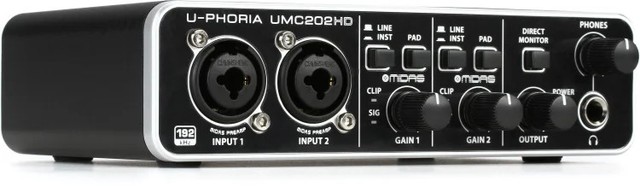
Behringer UMC202HD
The cheapest way into a real Midas-designed mic preamp with a dedicated ASIO driver — a common recommendation for SONAR/Cakewalk users on a tight budget.
- 2 Midas-designed mic preamps
- 24-bit/192kHz
- Dedicated Behringer ASIO driver for Windows
- MIDAS-designed preamp circuitry
- Lowest price of any interface with a proper manufacturer ASIO driver here
- Widely used and documented in Cakewalk/SONAR forum threads
- Driver updates are less frequent than Focusrite or RME
- Basic build quality next to pricier options
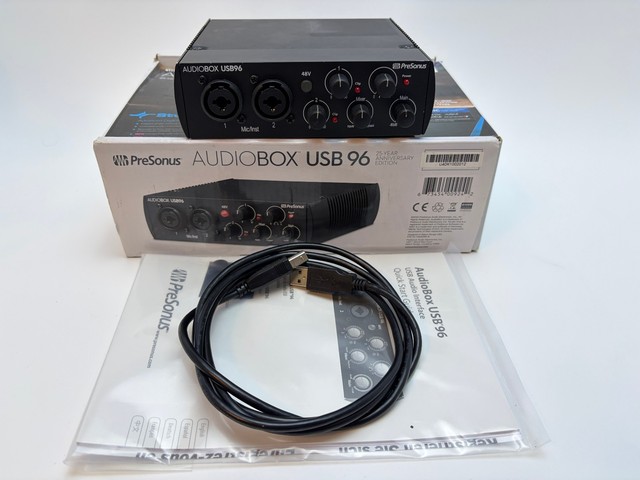
PreSonus AudioBox USB 96
A long-running, class-compliant-plus-ASIO interface that bundles a full DAW (Studio One) if you ever want a second production environment alongside Cakewalk.
- 2 combo mic/line/instrument inputs
- 24-bit/96kHz
- PreSonus Universal Control ASIO driver
- Bundled Studio One Artist software
- Mature, well-tested Windows driver with a long track record
- Bundled DAW software adds value beyond the interface itself
- 96kHz max sample rate is behind newer competitors’ 192kHz
- Increasingly hard to find in stock at some retailers
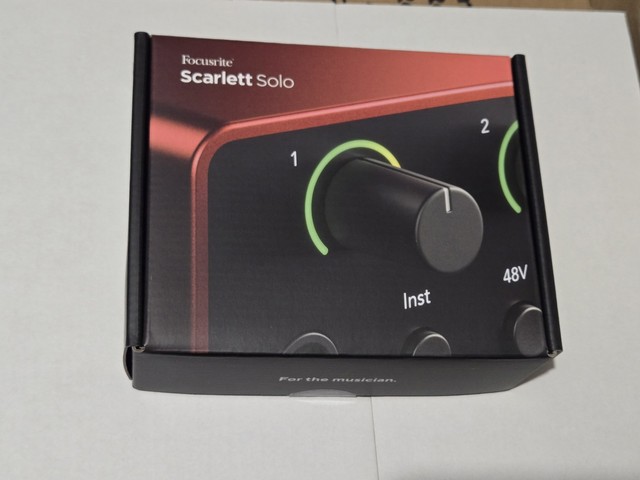
Focusrite Scarlett Solo 4th Gen
Focusrite's entry-level single-input interface, backed by what's generally considered the most actively maintained and widely compatible ASIO driver in the budget tier.
- 1 mic preamp with Focusrite Air mode
- 24-bit/192kHz
- Focusrite USB ASIO driver, regularly updated
- Auto Gain and Clip Safe
- Focusrite’s ASIO driver has an unusually strong reputation for stability across older and newer DAWs alike
- Simple, low-latency setup
- Single input limits you to one mic or instrument at a time
- Bundled software focuses on newer DAWs, not SONAR/Cakewalk specifically
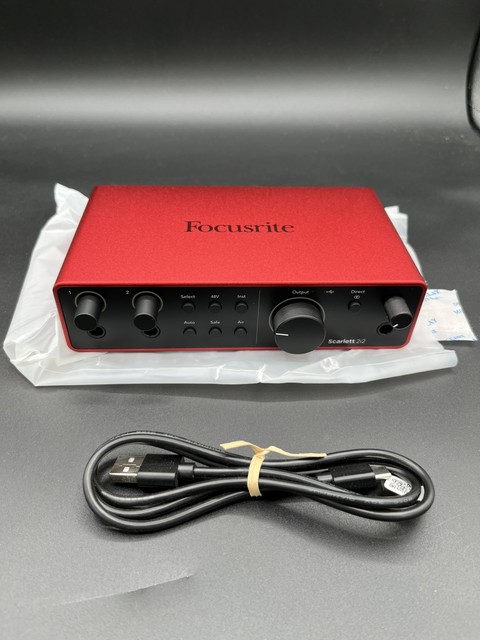
Focusrite Scarlett 2i2 4th Gen
The two-input step up from the Solo, useful if you record a stereo source or two mono inputs at once, with the same well-supported Focusrite driver.
- 2 mic preamps with Air mode
- 24-bit/192kHz, 120dB dynamic range
- Focusrite USB ASIO driver
- Auto Gain, Clip Safe
- Same driver reliability as the Solo, with a second input
- Very well documented in DAW compatibility guides, including legacy Windows setups
- Costs more than the Solo for a feature most solo musicians won’t use daily
- No MIDI I/O built in
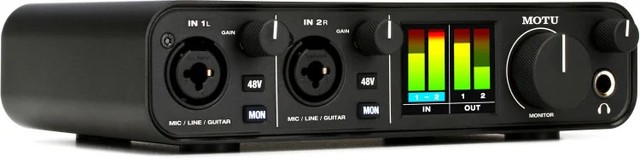
MOTU M2
Studio-grade converters at a budget price, from a brand whose Windows ASIO drivers are frequently cited as the runner-up to RME for stability.
- 2 mic/line/instrument inputs
- 24-bit/192kHz, 120dB dynamic range
- MOTU ASIO driver for Windows
- Built-in LCD metering
- Converter quality punches above its price point
- MOTU’s driver reputation trails only RME for reliability
- No onboard DSP/loopback mixing found on pricier MOTU models
- Fewer preset scenes than some competitors

Universal Audio Volt 2
A modern 2-in/2-out interface with a switchable vintage-preamp mode, aimed at musicians who want character options beyond a clean signal path.
- 2 mic/instrument inputs
- Vintage 610 mode (tube-preamp emulation)
- 24-bit/192kHz
- Dedicated UA ASIO driver
- Vintage mode adds real tonal flexibility not found on cleaner-only interfaces
- Solid mid-range build quality
- UA’s driver ecosystem is newer and less battle-tested against a 2016-era host like SONAR Platinum than Focusrite/RME
- USB 2.0 connection, not the newest USB-C spec

Steinberg UR22C
A rugged, metal-chassis interface from Yamaha's Steinberg brand, with USB 3.0 connectivity and drivers Steinberg maintains specifically for DAW compatibility.
- 2 combo inputs
- 24-bit/192kHz over USB 3.0
- Steinberg/Yamaha ASIO driver
- Rugged metal housing
- USB 3.0 headroom keeps latency low even at high buffer counts
- Durable build for a interface that travels
- USB 3.0 port requirement can complicate use with older USB 2.0-only PCs some SONAR Platinum users still run
- Bundled Cubase AI software is redundant if you’re staying in Cakewalk/SONAR
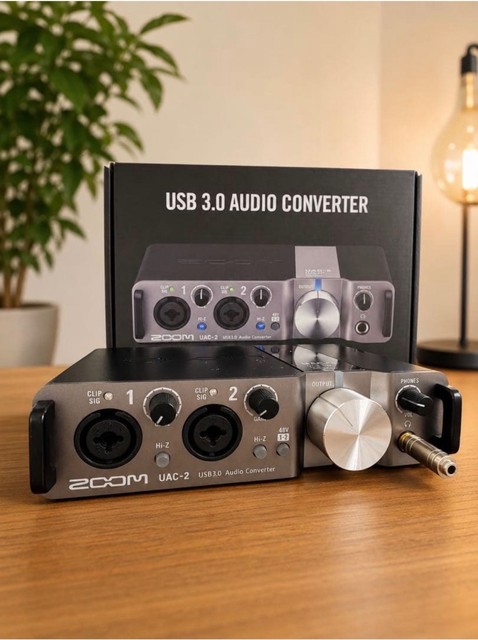
Zoom UAC-2
A USB 3.0 SuperSpeed interface built around class-compliant operation plus a dedicated ASIO driver, popular with users who move a rig between multiple computers.
- 2 combo inputs
- 24-bit/192kHz over USB 3.0
- Class-compliant + dedicated Zoom ASIO driver
- Rotary gain controls with LED metering
- Class-compliant mode works even without installing drivers, useful as a fallback if the ASIO driver ever misbehaves
- Compact, road-ready design
- Fewer routing options than MOTU or RME at a similar price
- Zoom’s driver update cadence is slower than Focusrite’s
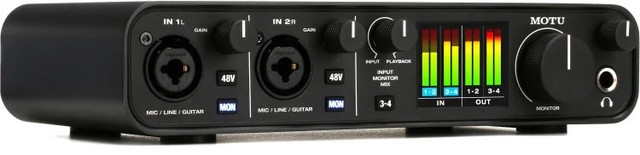
MOTU M4
MOTU's 4-in/4-out step-up from the M2, for users who need to track a full band or multiple instruments at once through the same reliable driver.
- 4 mic/line/instrument inputs, 4 outputs
- 24-bit/192kHz
- MOTU ASIO driver for Windows
- Onboard LCD metering
- Same trusted MOTU driver as the M2, with double the I/O
- Good headroom for growing a home setup beyond one or two mics
- Overkill if you only ever record one source at a time
- Larger desk footprint than the 2-input models here
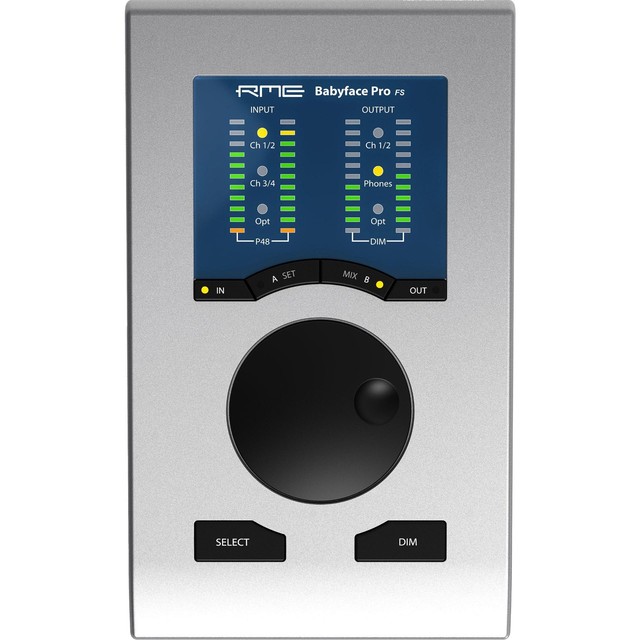
RME Babyface Pro FS
The interface most frequently recommended specifically for driver stability with older or unusual DAW setups — RME's Windows ASIO drivers are the industry benchmark, and the company still supports very old hardware.
- 12 inputs / 12 outputs (via breakout cable)
- 24-bit/192kHz, ultra-low jitter clock
- RME’s own ASIO/TotalMix driver suite
- Bus-powered USB operation
- Widely regarded as having the most stable, lowest-latency ASIO drivers of any consumer/prosumer interface, exactly the trait that matters most running a 2016-era host
- RME’s driver support famously outlives the hardware itself by many years
- Roughly 3-5x the price of the budget options on this list
- Overkill I/O count for a simple vocal-and-guitar home setup
What each one costs
Typical price, cheapest first. Tap a name to jump to that pick and its buy link.
Compare any three
| Behringer UMC202HD | PreSonus AudioBox USB 96 | Focusrite Scarlett Solo 4th Gen | |
|---|---|---|---|
| Price | $80-$99 | $100-$150 | $130-$180 |
| Key features |
|
|
|
| Pros |
|
|
|
| Cons |
|
|
|
Buying tips
- Always install the manufacturer’s current ASIO driver, never rely on Windows’s generic USB audio driver or a third-party wrapper like ASIO4ALL for a dedicated interface — the real driver is what gives you low, stable latency in Cakewalk/SONAR.
- Confirm you’re running Cakewalk by BandLab or Cakewalk Sonar as a 64-bit application on 64-bit Windows 10/11; the free rebuilds dropped 32-bit OS support, though most 32-bit VST plug-ins still load via the built-in bit-bridging.
- If you’re still running the original 2016 SONAR Platinum installer rather than the free Cakewalk rebuild, test the interface’s ASIO driver install before buying anything expensive — driver installers occasionally check for a specific supported Windows version and it’s worth confirming compatibility with your exact OS build first.
- Start with a higher buffer size (256-512 samples) when first connecting a new interface to an older host, then work it down; a host this old can be pickier about very low buffer settings than a modern DAW.
As an Amazon Associate and eBay Partner, toptenpick.com earns from qualifying purchases. Prices and availability are subject to change.