

As an Amazon Associate and eBay Partner, toptenpick.com earns from qualifying purchases. Prices and availability are subject to change.
“Communication studies” covers two degrees with opposite hardware needs, and buying for the wrong one is how people end up with a heavy laptop they carry to lectures or a thin one that stalls in an edit. On one side sits the theory, PR, journalism and organisational communication track: reading, writing, research databases, endless documents and presentations. That work rewards a light machine with a long battery and a good keyboard, and almost nothing else. On the other sits media production — video, audio, broadcast, multimedia journalism — where you will be handed 4K footage and told to cut it, and where a thin ultraportable becomes genuinely painful.
Most programmes are a mix, and the honest question is not which is better but how many production modules you will actually take. If the answer is one or two, borrow the lab machines for those and buy light.
If you do need to edit, the specification that matters is not the one the marketing leads with. Adobe’s current requirement for Premiere Pro is 16 GB of RAM as a minimum with 32 GB recommended for 4K work, and RAM is what you notice first when a timeline gets complicated. The graphics card matters less than gaming laptop listings imply — what helps is hardware decoding of the codec your camera produces, which is normally H.264 or HEVC, and that lives in the processor’s media engine rather than in raw GPU horsepower. A fast internal SSD with genuine free space matters too, because the scratch and cache files go somewhere.
Two things to check before spending anything, both of which can save you several hundred dollars. First, ask your department whether Creative Cloud is provided — many universities license it for students, and it changes whether you need a machine spec’d for Adobe at all. Second, ask whether any required software is Windows-only; broadcast and some analytics tools still are, and that decides the platform before any other consideration does.
And a straightforward warning: a Chromebook cannot run the desktop Adobe applications. ChromeOS is excellent for writing, research and collaboration, and it is genuinely cheap — but Premiere Pro, Audition and the rest are not available on it, and the web versions are not a substitute for coursework. If there is any production component to your degree, a Chromebook is a second device, not the device.
The list below runs from light writing machines through to laptops that will hold a 4K timeline.
| # | Product | Price | Where to buy |
|---|---|---|---|
| 1 | Apple MacBook Air (M-series) | $899–$1,399 | Amazon · eBay |
| 2 | Apple MacBook Pro 14 inch | $1,599–$2,400 | Amazon · eBay |
| 3 | Dell XPS 13 | $999–$1,599 | Amazon · eBay |
| 4 | Lenovo ThinkPad E14 / E16 | $700–$1,200 | Amazon · eBay |
| 5 | ASUS Vivobook 16 / Zenbook 14 | $600–$1,100 | Amazon · eBay |
| 6 | Apple MacBook Air (previous generation, refurbished) | $650–$900 | Amazon · eBay |
| 7 | HP Pavilion Plus 14 | $700–$1,100 | Amazon · eBay |
| 8 | ASUS ProArt or Creator-line Laptop | $1,300–$2,200 | Amazon · eBay |
| 9 | Acer Aspire / Swift Go 14 | $500–$800 | Amazon · eBay |
| 10 | Chromebook Plus (as a second device only) | $350–$700 | Amazon · eBay |
The picks, in detail

Apple MacBook Air (M-series)
The default recommendation for this degree, and it is hard to argue with. It is fanless and silent, the battery genuinely lasts a teaching day, and Apple’s media engine handles H.264 and HEVC in hardware — which means it edits ordinary camera footage far better than its thinness suggests. Configure 16 GB of memory rather than the base 8 if there is any editing in your future, because it cannot be upgraded afterwards.
- Fanless design, silent under load
- Hardware H.264 and HEVC media engine
- All-day battery in normal use
- Memory soldered — configure at purchase
- Light and silent, which matters in a lecture theatre
- Edits typical camera footage well for its size
- Excellent resale value
- Memory and storage cannot be upgraded later
- Base configurations are tight for video work
- Some Windows-only broadcast software will not run
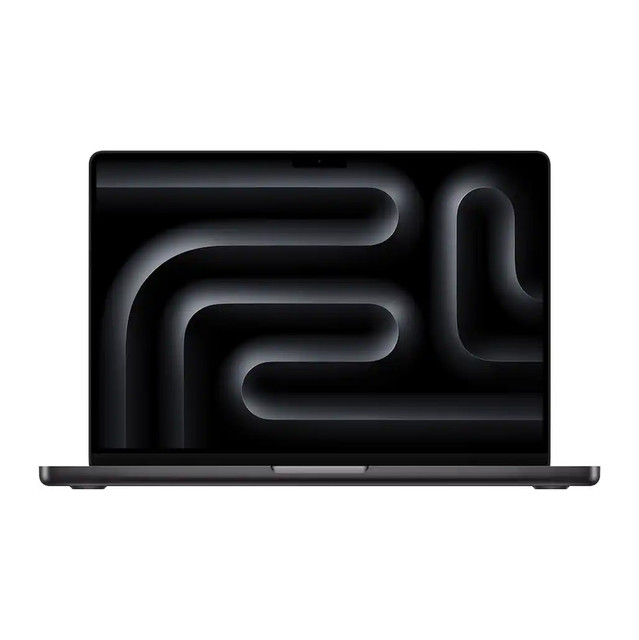
Apple MacBook Pro 14 inch
The step up for a genuine production track, and the difference is sustained performance: it has fans, so it holds its speed through a long export rather than throttling. The display is far better than the Air’s for colour work, and the port selection means an SD card and an external display without a dongle bag. It is expensive and it is the machine that will survive four years of media coursework.
- Active cooling for sustained export performance
- High-brightness mini-LED display
- HDMI, SD card slot and MagSafe
- Configurable to 32 GB and beyond
- Holds performance through long renders
- Colour-accurate display for grading
- Ports that a media student actually uses
- Expensive, especially configured usefully
- Heavier than an Air to carry daily
- Overkill for a pure theory track

Dell XPS 13
The Windows answer for the writing-heavy track: small, well built, with a good keyboard and a screen that is pleasant to read on for hours. It is the machine to buy if a required piece of software is Windows-only and you do not need to edit video seriously. Check the configuration carefully — some variants ship with soldered memory at 16 GB, which is fine, and some at 8, which is not.
- 13 inch class ultraportable
- Soldered memory — check capacity before buying
- Thunderbolt connectivity
- Aluminium and carbon fibre construction
- Genuinely portable with a good keyboard
- Runs Windows-only coursework software
- Solid build for the price bracket
- Memory is soldered, so buy the capacity you need
- Limited ports without a dock
- Throttles during long video exports
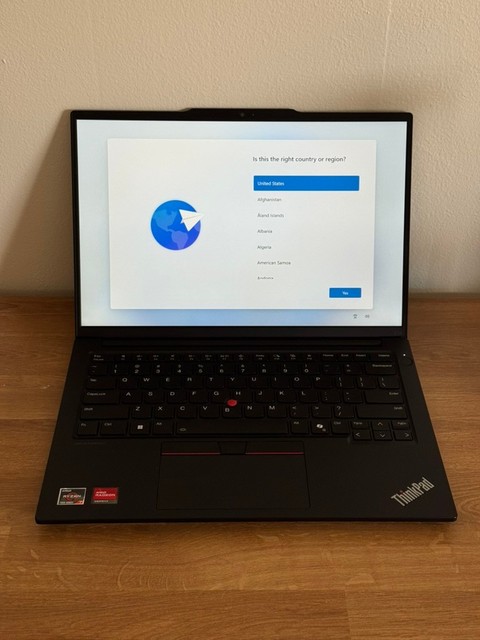
Lenovo ThinkPad E14 / E16
The sensible-value Windows pick, and the one with the best keyboard in this price bracket by common consent — which matters more than any other spec if your degree is mostly writing. ThinkPads are also the most repairable machines here: memory and storage are typically user-accessible, so 8 GB today can become 32 GB in second year for the cost of a textbook.
- Upgradeable memory and storage on most configurations
- Highly regarded keyboard
- 14 or 16 inch options
- Business-grade build and serviceability
- Memory upgradeable later rather than fixed at purchase
- Best keyboard here for long writing sessions
- Widely available parts and service documentation
- Heavier and plainer than an ultraportable
- Screens on base configurations are mediocre
- Battery life is good rather than exceptional

ASUS Vivobook 16 / Zenbook 14
The value bracket where you can get 16 GB of memory and a decent screen without paying a premium brand tax. ASUS’s ranges are confusing — Vivobook is the budget line, Zenbook the premium thin one — but both have configurations that hit the 16 GB mark cheaply, which is the single spec that matters most for a mixed workload. Read the exact model number rather than the range name.
- 16 GB configurations available at modest prices
- 14 and 16 inch screen options
- OLED panels on some Zenbook configurations
- Full-size keyboard on the 16 inch
- 16 GB of memory at a genuinely low price
- OLED options give excellent colour for the money
- Wide choice of sizes
- Range naming is confusing — verify the exact model
- Build quality varies between lines
- Battery life on the larger models is unremarkable
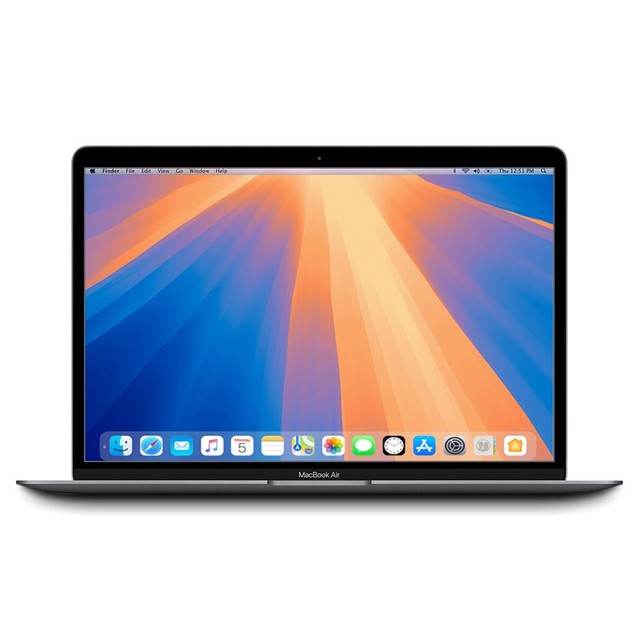
Apple MacBook Air (previous generation, refurbished)
The best value on this list if the budget is tight and the track is writing-heavy. A previous-generation Air from Apple’s own refurbished store or a reputable reseller carries a warranty, has the same silent fanless design and hardware media engine, and costs a few hundred dollars less than current. For document work and light editing, the generational difference is invisible.
- Previous-generation Apple silicon
- Apple Certified Refurbished carries a warranty
- Same fanless silent design
- Hardware video decode included
- Several hundred dollars cheaper than new
- Warranty and returns through Apple’s own programme
- No practical difference for document work
- Stock is unpredictable and configurations are whatever is listed
- Base 8 GB models are a false economy for editing
- Battery has some cycles on it already
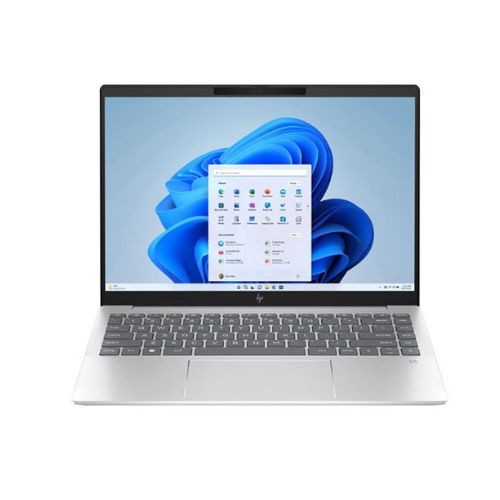
HP Pavilion Plus 14
A reasonable mid-market Windows machine that regularly appears with an OLED screen and 16 GB of memory at a price the premium ultraportables cannot match. For a student splitting time between essays and occasional editing, that combination is the right set of compromises — a good screen for reviewing footage, enough memory to open Premiere without immediately regretting it, and a sane weight.
- 14 inch, OLED options available
- 16 GB configurations common
- Reasonable port selection including HDMI
- Around 1.4 kg
- OLED and 16 GB at a mid-market price
- Light enough to carry daily
- HDMI without an adapter
- Fan noise under sustained load
- Battery life suffers on the OLED models
- Support experience is inconsistent
ASUS ProArt or Creator-line Laptop
For the student whose degree is genuinely production-led. These are built around colour-accurate displays, 32 GB memory options and dedicated graphics, and they are the Windows equivalent of buying a MacBook Pro rather than an Air. They are heavy and the battery life is ordinary, which is the price of the specification. Only buy one if you are editing regularly, not occasionally.
- Colour-calibrated display options
- 32 GB memory configurations
- Dedicated NVIDIA graphics
- Full port selection with SD card reader
- Handles 4K timelines without complaint
- Display suitable for colour work out of the box
- Ports and card reader built in
- Heavy to carry between lectures
- Battery life is mediocre away from power
- Substantially more machine than a theory track needs

Acer Aspire / Swift Go 14
The floor of what is worth buying. Acer’s mainstream ranges regularly hit 16 GB and a 512 GB SSD at prices well under a thousand dollars, and for coursework, research databases, presentations and light photo work that is entirely sufficient. Build quality and screens are where the savings come from, so handle one before buying if you can, and check the exact configuration rather than the range.
- 16 GB and 512 GB configurations at low prices
- 14 inch class
- Reasonable port selection
- Frequently discounted
- The cheapest route to 16 GB of memory
- Perfectly adequate for the writing track
- Often heavily discounted
- Plastic build and unremarkable screens
- Keyboard and trackpad are the obvious compromises
- Configuration changes without the model name changing
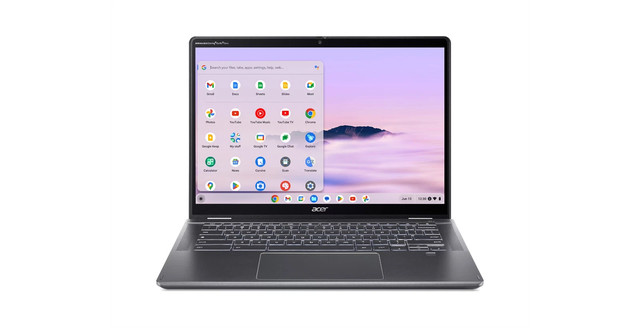
Chromebook Plus (as a second device only)
Listed with a clear caveat rather than as a main recommendation. A Chromebook is excellent value for note-taking, research, shared documents and a battery that outlasts the timetable — but the desktop Adobe applications do not run on ChromeOS, and the browser versions are not a substitute for a production module. If any part of your degree involves editing, this is the cheap second machine you carry to lectures, not the one you rely on.
- ChromeOS with Android app support
- Long battery life and instant wake
- Chromebook Plus specification includes 8 GB and a better display
- Very low prices
- Excellent for writing, research and collaboration
- Battery outlasts a full teaching day
- Cheap enough to be a genuine second device
- Cannot run Premiere Pro, Audition or the desktop Adobe suite
- Limited offline capability for some coursework tools
- Fixed update expiry dates — check before buying
Buying tips
- Work out how many production modules you will actually take before choosing. One or two means borrow the lab machines and buy a light laptop; a production-led degree means buying for the edit.
- Ask your department whether Creative Cloud is provided. Many universities license it for students, and knowing the answer changes both your software budget and the machine you need.
- Ask whether any required software is Windows-only. Some broadcast and analytics tools still are, and that single answer decides the platform before anything else matters.
- Treat 16 GB of memory as the floor if you will edit at all. Adobe lists 16 GB as the Premiere Pro minimum and 32 GB as the recommendation for 4K, and memory is what you feel first on a complicated timeline.
- Check whether the memory is soldered. On most thin laptops and all MacBooks it is fixed at purchase, so a cheap 8 GB configuration stays 8 GB for the machine’s whole life.
- Do not buy a Chromebook as your only machine if there is any production component. The desktop Adobe applications do not run on ChromeOS and the web versions will not carry coursework.
- Weigh the thing you will carry every day. A 2.5 kg creator laptop is the right tool for an edit suite and the wrong one for a timetable with four buildings in it.
- Buy refurbished from the manufacturer rather than new at the bottom of the range. A previous-generation machine with a warranty beats a current-generation entry model at the same price nearly every time.
As an Amazon Associate and eBay Partner, toptenpick.com earns from qualifying purchases. Prices and availability are subject to change.