

As an Amazon Associate and eBay Partner, toptenpick.com earns from qualifying purchases. Prices and availability are subject to change.
The PS Vita has a 3.5 mm jack and a microphone input on it, and those two facts together cause almost all the confusion in this category.
The jack is a 4-pole (TRRS) socket — four contacts on the plug rather than three, with the fourth carrying the microphone. That is the same arrangement used by mobile phones, which means an ordinary modern phone headset with a single combined plug will generally work on a Vita for both audio and microphone. A plain pair of headphones with a 3-pole plug will play audio perfectly and simply has no microphone — which is fine for single-player and useless for voice chat.
Where people come unstuck is with gaming headsets. Most PC and console gaming headsets use two separate plugs, one green for headphones and one pink for the microphone, and neither of those alone carries both signals. Plugged into a Vita you get audio and no microphone, or nothing at all. The fix is a combiner adapter that merges two 3-pole plugs into one 4-pole — a cheap part, and the piece of information that resolves most of the frustration here.
The second thing to know concerns Bluetooth. The Vita supports Bluetooth audio, and microphone support over Bluetooth is limited and inconsistent between applications. A Bluetooth headset will very likely give you wireless audio; whether its microphone works in the specific game or app you want is not something you can assume, and it varies. If voice chat is the reason you are buying, a wired headset removes the uncertainty entirely.
One more, which is the most common actual complaint about Vita audio: the original OLED model’s built-in speakers are small and the headphone output is not loud. Efficient, low-impedance headphones — the sort designed for phones — get considerably more volume out of it than high-impedance studio headphones will.
Ten picks below.
| # | Product | Price | Where to buy |
|---|---|---|---|
| 1 | Phone-Style In-Ear Headset with Inline Mic | $15-$50 | Amazon · eBay |
| 2 | 3.5 mm to Dual 3.5 mm Combiner Adapter | $8-$18 | Amazon · eBay |
| 3 | Low-Impedance Portable Headphones | $25-$120 | Amazon |
| 4 | Gaming Headset with a Single 4-Pole Plug | $30-$100 | Amazon · eBay |
| 5 | Bluetooth Wireless Headphones | $30-$150 | Amazon · eBay |
| 6 | Short 3.5 mm Extension Cable | $6-$15 | Amazon · eBay |
| 7 | Right-Angle 3.5 mm Adapter | $6-$15 | Amazon · eBay |
| 8 | Replacement Ear Tips | $8-$20 | Amazon · eBay |
| 9 | Carry Case for Console and Headphones | $15-$35 | Amazon |
| 10 | Cable Winder or Velcro Ties | $6-$15 | Amazon · eBay |
The picks, in detail

Phone-Style In-Ear Headset with Inline Mic
The straightforward answer, and it works because the Vita uses the same 4-pole arrangement as a mobile phone. A single-plug in-ear headset with an inline microphone gives you audio and voice chat with nothing to adapt and nothing to configure. It is also light, cheap and easy to carry with a handheld. Look for one with a reasonably short cable — a phone-length cable is longer than a handheld needs and gets in the way.
- Single 4-pole (TRRS) plug
- Inline microphone and control button
- Low impedance, suited to portable output
- Light and pocketable
- Works for both audio and mic with no adapter
- Low impedance gets good volume from a weak output
- Cheap and easy to replace
- Inline controls may not map to Vita functions
- Phone-length cables are longer than needed

3.5 mm to Dual 3.5 mm Combiner Adapter
The part that makes a gaming headset work on a Vita, and the single most useful item here. Most PC gaming headsets have two separate 3-pole plugs — green for audio, pink for the microphone — and a Vita has one 4-pole socket. A combiner adapter merges them, so the headset you already own works properly for both. Note the direction: you want the adapter that takes two female sockets and presents one male 4-pole plug, not the splitter that does the reverse.
- Two 3.5 mm sockets to one 4-pole plug
- Standard CTIA pinout
- Short cable or direct plug versions
- Works with most PC gaming headsets
- Makes an existing gaming headset fully usable
- Very cheap
- Also works with laptops and phones
- The reverse splitter is sold alongside and does the opposite
- Cheap adapters introduce noise
Low-Impedance Portable Headphones
For anyone who does not need a microphone, which is most single-player use. The specification that matters is impedance: the Vita’s headphone output is not powerful, and a low-impedance, high-sensitivity pair designed for portable devices will be substantially louder than studio headphones designed for an amplifier. Look for something in the region of 32 ohms or below. Closed-back designs also isolate better, which matters on a handheld you are likely using somewhere noisy.
- 32 ohm or lower impedance
- High sensitivity
- Closed-back for isolation
- Folding designs for portability
- Substantially louder from a weak output than high-impedance pairs
- Closed backs isolate on a train or a bus
- Fold for carrying
- No microphone at all
- High-impedance studio headphones will be too quiet
Gaming Headset with a Single 4-Pole Plug
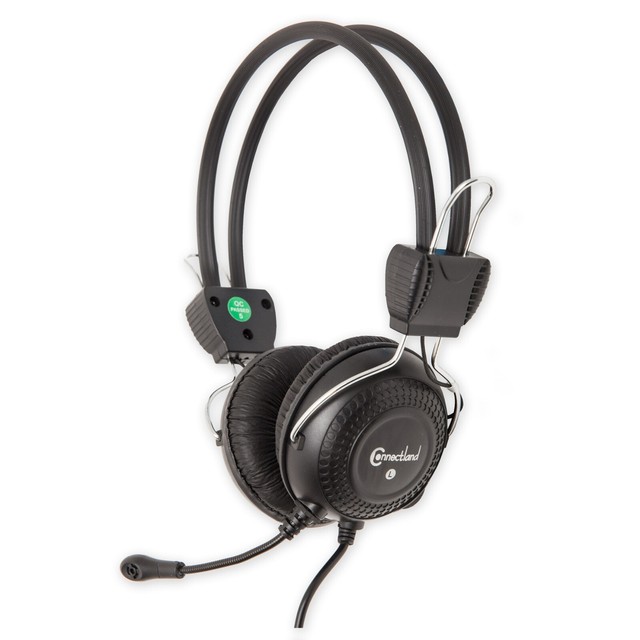
The console-style headset, and the ones sold for PS4 and newer controllers are the right shape here — they terminate in a single 4-pole plug because that is what a controller socket takes, which is the same thing the Vita has. That means no adapter and a proper boom microphone rather than an inline one, which is genuinely better for voice chat. Check the impedance if the model is aimed at amplified use; some larger headsets are inefficient and will be quiet.
- Single 4-pole plug, console style
- Boom microphone
- Over-ear or on-ear designs
- Inline volume control on most
- No adapter needed
- Boom mic is clearer than an inline one
- Also works with a controller and a phone
- Large over-ear headsets are bulky with a handheld
- Some are inefficient and will be quiet on a Vita
Bluetooth Wireless Headphones
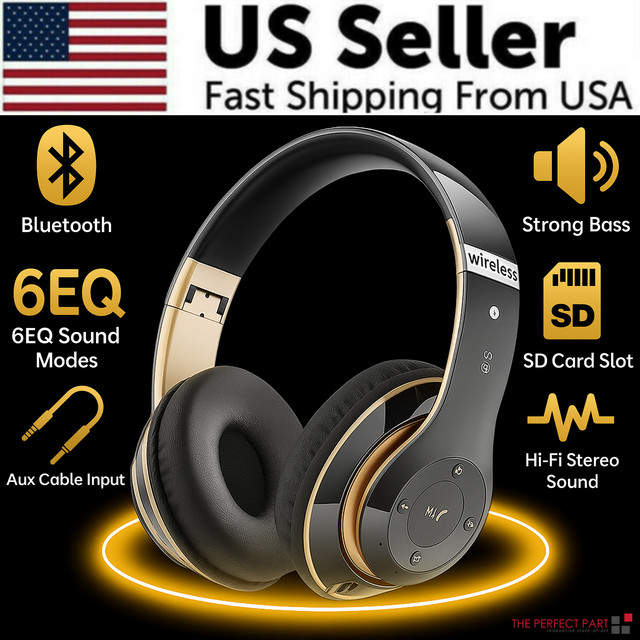
Worth trying if wireless audio is what you want and a microphone is not the priority. The Vita supports Bluetooth audio, so a pair of wireless headphones will generally pair and play. The caveat from the introduction applies and it matters: microphone support over Bluetooth is limited and inconsistent between applications, so do not buy a Bluetooth headset specifically for voice chat and assume it will work. For music and single-player audio without a cable, it is a genuine convenience.
- Bluetooth audio pairing
- Rechargeable battery
- On-ear and in-ear designs
- Some with inline controls
- No cable, which suits a handheld
- Also pairs with a phone or tablet
- Battery lasts a full session
- Microphone support over Bluetooth is inconsistent
- Adds latency, which matters in rhythm games
Short 3.5 mm Extension Cable
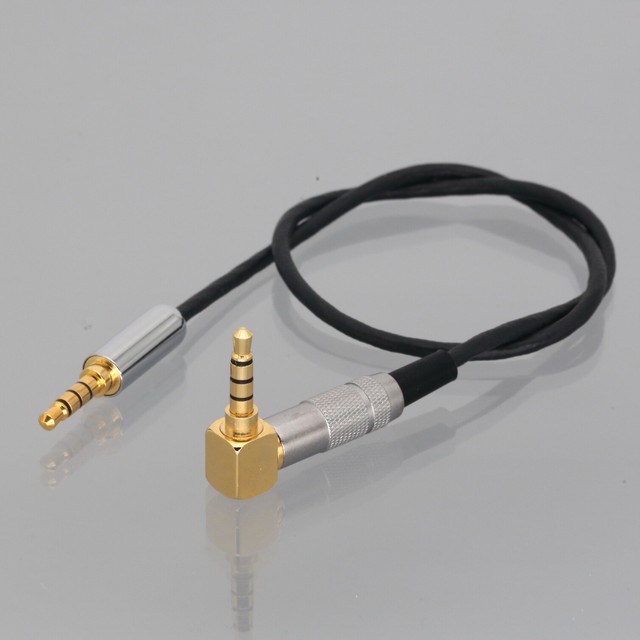
A small thing that improves how a handheld feels to use. A headphone cable long enough for a phone in a pocket is far longer than needed for a device in your hands, and the excess loops around your wrists and snags on things. A short extension is the wrong direction; what you actually want is a short-cable headphone or a cable winder. Where an extension does help is a Vita on a stand or a dock with the headphones plugged into an amplifier — then you need the reach.
- Short lengths from 15 cm upwards
- 4-pole versions for microphone pass-through
- Right-angle plugs available
- Shielded cable
- Right-angle plugs reduce strain on the Vita’s socket
- 4-pole versions carry the microphone
- Useful for a docked or stand-mounted setup
- 3-pole extensions silently drop the microphone
- Every connection is a potential noise point

Right-Angle 3.5 mm Adapter
Solves a physical problem specific to handhelds. A straight plug protruding from the bottom of a Vita gets pushed and levered every time the device is put down or picked up, and that steadily damages the socket — a failed headphone jack is a genuinely common fault on these consoles and it is not a cheap repair. A right-angle adapter turns the cable flat against the body immediately. Make sure it is a 4-pole adapter if you need the microphone; 3-pole ones will drop it silently.
- 90-degree 3.5 mm adapter
- 4-pole versions for microphone
- Compact moulded body
- Gold-plated contacts on better ones
- Protects the socket from levering damage
- Cable runs flat against the console
- Cheap
- 3-pole adapters drop the microphone with no warning
- Adds a connection that can introduce noise
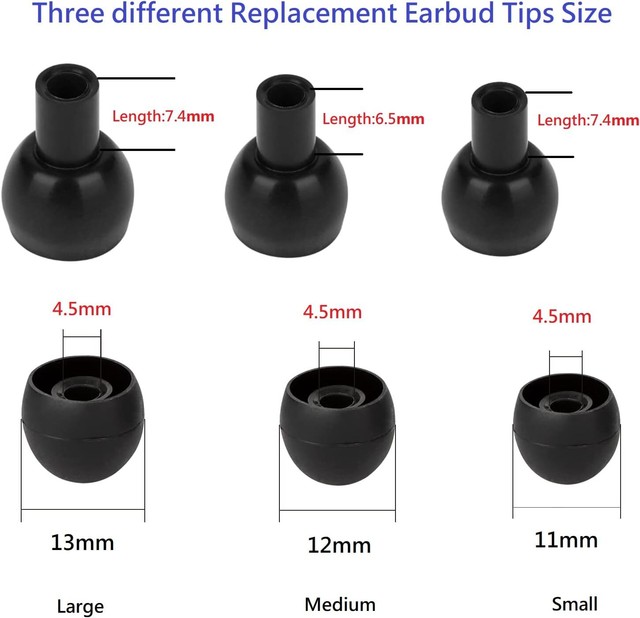
Replacement Ear Tips
The cheapest audio upgrade there is. In-ear headphones sound dramatically different depending on how well they seal, and the tip supplied in the box may simply be the wrong size for you — a poor seal loses almost all the bass and most of the isolation. A multi-size set of silicone or foam tips costs very little and frequently transforms a pair people thought was poor. Foam tips seal better and isolate more; silicone is more comfortable for long sessions and easier to clean.
- Multiple sizes in silicone or memory foam
- Fit most standard nozzle diameters
- Foam isolates more, silicone is more comfortable
- Sold in multipacks
- A proper seal transforms bass and isolation
- Cheapest meaningful audio improvement available
- Several sizes lets you find the right one
- Nozzle diameters vary — check compatibility
- Foam tips compress and need replacing
Carry Case for Console and Headphones
The Vita’s screen and analogue sticks are its vulnerable parts, and the whole point of a handheld is that it goes in a bag with everything else. A hard case with a moulded recess for the console, a pocket for games and space for coiled headphones protects all of it in one item. Look for one with a soft interior lining, since a hard shell with a rough interior scratches the screen — which is the damage the case was bought to prevent.
- Hard shell with a moulded console recess
- Soft lining against the screen
- Game card slots
- Space for headphones and a charger
- Protects the screen and sticks in a bag
- Keeps headphones and games with the console
- Cheap relative to a screen repair
- Rough interiors scratch the screen they protect
- Bulkier than a soft sleeve

Cable Winder or Velcro Ties
Trivial, and it fixes the most persistent daily annoyance of using wired headphones with a handheld. A cable long enough for a phone in a pocket is roughly twice what you need with a device in your hands, and the excess tangles in a bag and catches on door handles. A small winder or a couple of velcro ties takes up the slack and keeps it there. It also stops the cable being yanked, which is what eventually damages the plug and the socket.
- Small spool winders or reusable velcro ties
- Takes up excess cable length
- Cheap multipacks
- Reusable indefinitely
- Removes the daily tangle
- Reduces the yanking that damages plugs and sockets
- Costs almost nothing
- Winders add a lump to the cable
- Tight winding creases the cable over time
Buying tips
- The Vita’s jack is 4-pole, the same as a phone. A single-plug phone headset with an inline microphone will generally work for both audio and voice chat with no adapter at all. That is the simplest path and it is the one most people should take.
- A gaming headset with two plugs needs a combiner. Green for audio and pink for microphone are two separate 3-pole plugs, and the Vita has one 4-pole socket. A combiner adapter merges them and costs very little. Buy the version that takes two sockets and gives one plug, not the splitter that does the reverse — both are sold under similar names.
- Do not buy Bluetooth specifically for voice chat. The Vita handles Bluetooth audio, and microphone support over Bluetooth is limited and inconsistent between applications. If voice chat is the reason for the purchase, a wired headset removes the uncertainty completely. For music and single-player audio, wireless is a genuine convenience.
- Low impedance is what gets you volume. The Vita’s headphone output is not powerful, and studio headphones designed for an amplifier will be disappointingly quiet on it. Look for 32 ohms or below and high sensitivity — headphones designed for phones and portable players are exactly the right specification.
- Use a right-angle adapter to protect the socket. A straight plug sticking out of the bottom of a handheld gets levered every time the device is put down, and a failed headphone jack is a common and expensive Vita fault. A right-angle adapter turns the cable flat immediately. Make sure it is a 4-pole version if you need the microphone.
- Beware 3-pole adapters and extensions. They will pass audio perfectly and drop the microphone entirely, with no error and no indication. If a headset that worked stops having a working microphone after you add an adapter, that is almost always what happened. Check the plug — four contacts, three black bands.
- Try different ear tips before deciding headphones are bad. In-ear headphones depend entirely on a good seal, and the supplied tip may simply be the wrong size for your ears — which loses nearly all the bass and most of the isolation. A multi-size pack costs very little and frequently rescues a pair people were about to replace.
- Test the microphone before you need it. The Vita has a built-in microphone as well, so an app working does not prove your headset’s microphone is the one being used. Record something in a voice app and play it back with the headset connected, before you are in a game trying to talk to someone.
As an Amazon Associate and eBay Partner, toptenpick.com earns from qualifying purchases. Prices and availability are subject to change.